


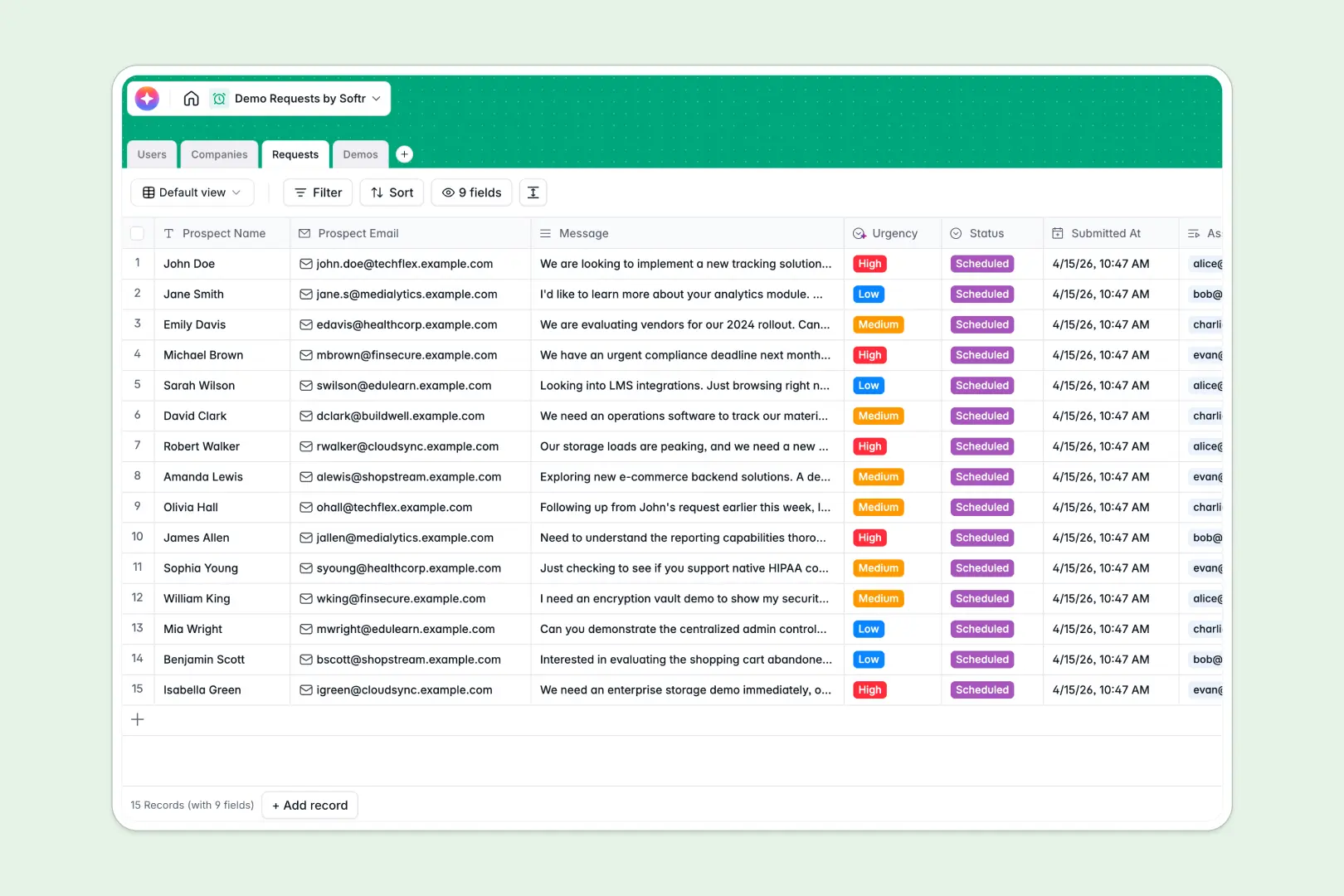
Your Demo Requests database at a glance
This template streamlines how you manage inbound requests, track prospect companies, and organize live product demonstrations. It centralizes lead data so your sales reps can follow up, schedule meetings, and record outcomes without losing momentum.
By linking incoming requests directly to prospect companies and internal hosts, you maintain complete visibility over your pipeline. The system tracks status updates—from new submissions to successfully closed demos—ensuring no prospect slips through the cracks.
Built-in AI fields work in the background to automatically enrich company descriptions from the web and classify submission urgency. This allows your team to prioritize high-value prospects immediately without doing manual research beforehand.
What to check before building your demo requests base in Airtable
When managing demo requests, sharing lead data with your team shouldn't come with a head-tax. Airtable charges you for every single team member who needs edit access, which quickly inflates costs as your sales team, managers, and product hosts grow.
What changes with a database built for apps
Airtable is a great database engine, but turning it into a collaborative lead management portal requires stitching together third-party form builders, automation tools, and portal builders. With Softr Databases, you get a structured relational engine with unlimited collaborators on all plans, higher API limits, and a built-in interface builder.
This design allows you to transition seamlessly from a simple back-end list of email addresses to a fully secure team portal. Because everything lives natively in one platform, you never have to worry about fragile integrations breaking mid-campaign.
What you can do with this template
With this database, you can automatically extract web data to build robust profiles for Every prospect company. Database AI agents analyze custom messages to evaluate priority so your top reps get assigned high-urgency leads instantly.
You can also capture meeting outcomes, schedule hosts, and let AI summarize follow-up notes for the product team. It functions as a complete sales support structure that automates tedious operational overhead.
-
Users
Track team members managing demo requests and their schedules
-
Companies
Manage prospect organizations with AI-generated business summaries
-
Requests
Organize inbound demo submissions with AI-driven urgency analysis
-
Demos
Schedule physical and virtual product demos with AI meeting preparation notes
Who is this Demo Requests database for
- Sales Teams: Assign incoming leads instantly, categorize accounts by industry, and follow up fast.
- Sales Operations: Monitor request volumes, track assignee workloads, and analyze demo win rates.
- Product & Success Teams: Review automated follow-up notes and customer feature requirements in one place.
- Startup Founders: Centralize early feedback and manage inbound sales pipelines without complex CRM overhead.
How to take it further
Customize the database
Adjusting this template to fit your pipeline is incredibly fast. You can quickly add new pipeline stages to the Status select field, modify industry categories, or create custom rating columns to rank qualified leads.
Import your existing data
If you already have a pipeline running elsewhere, you can upload your existing lead list via CSV import in just a few clicks. You can also connect external signup forms via API to feed new submissions directly into your Requests table.
Build a full app around it
When you are ready to give your team a dedicated workspace, you can easily build an app on top of this data. By describing what you need in a single prompt, you can generate an app with AI that provides a polished sales dashboard.
With native users and permissions, you can restrict access so reps only see their own assigned requests while managers can oversee the entire company pipeline. Starting from a structurally sound database makes deploying secure portals simple.
-
1
-
2
-
3
-
4
Frequently asked questions
-
What is a demo requests database?
-
Why use a no-code database to build a demo requests system?
-
How can AI help managing data for demo requests?
-
Can I build an app with this demo requests database?
-
Is this demo requests template free?
-
How is this template different from a demo requests Airtable template?
Start building today. It's free!
Build and launch your first app in under 30 minutes.