


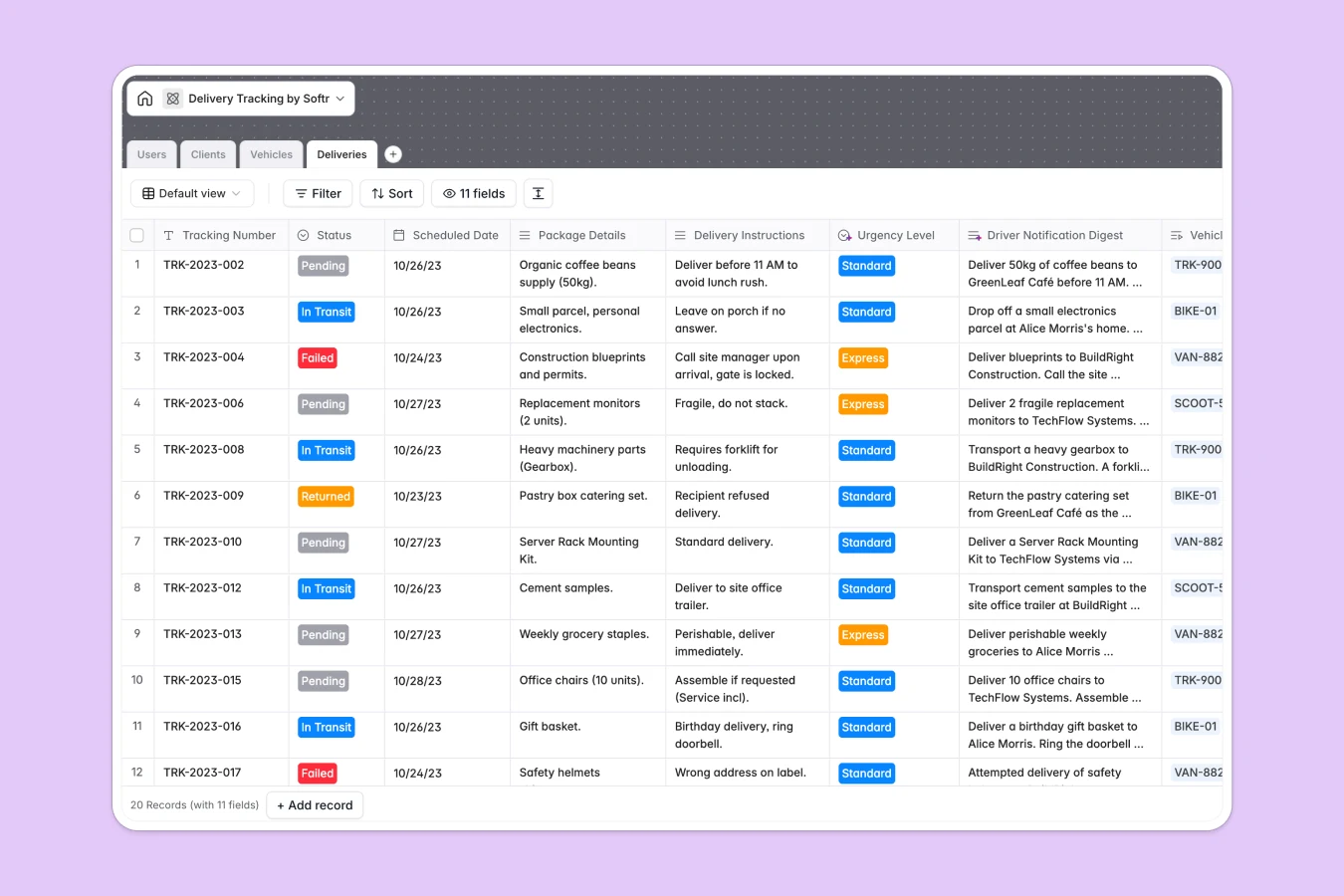
Your Delivery Tracking database at a glance
This delivery tracking template is designed to help you run a smooth logistics operation. It centralizes scheduled shipments, fleet vehicles, active drivers, and client accounts in one organized hub so you never lose visibility on a parcel.
Everything operates through related tables: the Deliveries table links directly to your Clients, Vehicles, and dispatch Users. This prevents manual copy-pasting and ensures that when a driver's status changes, your entire dispatch board updates automatically.
Additionally, this template features built-in AI fields to automate repetitive planning. It automatically determines shipping urgency levels from package details and drafts convenient notification summaries for your drivers before they hit the road.
What to check before building your delivery tracking base in Airtable
If you are setting up a logistics pipeline, tracking drivers, and coordinating client drop-offs, keeping everyone aligned is critical. While a database system is absolutely the right choice for managing moving parts, there are structural constraints to consider before building your operation on Airtable.
What changes with a database built for apps
When managing a delivery desk, your dispatchers, drivers, and warehouse staff all need to update details simultaneously. Under Airtable's per-seat pricing, adding every driver and client collaborator to your base quickly becomes highly expensive.
With Softr Databases, your team gets unlimited collaborators on all plans. This means you can give every driver, warehouse coordinator, and administrator write permissions without paying per-user fees that punish your business growth.
Furthermore, Softr integrates database storage and visual application layouts into a single tool. Instead of requiring you to pay for and stitch together separate external apps or web portals to shield your internal logistics records, you can control exact access permissions natively.
What you can do with this template
This template provides four connected tables that represent your entire delivery ecosystem: Users (for drivers and dispatchers), Clients (with addresses and locations), Vehicles (to monitor your fleet), and Deliveries (for active orders).
To make your fleet even more efficient, native Database AI agents analyze custom package instructions and instantly generate a driver-ready delivery summary for each shipment. This allows drivers to read critical notes on their phones in seconds rather than digging through raw shipping logs.
Because the database has a structured schema, you can filter delivery states instantly, link vehicles to maintenance schedules, and keep historical logs of clients and their delivery counts automatically.
-
Users
Manage internal delivery staff, dispatchers, and administrator profiles
-
Clients
Store client contacts and use AI to summarize address types and profiles
-
Vehicles
Track the delivery fleet, models, license plates, and active status
-
Deliveries
Track shipments using AI to generate driver notifications and urgency levels
Who is this Delivery Tracking database for
- Logistics & Dispatch Managers: Coordinate driver assignments, monitor vehicle statuses, and resolve pending delivery issues from one main screen.
- Couriers & Drivers: Access a clear list of assigned deliveries on the road, read summarized instructions, and upload attachments for proof of delivery.
- E-commerce & Local Retail Businesses: Keep client addresses and orders organized while getting automated summaries of business and residential delivery points.
How to take it further
1. Customize your database
You can easily tailor this database to match your exact transport workflow. Add new select values for vehicle types (like cargo vans or drones), create custom delivery statuses, or add rating columns for driver performance.
2. Import your existing data
Instead of starting from zero, import your existing driver spreadsheets or client contacts instantly using CSV uploads. You can also connect external APIs to sync shipment records directly from your ecommerce platform in real time.
3. Build a full app around it
Once your database contains live delivery details, you can easily use an AI app generator to turn it into a custom portal. In one single prompt, build a dedicated interface where drivers only see their own routes and clients can log in to track packages.
This complete setup combines your database with clear granular users and permissions. This guarantees that drivers cannot modify client profiles, clients cannot edit vehicle records, and dispatchers maintain complete administrative control over the entire system.
-
1
-
2
-
3
-
4
Frequently asked questions
-
What is a delivery tracking database?
-
Why use a no-code database to build a delivery tracking system?
-
How can AI help managing data for your delivery tracking?
-
Can I build an app with this delivery tracking database?
-
Is this delivery tracking template free?
-
How is this template different from a delivery tracker in Airtable?
Start building today. It's free!
Build and launch your first app in under 30 minutes.