


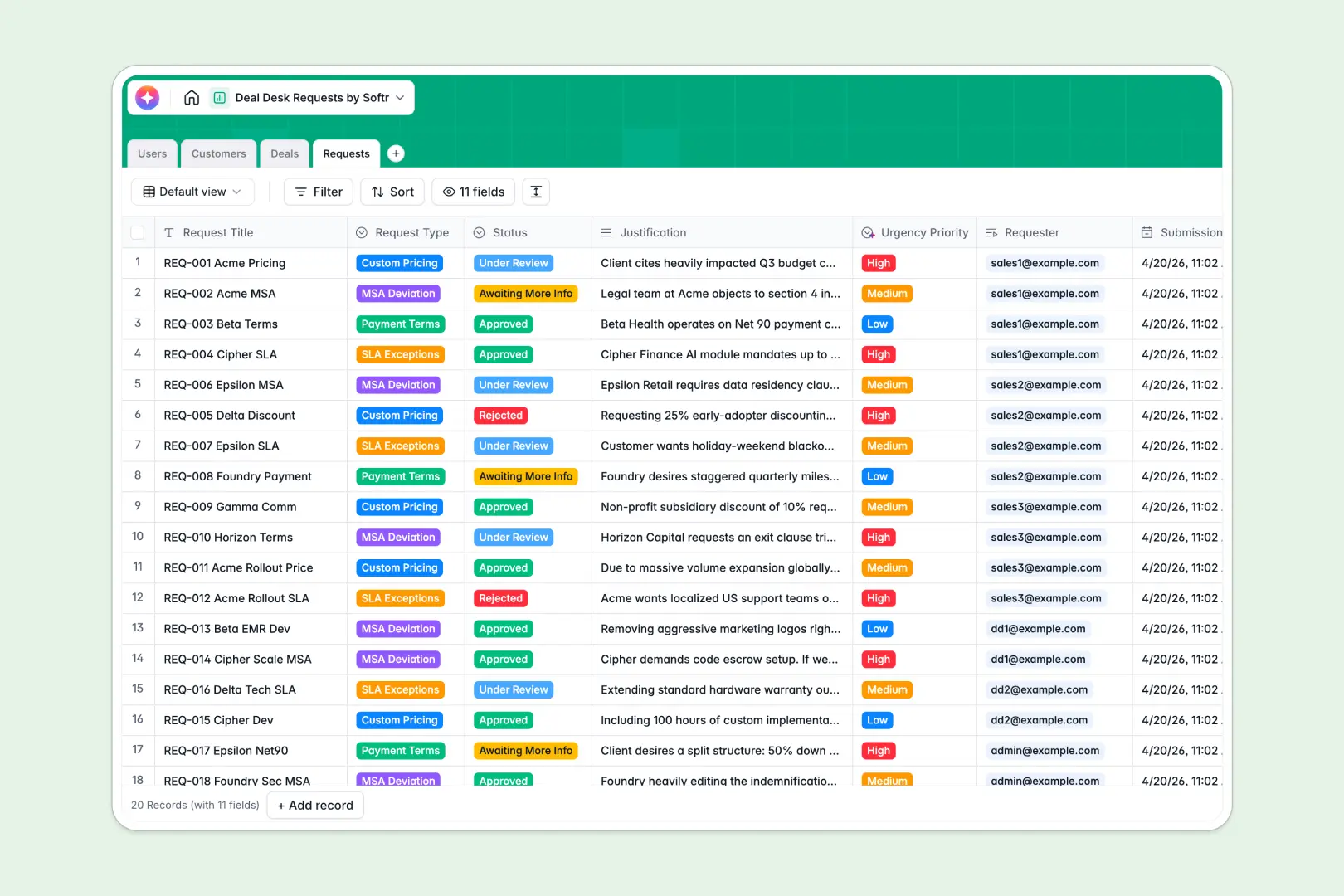
Your Deal Desk Requests Tracker at a glance
This template streamlines critical sales transactions by centralizing requests for custom pricing, payment terms, or contract deviations. It maps sales opportunities directly to formal desks requests making it easy to unblock pipeline bottlenecks.
Your sales reps, deal desk managers, and executive approvers are connected seamlessly to client profiles and deal values. Multiple requests link back to a single opportunity, keeping historical changes instantly visible.
Built-in AI fields draft executive summaries and evaluate urgency priorities straight from raw rep justifications, helping reviewers act on critical contracts faster.
What to check before building your Deal Desk base in Airtable
If you are scaling a deal desk process, you already know that keeping your commercial data organized takes structured, relational tables. While setting up a transactional tracker in Airtable is common, high-velocity sales teams often run into unexpected operational friction.
What changes with a database built for apps
As soon as you invite your wider commercial team, account managers, and finance leadership into Airtable, per-seat licensing fees escalate quickly. Even if they only need to submit occasional requests, you end up paying for everyone as editors.
Softr Databases are built for relational integrity but skip the restrictive collaborator tax entirely. You get scalable tables with precise columns—like lookup fields, currencies, and timestamps—while keeping your workspace completely open to unlimited teammates.
Rather than forcing users into a raw spreadsheet view, this database structure acts as a clean backend. It is ready out of the box to power fully secured, custom-tailored user interfaces with granular editing access and business logic built right in.
What you can do with this template
This template allows you to connect customers, sales pipelines, and desk requests into one coherent system. You can easily categorize request types, update review statuses, and track cumulative outstanding values per account.
Integrated Database AI agents automatically build executive snapshots of companies and analyze the business impact of requests. Reviewers can quickly read three-bullet summaries of long justifications to prioritize high-value approvals instantly.
-
Users
Track sales reps, deal desk members, and roles with assignable approvals
-
Customers
Manage client profiles enriched with AI-generated executive target snapshots
-
Deals
Track pipeline opportunities, estimated values, owners, and closure dates
-
Requests
Evaluate non-standard pricing and terms with AI-driven summaries and priority tagging
Who is this Deal Desk Requests database for
- Deal Desk Managers: Track terms, prioritize urgent approvals, and unblock high-value deals with zero administrative overhead.
- Sales Representatives: Submit non-standard requests, explain commercial justifications, and follow progress directly.
- Sales Leadership: Oversee active deal pipelines and review historical discounting behaviors across core corporate accounts.
How to take it further
Customize the database
You can easily tailor this database to match your sales process. Rename custom pricing fields, modify request types to include legal or custom SLA tags, and adjust status options according to your internal approval steps inside the visual designer.
Import your existing data
Bring in your data instantly without recreating tables from scratch. You can upload existing spreadsheets of past discounts via a CSV import, or map your active pipeline directly with the automated API, instantly mapping deal records to your customer database.
Build a full app around it
Once the database is structured, you can generate an app with AI to turn it into a dedicated internal portal. This lets you grant sales teams, executives, and finance partners their own secure logins, completely controlling who can view or edit sensitive margins.
Using native Softr users and permissions, sales reps only see their own customer requests, while managers get unified approval queues. You can also deploy automated workflows that alert teams in Slack or Gmail whenever a deal status transitions to approved.
-
1
-
2
-
3
-
4
Frequently asked questions
-
What is a Deal Desk Requests database?
-
Why use a no-code database to build a deal desk system?
-
How can AI help managing data for Deal Desk Requests?
-
Can I build an app with this Deal Desk Requests database?
-
Is this Deal Desk Requests template free?
-
How is this template different from an Airtable template?
Start building today. It's free!
Build and launch your first app in under 30 minutes.