


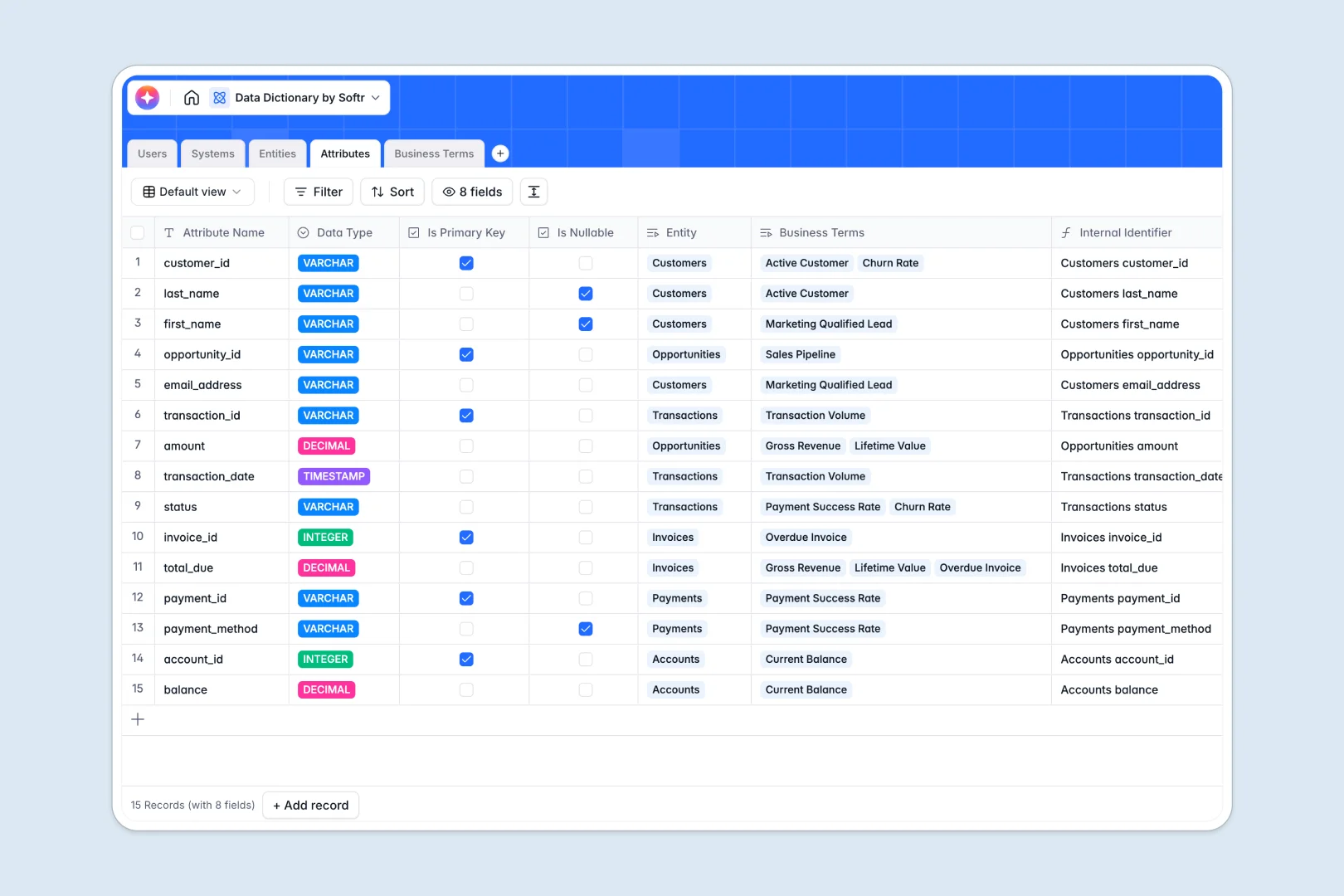
Your Data Dictionary database at a glance
Keep your entire data ecosystem documented and clear. This template connects your source systems, data entities, technical attributes, and business definitions so everyone operates on truth.
Your tables link seamlessly. Link key source systems (like database warehouses) directly to their child data tables, individual schemas, and standard enterprise definitions without maintaining separate, disconnected lists.
Built-in AI fields help you automate metadata tasks. The database auto-generates entity summaries, drafts usage guidelines for specialized data attributes, and performs real-time web searches to reference standard industry definitions.
What to check before building your data dictionary in Airtable
Many teams naturally reach for a database when building high-integrity documentation systems. But before choosing your backend, look at who needs to collaborate and where your schemas scale.
What changes with a database built for apps
Airtable charges per user as soon as someone needs editing access, which gets expensive when multiple engineers and product owners need to update the dictionary.
When you use Softr Databases, your team gets unlimited collaborators and higher record scales on all plans. Because the database acts as the app-ready source of truth, you can keep your data structural integrity without worrying about subscription seats or strict record limits.
What you can do with this template
Instantly document complex databases by matching physical schemas to standard glossary glossaries. Link your teams directly to the systems and entities they own to assign responsibilities.
Using built-in Database AI agents, you can automatically summarize database schemas and crawl the web to find definition benchmarks. You keep full control over when these actions run to prevent credit waste.
-
Users
Track database owners, stewards, and viewers with roles and owned assets
-
Systems
Manage source databases and third-party tools originating corporate data
-
Entities
Organize tables and datasets with descriptions generated by AI auto-tagging
-
Attributes
Map technical fields and types using AI to generate key usage documentation
-
Business Terms
Define business glossary terms with AI research on industry benchmarks
Who is this Data Dictionary database for
- Data Governance Teams: Centralize standard glossaries and link technical schemas to business meanings.
- Data Stewards: Maintain data definitions, assign system owners, and track metadata status.
- Analytics Engineers: Document schema updates and keep track of keys, datatypes, and nullability.
- Product Teams: Reference corporate vocabulary, locate core metrics, and identify trusted data sources.
How to take it further
Customize the database
Define your own system types or add metadata fields for tracking data privacy levels, PII fields, and classification rules. Editing is done visually in a couple of clicks inside your workspace.
Import your existing data
Import your schemas and definitions in bulk using CSV files or sync your production catalogs directly using Softr's native API integration.
Build a full app around it
When your team is ready, turn this schema database into a complete portal. Use Softr's AI Co-builder to instantly generate role-based layouts on top of this exact database.
You can keep technical schemas restricted to developers while giving business users simple view-only glossaries by setting up users and permissions via the visual interface builder. Adding workflows lets you notify stewards when attributes are changed or deprecated.
-
1
-
2
-
3
-
4
Frequently asked questions
-
What is a data dictionary database?
-
Why use a no-code database to build a data dictionary?
-
How can AI help managing data for your data dictionary?
-
Can I build an app with this data dictionary database?
-
Is this Data Dictionary template free?
-
How is this template different from an Airtable template?
Start building today. It's free!
Build and launch your first app in under 30 minutes.