


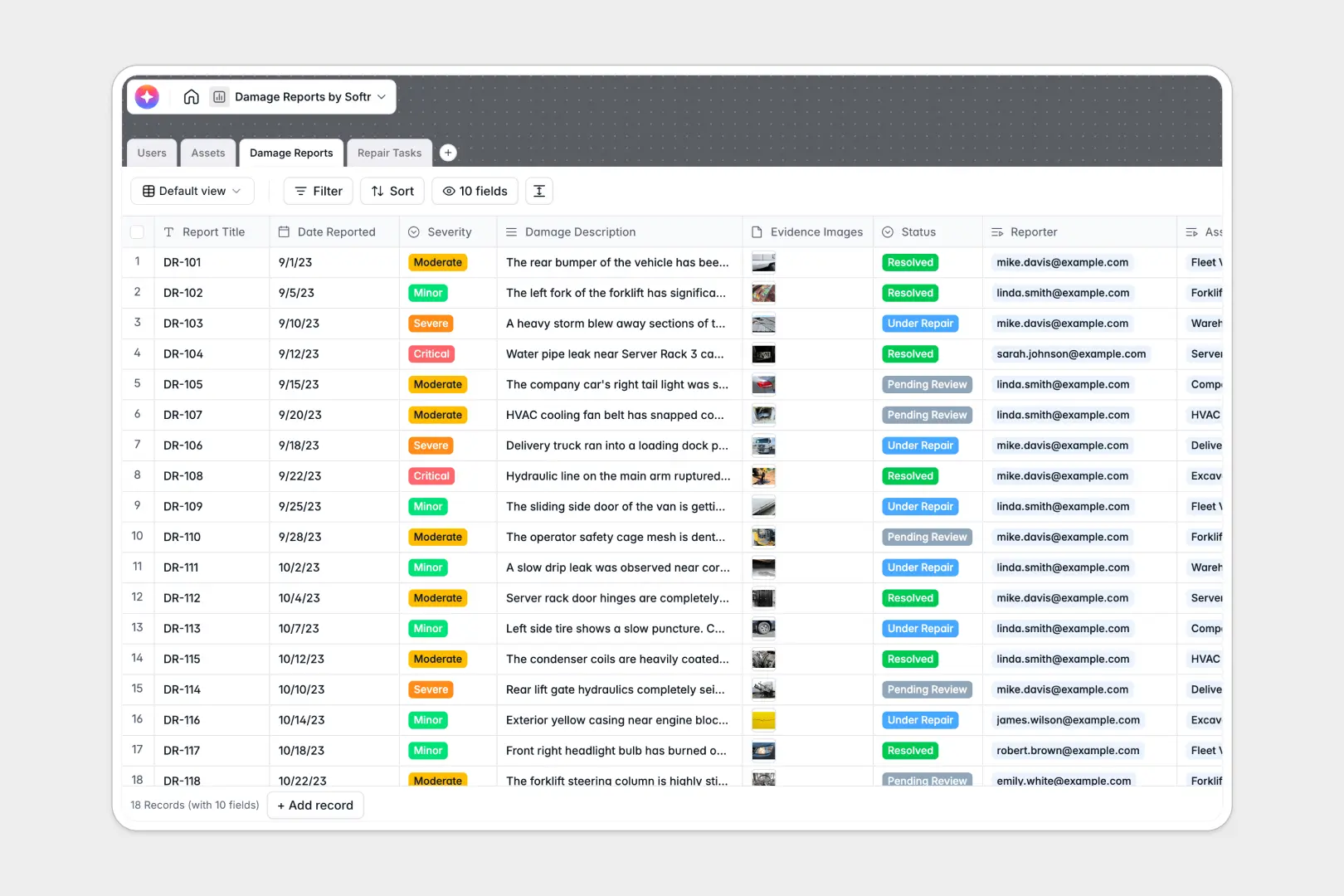
Your Damage Reports database at a glance
Record and track property, vehicle, and equipment issues in one secure place instead of relying on fragile spreadsheets.
This database links your assets directly to damage incident reports and subsequent repair tasks, ensuring your technicians immediately know what to fix and where.
It also features built-in AI fields that automatically write executive summaries and outline repair steps for technicians as soon as a new report is filed.
What to check before building your damage reports base in Airtable
Tracking equipment and building damage across a team requires constant updates from technicians, inspectors, and operations managers. While Airtable offers the relational tables needed to handle this structure, its pricing and product limits can quickly hold operational teams back.
What changes with a database built for apps
Sharing an Airtable base with multiple field inspectors and repair crews requires paying for each user, which quickly becomes expensive. With Softr Databases, you get unlimited collaborators on all plans so anyone can update statuses and log evidence without extra fees.
Additionally, you don't need to stitch together external form tools or portals to let inspectors submit reports securely. The interface, workflows, and database are natively unified on a single platform.
What you can do with this template
This template lets you log structural or equipment damage, upload photographic evidence, and automatically assign repair tasks with clear due dates.
With integrated AI, the database instantly summarizes complex damage descriptions and generates step-by-step methodologies using built-in Database AI agents directly in your tables.
-
Users
Track system users including reporters, admins and repair technicians
-
Assets
Manage properties, vehicles and equipment vulnerable to damage incidents
-
Damage Reports
Log incidents and generate automated AI executive summaries of damage severity
-
Repair Tasks
Coordinate maintenance tasks using AI to suggest repair action steps
Who is this Damage Reports database for
This database is built for teams that manage physical assets, facilities, or equipment and want to streamline maintenance.
- Facilities Managers: Track building repairs and easily coordinate scheduled and emergency maintenance tasks.
- Fleet Directors: Log vehicle damage with photographic evidence and oversee step-by-step repair plans.
- Operations Leads: Keep automated records of equipment value, incident history, and repair budgets in one database.
How to take it further
Start by adapting this template to your team's specific environment. Update the Asset Type options (like adding custom IT or machinery roles) and customize the severity fields to match your priority levels.
If you have existing records, import your asset lists instantly using direct CSV upload. You can also import whole tables directly from your legacy databases in a few clicks.
Once your database is running, you can generate an app with AI directly on top of it. Describe what you need, and the AI Co-Builder instantly sets up a dedicated portal.
This portal lets you define custom users and permissions so inspectors only see report forms, while technicians only view their assigned repair tasks.
-
1
-
2
-
3
-
4
Frequently asked questions
-
What is a damage reports database?
-
Why use a no-code database to build a damage reports system?
-
How can AI help managing data for damage reports?
-
Can I build an app with this damage reports database?
-
Is this damage reports template free?
-
How is this template different from an Airtable template?
Start building today. It's free!
Build and launch your first app in under 30 minutes.