


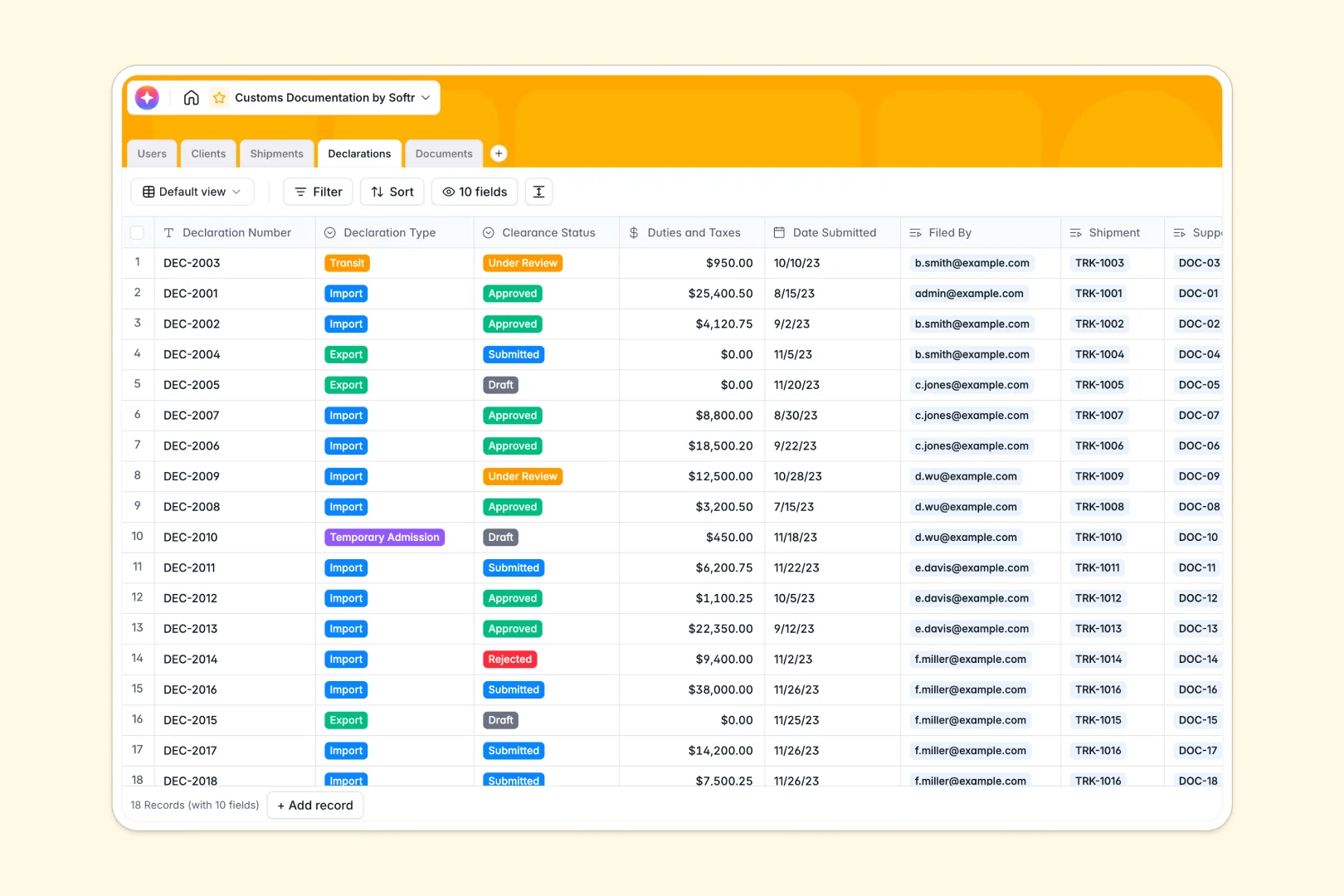
Your Customs Documentation database at a glance
This template gives you a robust system to track import/export clearances and organize logistics documentation. By keeping clients, shipments, declarations, and supporting documents connected in one place, your logistics team can work without delays.
Your database handles the entire compliance lifecycle by linking every customs declaration to its specific shipment and client. This structured setup ensures that important paperwork like invoices and packing lists are never lost or separated from their corresponding records.
With built-in AI capabilities, you can automatically run risk analyses on declarations, draft shipment summaries, and extract insights from uploaded documents instantly.
Where customs management outgrows Airtable
If you are evaluating building a customs operations hub, choosing the right platform determines how easily your team, clients, and brokers can collaborate.
While starting with a database is the right move for relational data, platforms like Airtable charge expensive per-seat prices that penalize you for adding external brokers or clients as collaborators.
What changes with a database built for apps
To share customs progress with a client or let a broker upload documents safely in other tools, you typically have to stitch together external portals, forms, and tools. This complex setup breaks down easily and adds security risks with sensitive trade documents.
This is exactly what Softr Databases are designed to solve. You get a relational database that easily handles up to 200,000 records, includes unlimited collaborators, and resides in the exact same platform as your user interface and custom workflows.
What you can do with this template
- Track live clearance progress: Keep tabs on commercial invoices, packing lists, and certificates of origin tied natively to specific customs declarations.
- Reduce clearance delays: Oversee shipments across different statuses like "Customs Hold" or "Cleared" and assign them instantly to brokers.
- Automate risk and content analysis: Leverage built-in Database AI agents to run risk assessments on declarations and generate automatic shipment summaries as soon as status updates happen.
-
Users
Manage customs brokers, administrators, and client representatives
-
Clients
Manage client profiles with web-sourced AI company descriptions
-
Shipments
Track transport logistics with AI-generated status summaries
-
Declarations
File customs declarations with AI-powered rejection risk analysis
-
Documents
Store supporting files with AI-generated contextual annotations
Who is this Customs Documentation database for
- Customs Brokers: Oversee assigned shipments, verify uploaded commercial invoices, and manage formal import or export filings in real time.
- Logistics Managers: Track freight routes, monitor customs clearance holds, and coordinate documents directly with clients.
- Import/Export Teams: Keep critical tax details, duties, and supporting trade documents organized and auditable under one secure system.
-
1
-
2
-
3
-
4
Frequently asked questions
-
What is a customs documentation database?
-
Why use a no-code database to build a customs system?
-
How can AI help managing customs data?
-
Can I build an app with this customs documentation database?
-
Is this customs documentation template free?
-
How is this template different from an Airtable template?
Start building today. It's free!
Build and launch your first app in under 30 minutes.