


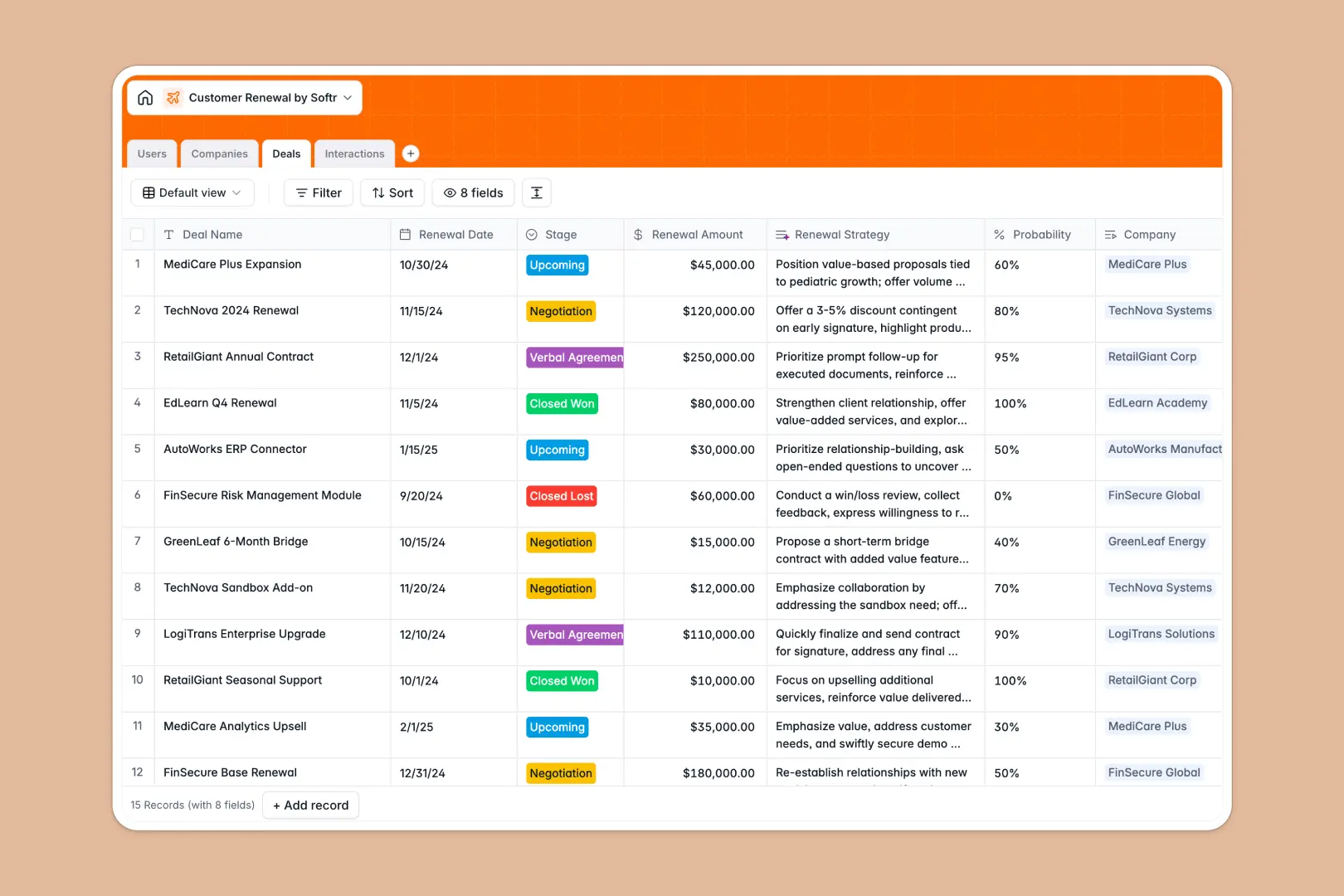
Your Customer Renewal tracker at a glance
This template keeps customer customer renewal accounts, deals, and daily touchpoints organized in one Central hub. By linking account managers to specific accounts and tracking ongoing activities, your team can protect revenue and forecast renewal rates accurately.
Everything stays organized automatically because accounts link directly to their corresponding renewals, histories, and health scores. Integrated AI-driven fields run background research on company domains, analyze sentiment from latest logs, and surface key action points instantly.
What to check before building your customer renewal base in Airtable
While starting with a relational database is exactly the correct approach for tracking renewals, choosing a platform that locks high collaborator counts behind expensive per-seat pricing can quickly limit how your account management team collaborates.
What changes with a database built for apps
Using a structured database means keeping deals, interaction logs, and accounts joined flawlessly without fragile lookups. Every field enforces strict structures so accounts never contain empty dates or broken customer numbers.
This is exactly what Softr Databases are made to do, delivering the same relational power of linked tables alongside complete customization. Instead of charging you for every internal salesperson who updates an account, Softr lets you invite unlimited team members to collaborate on your renewal tracking at no extra cost.
What you can do with this template
This template is ready to adapt right out of the box. Use native Database AI agents to automatically research company profiles, classify client accounts under default industries, and extract summary action items directly from meeting notes in real time.
Your account owners can quickly tag health statuses as "Healthy" or "At Risk" while rolling up contract values automatically, letting the whole team track risk at a glance.
-
Users
Track team members, roles, and assigned accounts for renewals
-
Companies
Manage client profiles with AI-powered background research and health scores
-
Deals
Track renewal values with AI-generated negotiation and closing strategies
-
Interactions
Log communications using AI for sentiment analysis and key action items
Who is this Customer Renewal database for
- Account Management Leads: Standardize account tracking across the team, monitor overall health, and predict quarterly pipeline stability.
- Customer Success Managers: Log client interactions, run sentiment analysis, and act on renewal strategy suggestions.
- Sales & Renewal Ops: Manage contracts and deals transparently without losing track of important client touchpoints or contacts.
How to take it further
Customize your database structure
You can adjust this template in seconds by adding custom fields to match your sales cycle, such as contract start dates, renewal discount caps, or regional tags. This native flexibility lets you keep your database aligned with how your team naturally processes accounts.
Import your existing renewal pipelines
Instead of starting from zero, you can import your current customer tracking records using a CSV upload or sync live records using our API. In minutes, your existing pipeline is parsed, formatted, and connected with native database relationships intact.
Build a full app around your renewals
As your customer portfolio expands, you can seamlessly migrate your team into dedicated workflows. With Softr, you can use the AI app generator to turn your structured database into a custom customer portal or secure internal team tool in one quick step.
Adding granular users and permissions ensures Account Managers only edit their assigned accounts, while leadership gets full access to reports and pipeline metrics.
-
1
-
2
-
3
-
4
Frequently asked questions
-
What is a Customer Renewal database?
-
Why use a no-code database to build a Customer Renewal tracker?
-
How can AI help managing data for customer renewals?
-
Can I build an app with this customer renewal database?
-
Is this customer renewal template free?
-
How is this template different from an Airtable template?
Start building today. It's free!
Build and launch your first app in under 30 minutes.