


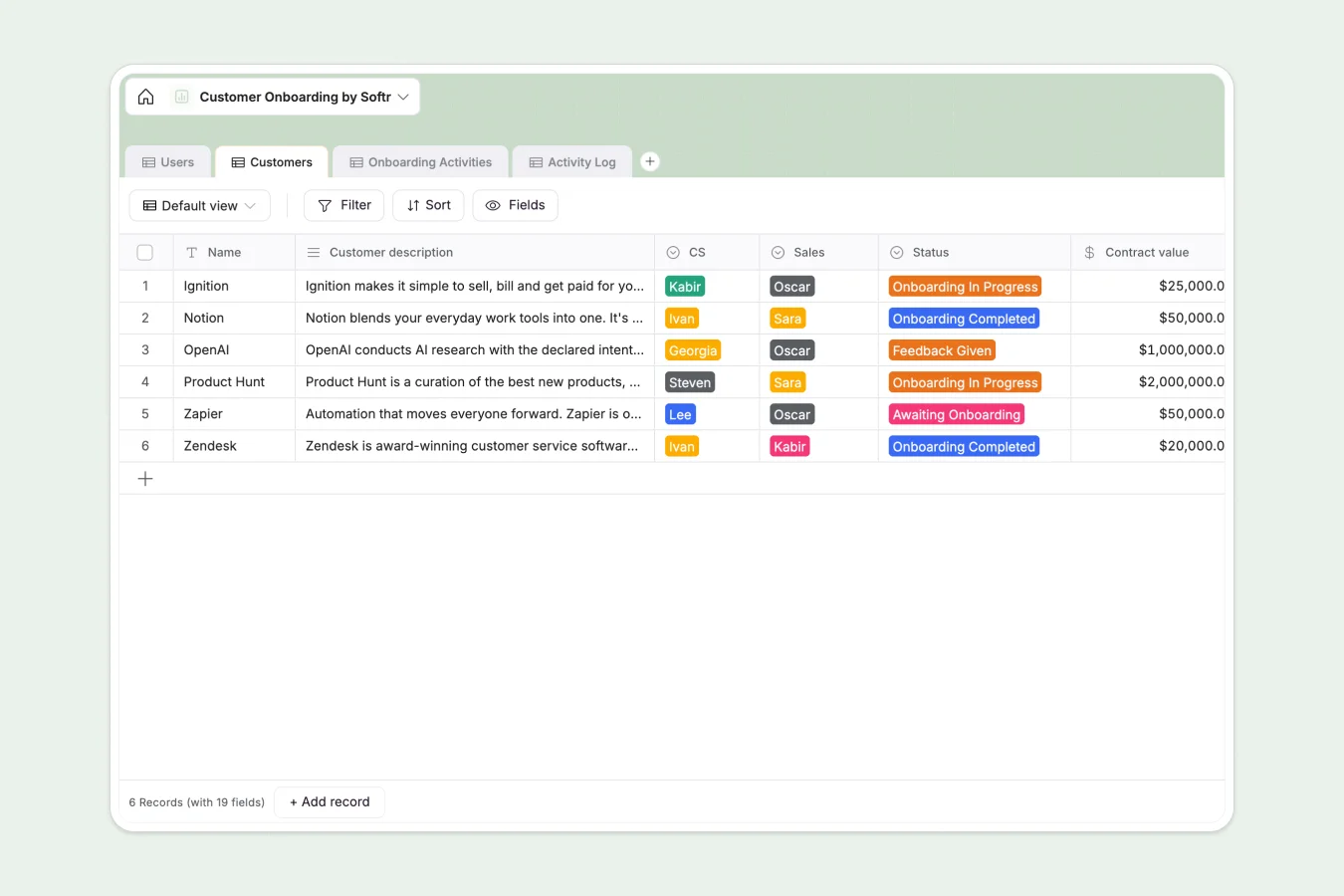
Your Customer Onboarding database at a glance
This template gives you a central place to manage accounts from handoffs to go-live. It helps customer success managers track milestones, log critical action items, and ensure zero details slip during transitions.
Everything is organized across connected tables: Customers are linked directly to Activity Logs and standard Onboarding Activities. This structure lets you click into any customer profile to instantly see completed milestones, scheduled check-ins, and shared notes.
What to check before building your customer onboarding base in Airtable
While Airtable is great for structuring relational tables, using it for team-wide customer onboarding operations often introduces friction.
What changes with a database built for apps
When your entire customer success team and client champion network need access to onboarding steps, Airtable's per-seat pricing gets expensive quickly because sharing edit access with extra users scales up your monthly bill.
Starting with Softr Databases gives you the exact same relational foundation, but with unlimited collaborators on every single plan. This means sales can pass details to customer success, managers can review plans, and external client champions can view their specific timelines without driving up software costs.
What you can do with this template
With this pre-built database, you can log dedicated onboarding programs, track live dates, and monitor contract value under a unified system. It is structured to run Database AI agents to automate administrative tasks, such as summarizing kickoff meeting notes or extracting key metrics from customer descriptions.
Your team can start using this structure immediately to log time, store success criteria, and check off milestones as clients advance from "Awaiting Onboarding" to total completion.
-
Users
Manage customer success and sales team members managing user lifecycles
-
Customers
Track client onboarding status, contract values, plans and team owners
-
Onboarding Activities
Define standard template phases, milestone schedules and kickoff agendas
-
Activity Log
Monitor and log live onboarding session history, status updates and notes
Who is this Customer Onboarding database for
- Customer Success Teams: Monitor progress, task statuses, and assignees to ensure smooth, repeatable handoffs.
- CS Leaders: Track overall team workloads, check total logged hours per account, and identify onboarding bottlenecks.
- Sales Representives: Pass over detailed champion information, contract values, and qualification notes seamlessly.
- Operations Teams: Maintain a clean, scalable log of historical notes and activity performance in one place.
How to take it further
Customize the database
You can modify this setup in seconds by renaming fields, tailoring customer success names, or defining custom onboarding activity sequences. Since it functions natively on Softr, you can expand tables to collect specific product trial metrics or client files as needed.
Import your existing data
Avoid manual copying by pulling your active client lists directly into this structure. Import your spreadsheet lists via CSV or configure an API to keep historical data synced and accurate with zero downtime.
Build a full app around it
When your operations grow, you can turn this relational data into a secure portal. The fastest path is to build an app by describing the portal you need in a single prompt to generate custom dashboards, progress views, and update forms for your team.
With intuitive users and permissions, you can ensure CS team members edit only their assigned accounts, while client champions get a read-only portal to view their milestone checklists. A structured database is the single most important ingredient for accurate app generation.
-
1
-
2
-
3
-
4
Frequently asked questions
-
What is a Customer Onboarding database?
-
Why use a no-code database to build a customer onboarding system?
-
How can AI help managing customer onboarding data?
-
Can I build an app with this customer onboarding database?
-
How is this template different from an Airtable template?
-
Is this Customer Onboarding template free?
Start building today. It's free!
Build and launch your first app in under 30 minutes.