


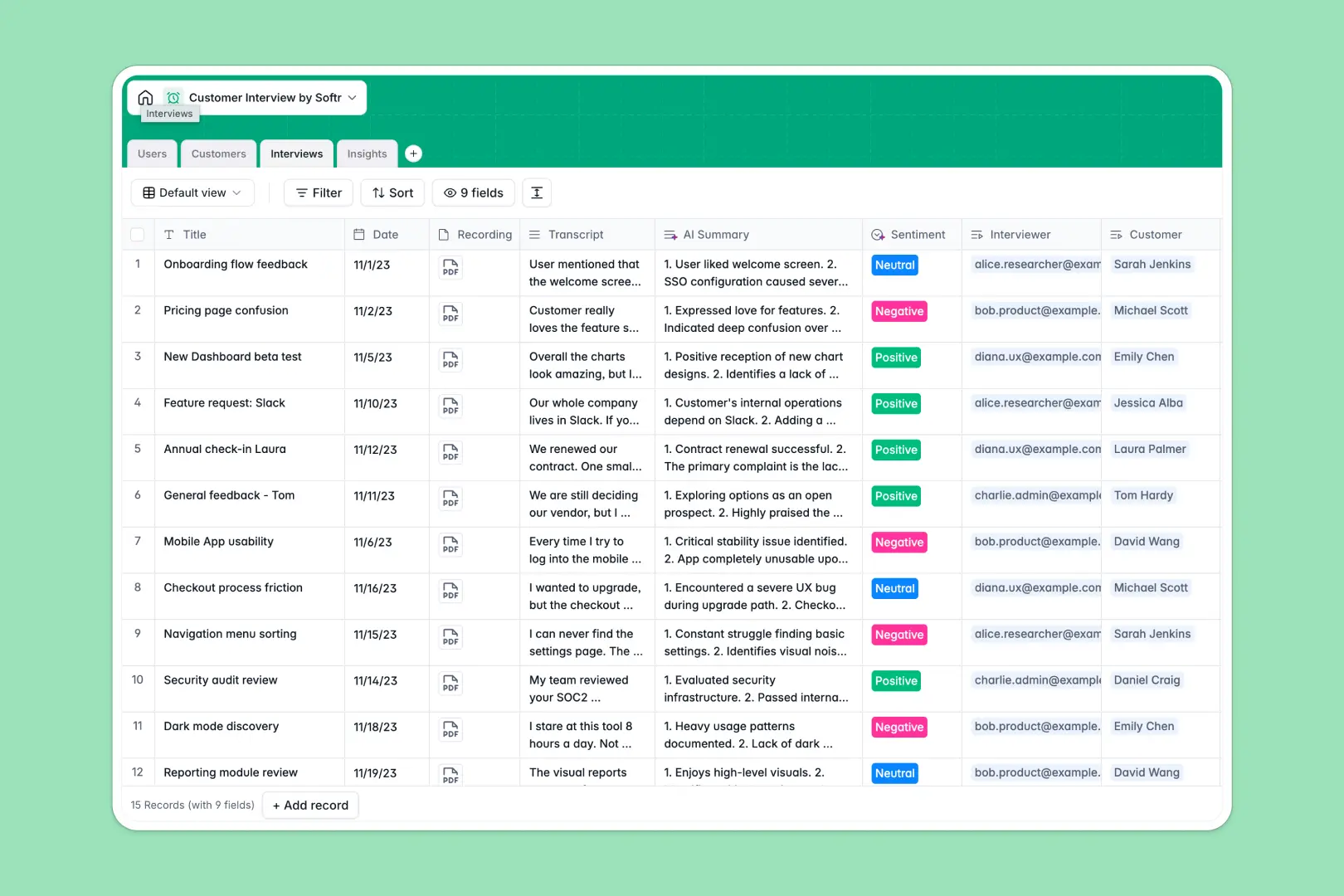
Your Customer Interview database at a glance
Streamline your qualitative research by keeping all your discovery calls, participants, and outcomes organized in one hub. This template connects your customers, the team members conducting the sessions, and the actual interviews so you can easily reference who said what.
With structured tables for Users, Customers, Interviews, and Insights, your team can instantly log calls, upload recordings, and track key takeaways. Every piece of user feedback is linked directly to its source, making sure your product decisions are always backed by real-world context.
This template also features native AI-powered fields. It automatically generates web-based Company Descriptions for your interviewees, extracts concise bulleted AI Summaries from raw transcripts, and analyzes overall customer sentiment without manual effort.
Where customer interview tracking outgrows Airtable
Choosing a structured relational database for qualitative research is the right move because it keeps your customers, calls, and action items properly linked. However, before you build your system in Airtable, it is worth checking where teams usually outgrow it.
What changes with a database built for apps
Airtable functions beautifully as a backend, but its per-seat pricing quickly punishes you when sharing insights with the wider team. If your product managers, designers, engineers, and execs all need to view or log customer feedback, your subscription costs skyrocket.
This is exactly what Softr Databases are designed for. Softr includes unlimited collaborators on all plans so your whole organization can access, filter, and reference customer insights without a rising bill.
Furthermore, building a custom interface like a dedicated research portal or customer advisory board on Airtable requires stitching multiple tools together. With Softr, you can build, scale, and secure your interface natively in the exact same platform as your database.
What you can do with this template
This template provides pre-configured tables that work out of the box. You can log transcripts, categorize feature requests, and analyze findings instantly without building anything from scratch.
By leveraging Database AI agents, you also automate raw administrative work. For example, your database can immediately look up company profiles online, summarize lengthy Zoom transcripts, and classify call sentiment as positive, neutral, or negative.
-
Users
Track team members conducting research calls with roles and permissions
-
Customers
Manage customer contacts with AI-powered web search for company details
-
Interviews
Log discovery calls with AI-generated feedback summaries and sentiment analysis
-
Insights
Aggregate and categorize actionable feedback and pain points from interviews
Who is this Customer Interview database for
- Product Managers: Spot feature requests and pain points across dozens of discovery calls to justify the product roadmap.
- UX Researchers: Maintain a clean registry of research participants, their backgrounds, and historical call archives.
- Customer Success Leads: Document critical feedback from enterprise clients and ensure action items are logged and tracked.
- Founders & Operators: Keep a pulse on user sentiment in the early stages without drowning in disorganized notes and recordings.
How to take it further
1. Customize the database
Feel free to adjust the taxonomies of this database to match your exact team workflow. You can easily modify select options under Category (such as adding 'Bug Report' or 'Pricing' categories) or add new fields like participant compensation or product module tags in just a few clicks.
2. Import your existing data
If you have a backlog of interviews and user directories, you don't have to start from scratch. Easily run a CSV import to bulk-upload your historical customer data or use the programmatic API to sync participant details from your CRM directly into your new workspace.
3. Build a full app around it
When your team is ready, you can easily evolve this database into a fully custom internal research portal. Use the Softr AI app generator to turn your well-structured tables into a clean UI where researchers log notes via custom forms, and stakeholders browse insights.
Using Softr's native users and permissions, you can ensure that researchers can edit and run AI summarizations while read-only viewers can only search, filter, and view the finalized reports.
-
1
-
2
-
3
-
4
Frequently asked questions
-
What is a Customer Interview database?
-
Why use a no-code database to build a customer interview system?
-
How can AI help managing data for customer interviews?
-
Can I build an app with this customer interview database?
-
Is this customer interview template free?
-
How is this template different from an Airtable template?
Start building today. It's free!
Build and launch your first app in under 30 minutes.