


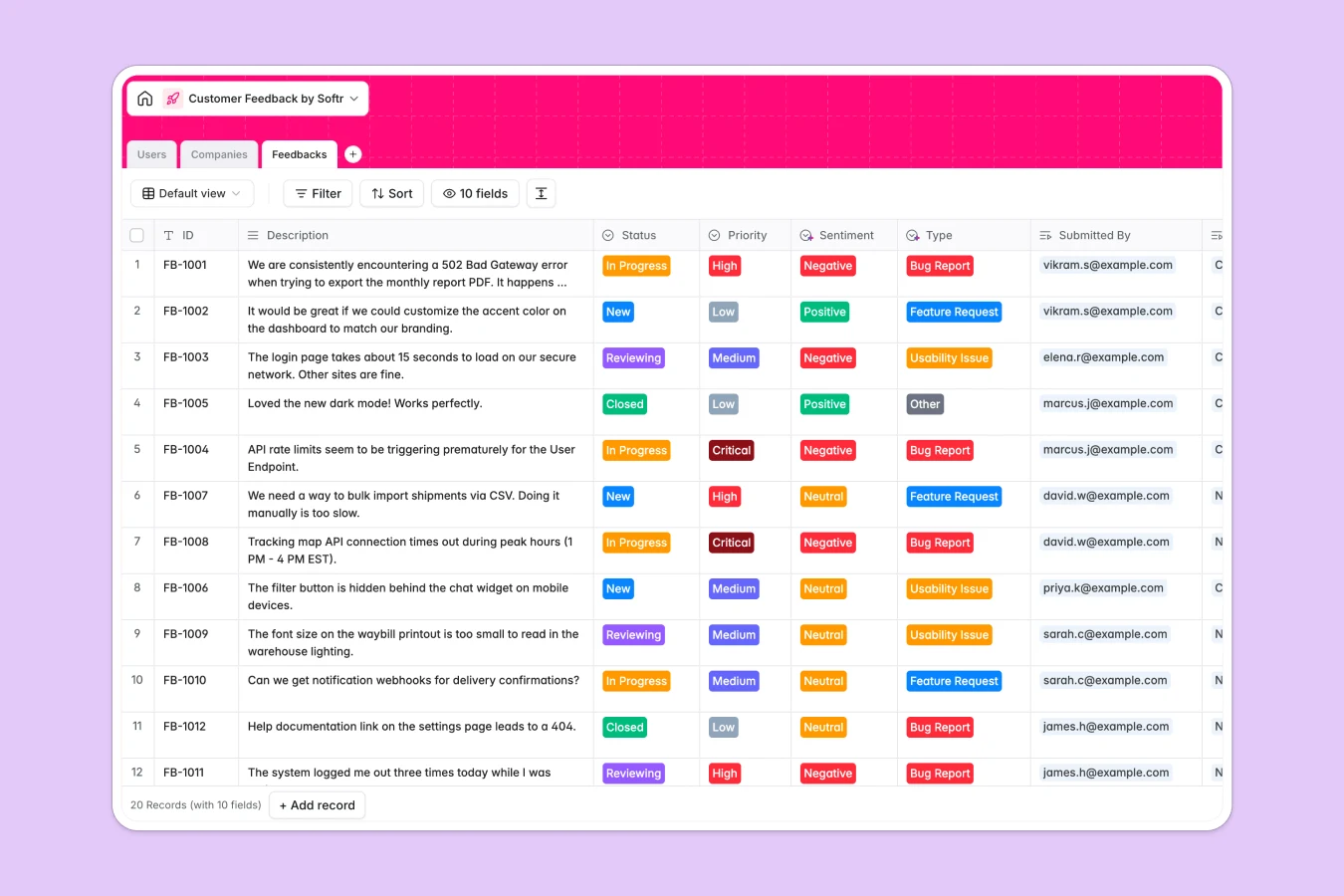
Your Customer Feedback database at a glance
This customer feedback template lets you centralize bug reports, feature requests, and usability issues in one structured place. Instead of scattered messages, you can organize every piece of feedback with clear priorities and statuses.
It connects Users, Companies, and Feedbacks seamlessly. This layout ensures you always know exactly which customer and organization submitted an issue and how critical it is to their business.
What to check before building your customer feedback base in Airtable
When managing product input, you need a system that everyone on your team can access. While Airtable offers strong relational matching, sharing that data broadly can quickly become a bottleneck.
What changes with a database built for apps
Instead of paying per-seat for every team member who needs to view or edit customer records, Softr Databases allow unlimited collaborators on all plans. This design lets your entire product, support, and sales teams log feedback and update statuses without ballooning subscriptions.
Moving beyond a standard database also shouldn't require complex plugins. Your feedback flows smoothly from input to action on a platform designed to hold higher record limits and handle faster API calls natively.
What you can do with this template
With this database, you can categorize feedacks by type, monitor completion status, and log sentiment ratings instantly. It keeps your product roadmapping grounded in actual user data.
To automate your database operations, you can employ Database AI agents to automatically research company domains, enrich logo attachments, or tag industries as new companies are added.
-
Users
Track team members and customers with login data, roles and directory details
-
Companies
Manage customer organizations enriched with AI data points and industry insights
-
Feedbacks
Centralize and analyze customer feedback items by priority, status and sentiment
Who is this Customer Feedback database for
- Product Managers: Prioritize feature requests and bug reports according to real customer impact and sentiment.
- Customer Success Teams: Easily log feedback on behalf of accounts and track the resolution progress of critical issues.
- Founders & Operators: Keep a unified log of product feedback and company profiles without managing expensive seats.
How to take it further
Customize the database
You can easily tailor this database by updating the Select field choices. Change the feedback Status options to match your sprint workflow, or add custom feedback Type choices like "Billing" or "Performance."
Import your existing data
Bring in historical data inside seconds. Upload your existing feedback spreadsheets using our direct CSV importer, or sync external records automatically using the database API.
Build a full app around it
When you are ready to share this with users, you don't need a separate portal tool. You can use the Softr interface builder to turn this exact database into a dedicated customer feedback portal.
With native users and permissions, you decide who sees what. Admins can manage all incoming items, while customers can view only their own submitted requests and watch their status update in real time.
-
1
-
2
-
3
-
4
Frequently asked questions
-
What is a Customer Feedback database?
-
Why use a no-code database to build a customer feedback system?
-
How can AI help managing data for customer feedback?
-
Can I build an app with this customer feedback database?
-
Is this Customer Feedback template free?
-
How is this template different from a customer feedback Airtable template?
Start building today. It's free!
Build and launch your first app in under 30 minutes.