


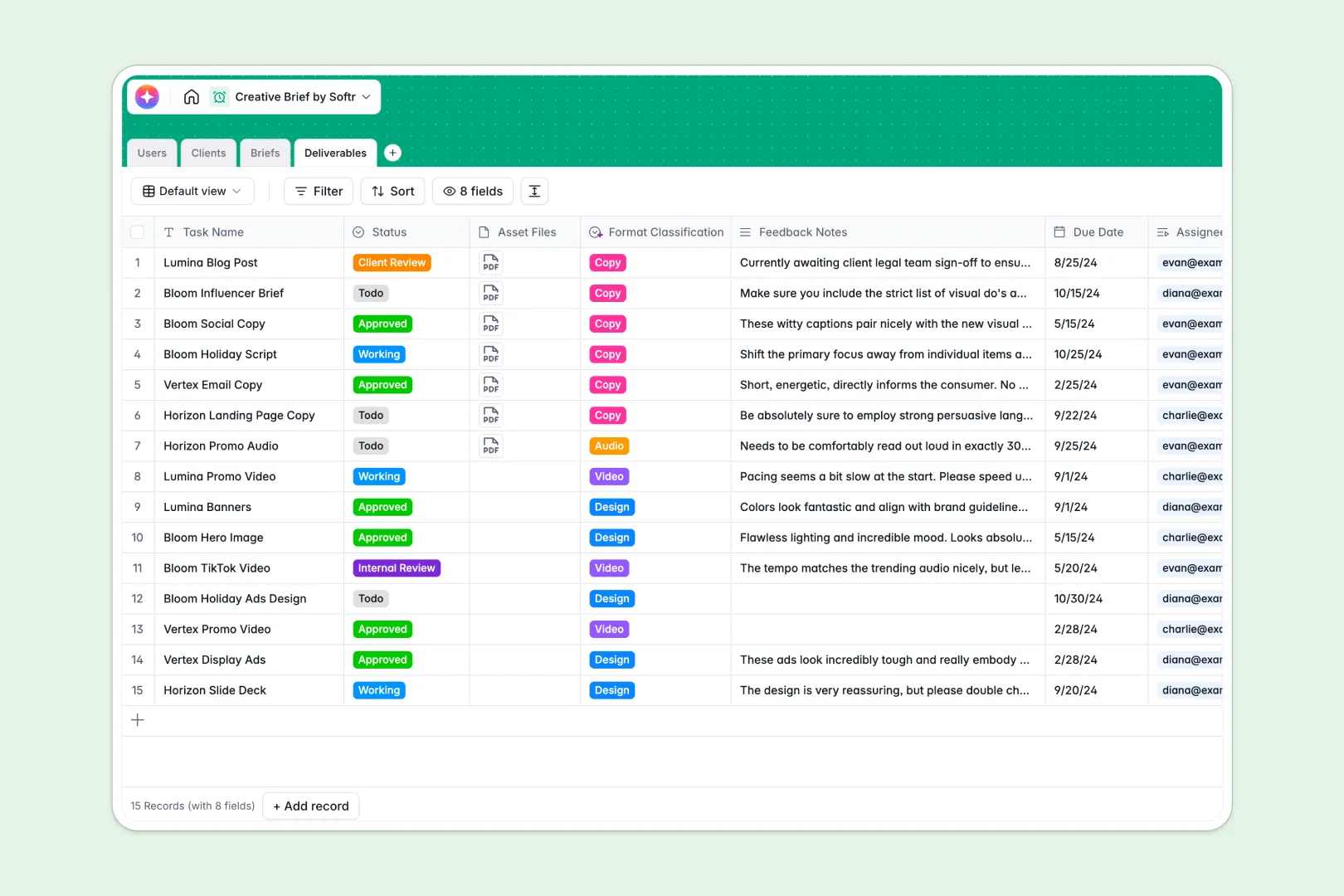
Your Creative Brief Database at a glance
This template keeps your campaigns, brand metadata, and creative tasks aligned in one secure hub. It centralizes everyone involved—from internal project managers and creators to external clients—so feedback and assets stay connected to the actual brief.
Your data is organized across four connected tables: Users, Clients, Briefs, and Deliverables. When a client initiates a campaign, their background profile, the core creative brief, and individual design or copy tasks remain linked automatically without copy-pasting.
Built-in Database AI agents handle repetitive admin tasks instantly. The database can automatically research brand backgrounds from a client's website, summarize long project objectives into bullet points, and categorize new creative deliverables.
What to check before building your creative brief base in Airtable
Many agency teams start looking for a creative brief Airtable template because they want a real relational database rather than a flat spreadsheet. Working with linked tables is the correct instinct, but managing client campaigns inside Airtable often hits unexpected speedbumps as you grow.
What changes with a database built for apps
When you share creative briefs and deliverables with external clients or contract writers, Airtable's per-seat pricing quickly becomes punitive because you are charged for every collaborator who needs edit access. Softr Databases allow unlimited collaborators on all plans so your whole creative ecosystem can collaborate freely.
In addition, keep scale limits in mind for large-scale marketing operations. This database acts as the native back-end for your workflow, bypassing typical record ceilings and API rate limits while keeping your data cleanly structured.
What you can do with this template
- Automate background work: Let AI browse the live web to research brand profiles, write brief summaries, and classify design files so creatives can skip admin tasks and start designing.
- Keep feedback contextual: Link multiple design assets and client feedback notes directly to the campaign brief, ensuring revision cycles are transparent and organized.
- Create client portals naturally: Because this database lives natively on a platform built for apps, you can easily turn this structure into a secure client dashboard where users only see their own brand's briefs.
-
Users
Track staff, creatives, and external clients with roles and access levels
-
Clients
Manage client brands with contact details and AI-generated company backgrounds
-
Briefs
Organize campaign goals and guidelines with AI-powered brief summaries
-
Deliverables
Track specific creative assets classified using AI categorizations
Who is this Creative Brief Database for
- Creative Agencies: Keep project managers, designers, and clients aligned on campaign goals and task statuses.
- In-House Marketing Teams: Manage cross-functional requests for copy, video, and design assets without losing track of launch dates.
- Freelance Creatives: Organize client kickoff briefs, track feedback notes, and track your deliverables in one organized database.
How to take it further
1. Customize the database
Change progress tags, add specific media format categories, or adjust the fields to match your exact review process. Because it is a native Softr Database, you can adjust columns, add relational links, and configure fields instantly.
2. Import your existing data
If you already have a list of brands or previous campaign briefs, you can import them directly via CSV in a few clicks. You can also sync live data through our API to instantly populate your dashboard.
3. Build a full app around it
When your team is ready, you can build an app on top of this data to give clients and creators tailored views. Use the AI app generator to turn this database into a secure portal where clients submit briefs, and creators upload deliverables with custom users and permissions. Starting from a perfectly structured database makes creating this custom portal fast and simple.
-
1
-
2
-
3
-
4
Frequently asked questions
-
What is a creative brief database?
-
Why use a no-code database to build a creative brief system?
-
How can AI help managing data for creative briefs?
-
Can I build an app with this creative brief database?
-
Is this creative brief template free?
-
How is this different from a creative brief Airtable template?
Start building today. It's free!
Build and launch your first app in under 30 minutes.