


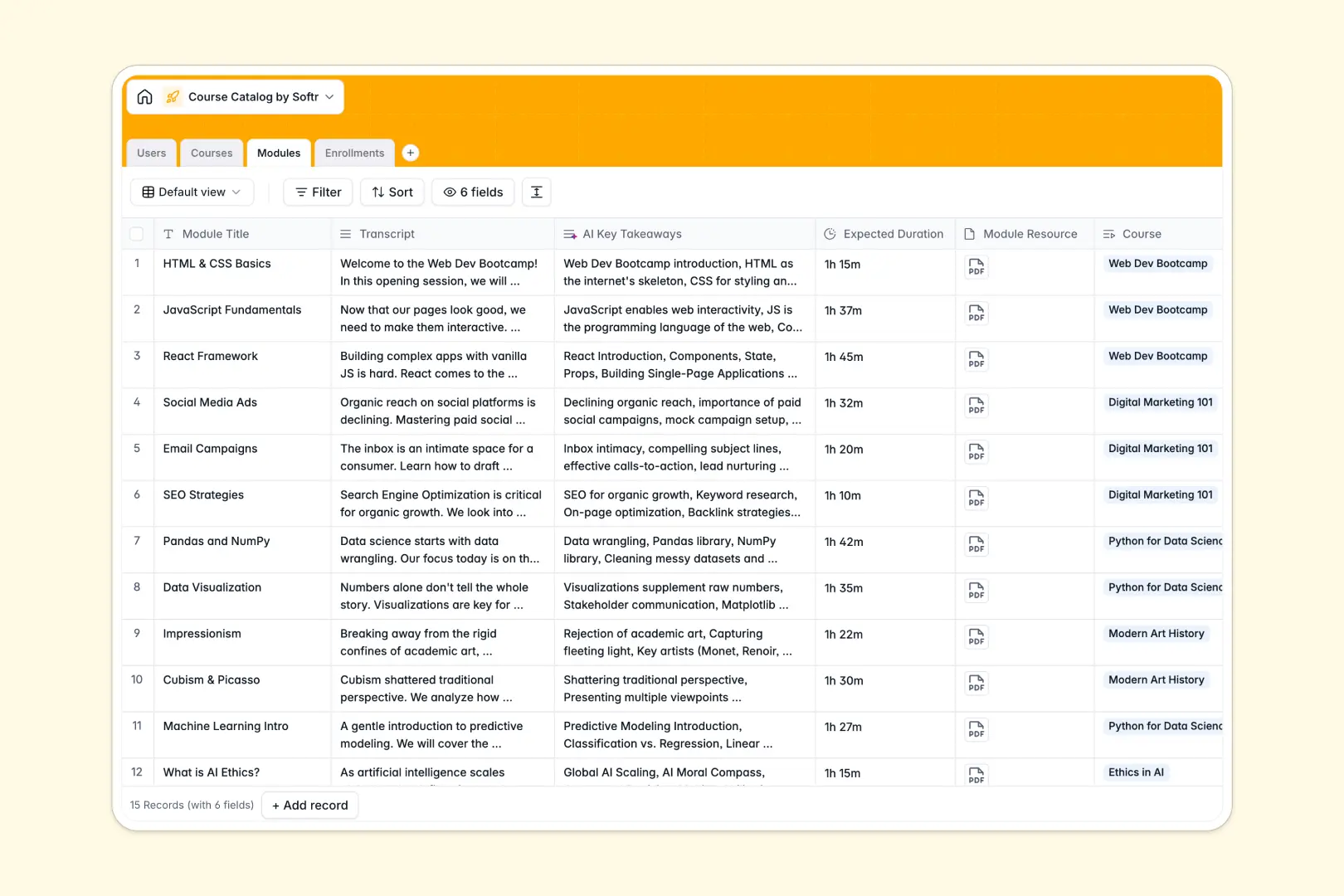
Your Course Catalog Database at a glance
This template provides a clear, centralised structure for managing your curriculum, module resources, and tracking student sign-ups. It connects instructors, courses, and modules so your academic team can stay fully aligned.
By leveraging relational tables, each course connects directly to an instructor, multiple learning modules, and clean enrollment records. This ensures you only maintain data once without duplicating rows.
Native AI features instantly summarize course descriptions and extract key takeaways from module transcripts, saving hours of manual content curation.
What to check before building your course catalog base in Airtable
If you are considering building your registry, you are right to look toward relational databases rather than spreadsheets. However, scaling a curriculum on collaborative platforms can bring unexpected limitations.
What changes with a database built for apps
While Airtable handles data relations well, its per-seat pricing quickly becomes punitive. As your instructor pool, student advisors, and administrators log in to update records, costs spiral.
This is exactly what Softr Databases are designed to solve. Softr includes unlimited collaborators on all plans, allowing your entire team to update courses and progress without seat limits.
Additionally, you get generous record ceilings and a faster API, giving you room to scale from ten courses to thousands without reaching platform limits.
What you can do with this template
This template allows you to group courses into categories like Technology, Business, and Arts, with real-time tracking of active or completed enrollments. It provides a foundation that can quickly support hundreds of lessons.
With Database AI agents running directly inside your tables, you can generate summaries from course pitches or extract action items from module transcripts automatically.
-
Users
Manage catalog users including students, instructors, and system administrators
-
Courses
Registry of catalog courses featuring AI-generated course summaries and roles
-
Modules
Organize structured learning units featuring AI-extracted transcript takeaways
-
Enrollments
Track active educational progress and relationships between students and courses
Who is this Course Catalog database for
- Online Academies: Manage on-demand course tracks, categorize curriculum content, and monitor student progress.
- Corporate L&D Teams: Organize professional growth pathways, store transcripts, and track employee training completions.
- Schools & Universities: Stay aligned on course descriptions, module scopes, and instructor assignments.
-
1
-
2
-
3
-
4
Frequently asked questions
-
What is a course catalog database?
-
Why use a no-code database to build a course catalog?
-
How can AI help managing data for your course catalog?
-
Can I build an app with this course catalog database?
-
Is this Course Catalog database template free?
-
How is this template different from a course catalog Airtable template?
Start building today. It's free!
Build and launch your first app in under 30 minutes.