


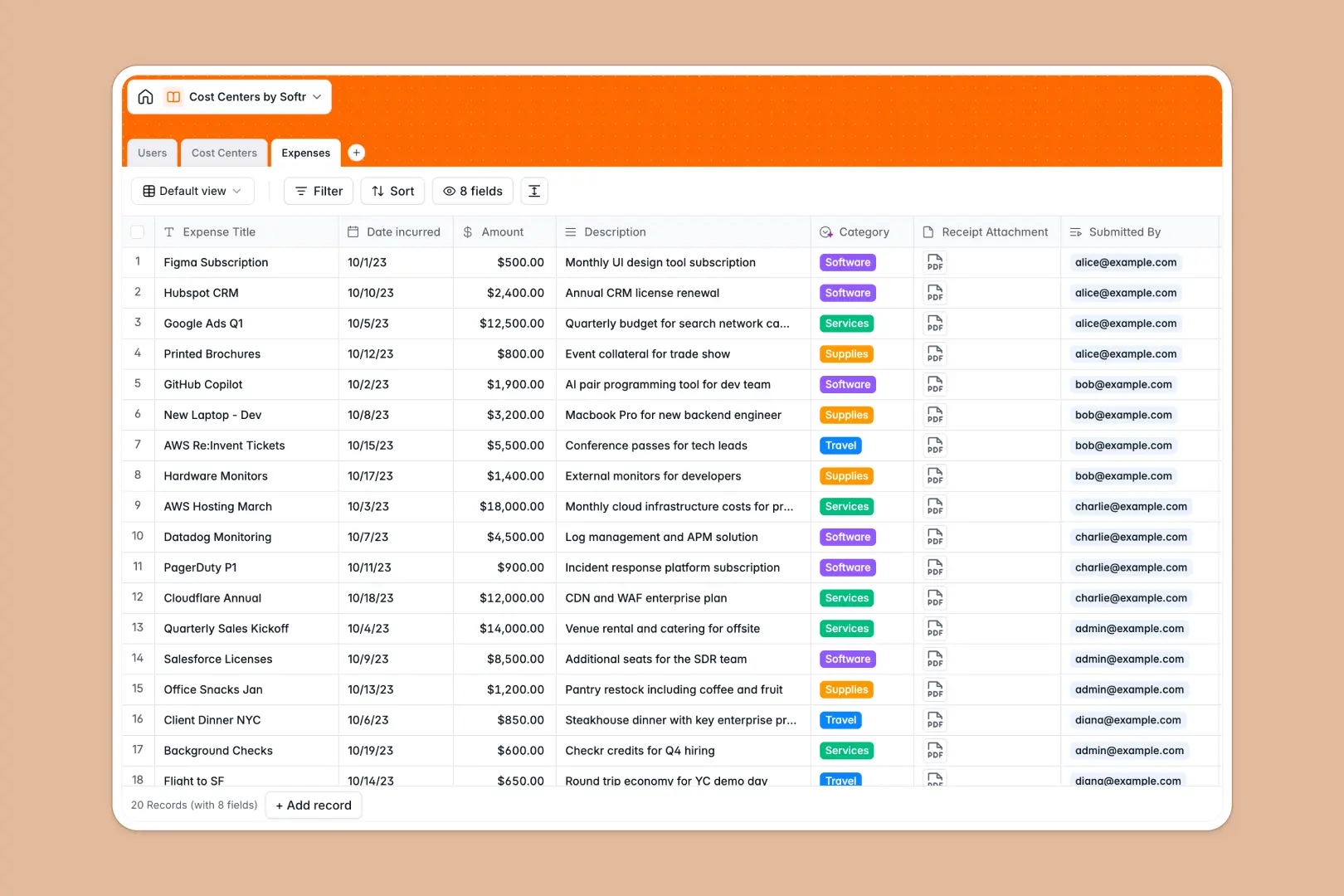
Your Cost Centers database at a glance
Track departmental budgets, manage team spending, and connect organizational expenses directly to the employees who submit them.
This template maps company employees to distinct departmental cost centers, giving finance teams and managers real-time visibility into operational spending.
Built-in AI fields automatically draft department summaries and analyze expense descriptions to categorize line items instantly as they arrive.
What to check before building your cost centers base in Airtable
Airtable is a strong relational database, but using it to manage team-wide financial inputs often introduces unexpected challenges.
What changes with a database built for apps
Airtable charges per user seat, meaning costs quickly spiral when every employee needs base access to submit an expense report or view team budgets.
Softr Databases include unlimited collaborators on all plans, allowing you to scale data collection securely without licensing barriers.
Additionally, having your data and interface in one place means you don't need to purchase third-party portal tools to share budget readouts.
What you can do with this template
Track operating budgets, total spent, and exact remaining balances dynamically without relying on fragile external spreadsheet formulas.
Run Database AI agents inside your fields to automatically categorize incoming corporate expenses based on descriptions.
-
Users
Track team members with security roles, contact info, and expenses
-
Cost Centers
Manage departments, budgets, and expenditures with an AI-generated summary
-
Expenses
Log financial outlays categorized using AI based on expense descriptions
Who is this Cost Centers database for
Manage departmental performance and financial overhead effectively across different company roles:
- Finance Teams: Maintain clean corporate ledgers and eliminate manual expense data entry categorization.
- Department Heads: Keep track of live operating budgets and remaining balances without tedious email ping-pong.
- Operations Managers: Support team scaling with a flexible structure mapped to internal personnel and security roles.
How to take it further
1. Customize the database
Adjust table properties by adding custom select options for expense categories, altering tax rates, or linking specific vendors.
2. Import your existing data
Skip manual setup by using the built-in CSV upload flow to import current employee lists, accounting codes, or historical expenses in seconds.
3. Build a full app around it
Turn your table into a functional employee portal. Use the AI app generator to turn your database into a custom interface, allowing teams to log claims and managers to review approvals securely through users and permissions controls.
-
1
-
2
-
3
-
4
Frequently asked questions
-
What is a cost centers database?
-
Why use a no-code database to build a cost centers system?
-
How can AI help managing data for cost centers?
-
Can I build an app with cost centers database?
-
Is this Cost Centers Database free?
-
How is this template different from a cost centers Airtable template?
Start building today. It's free!
Build and launch your first app in under 30 minutes.