


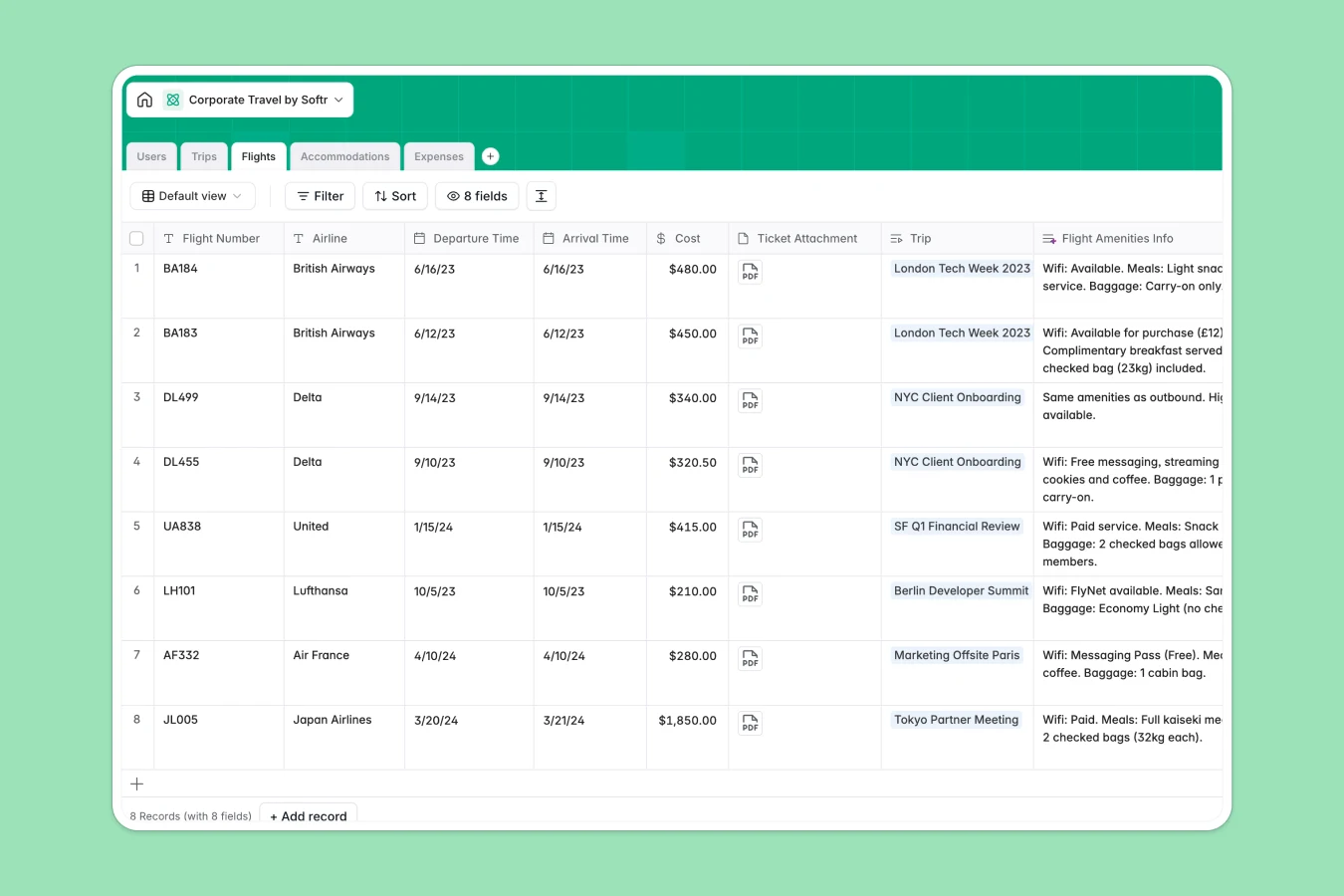
Your Corporate Travel database at a glance
This template provides a comprehensive hub to orchestrate employees, travel bookings, and expenditures. It helps operations teams manage everything from flights to hotel bookings while keeping travelers informed.
By leveraging connected tables, you can tie individual flights, hotels, and receipt line items directly to a specific trip. Employee preferences and total costs roll up automatically to keep budgets on track.
With embedded AI agents, the database automatically conducts web searches to summarize hotel ratings, find flight baggage policies, and categorize expense receipts without manual effort.
What to check before building your corporate travel base in Airtable
If you are considering managing travel plans across multiple teams, there are a few platform limitations you should look at first.
What changes with a database built for apps
While databases are excellent for structured data, sharing travel logistics with employees gets expensive quickly on other platforms. Paid collaborators add up when every traveler needs to update their own preferences or submit a quick hotel receipt.
Softr Databases solve this by including unlimited collaborators on all plans. You can store up to 200,000 records per database and access much higher API limits to easily handle booking integrations.
Furthermore, because the database is built in the same platform as our front-end builder, you don't need to stitch together third-party visualization or form builders. The transition from table to traveler portal is completely native.
What you can do with this template
- Consolidate bookings: Relate your flights, accommodations, and expense line items directly to a single trip folder for a clean, unified itinerary.
- Automate intelligence: Leverage built-in Database AI agents to automatically generate city safety guides, audit flight amenities, and classify spending categories natively.
- Control approval statuses: Keep track of approval workflows directly inside the database, helping finance teams sign off on budgets before bookings occur.
-
Users
Track employees with contact details, department and personal travel choices
-
Trips
Manage trips with budgets, dates and AI-generated local safety guides
-
Flights
Track flight details with ticketing and AI-powered amenity summaries
-
Accommodations
Organize hotel reservations, costs and AI-driven amenity overviews
-
Expenses
Manage business spending with receipts and AI-powered category routing
#### Who is this Corporate Travel database for
- Operations & Admin Teams: Easily track all active corporate travel plans, hotel logistics, and total bookings from a single central view.
- Finance & HR Managers: Streamline budget approvals, track total spending rollups, and audit categorized expenses quickly.
- Regular Travelers: Keep track of flight schedules, boarding documents, hotel summaries, and flight amenities in real time.
How to take it further
1. Customize the database
Adapt the database fields to fit your organizational policies. You can quickly add custom expense categories, modify employee roles, or append specific fields like immunization requirements or emergency contacts.
2. Import your existing data
If you already have traveler profiles or active hotel bookings stored in spreadsheets, you can bulk import them via CSV files or build automated syncs using our robust, high-limit API.
3. Build a full app around it
When your team is ready, convert this database into an employee portal with custom access control levels. Use our AI app generator to turn these tables into a polished, mobile-friendly interface.
You can set strict users and permissions so that employees can only view their own itineraries and expense receipts, while team leads can review and approve pending trips in a secure manager dashboard.
-
1
-
2
-
3
-
4
Frequently asked questions
-
What is a corporate travel database?
-
Why use a no-code database to build a corporate travel system?
-
How can AI help managing data for corporate travel?
-
Can I build an app with this corporate travel database?
-
Is this corporate travel template free?
-
How is this template different from a corporate travel Airtable template?
Start building today. It's free!
Build and launch your first app in under 30 minutes.