


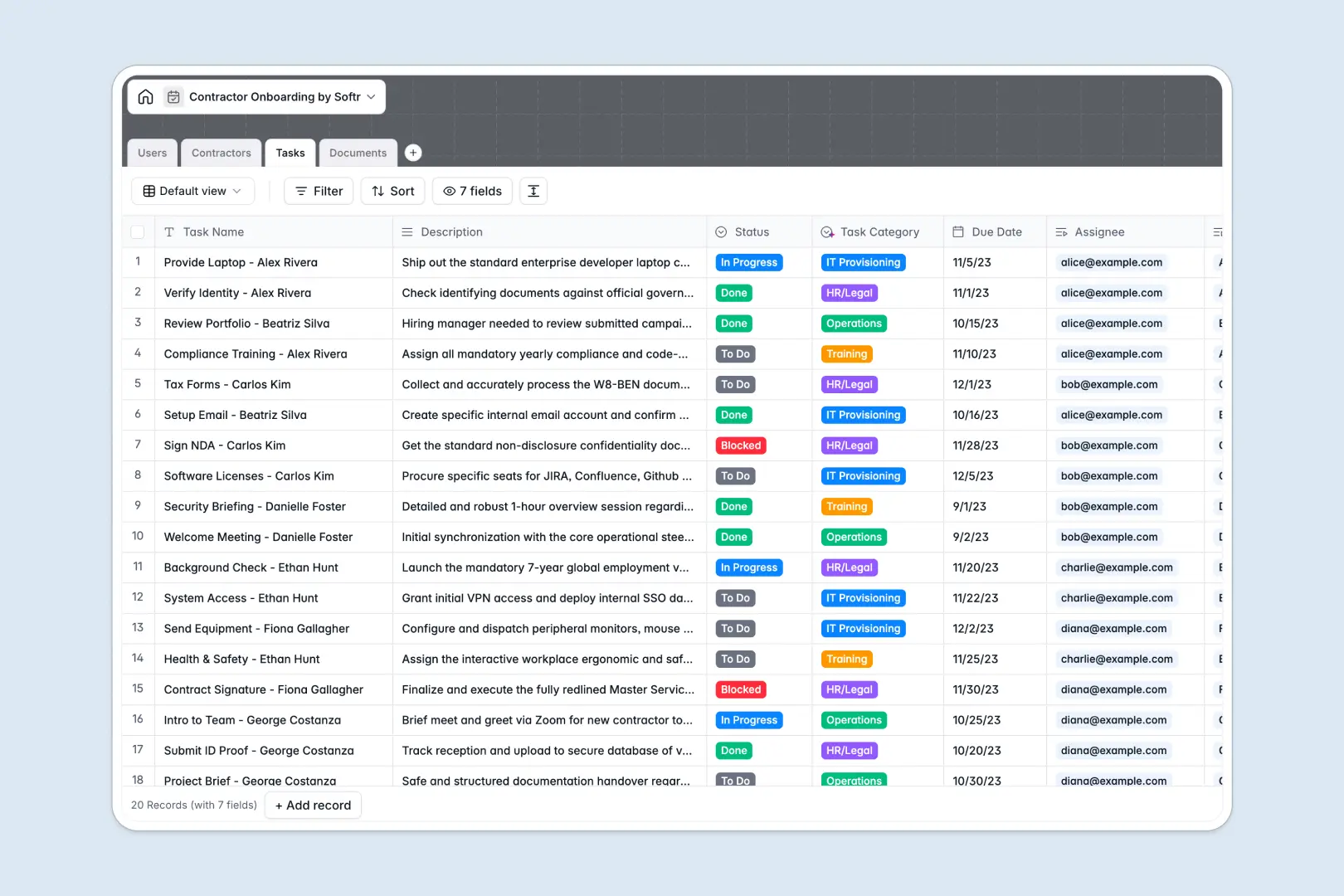
Your Contractor Onboarding database at a glance
This template provides a secure, efficient hub to track external talent, organize verification documents, and monitor setup tasks without administrative clutter.
Your internal staff members are linked directly to the contractors they manage, meaning task assignments, NDAs, and onboarding statuses stay aligned across your teams.
Built-in AI fields work automatically to synthesize contractor bios from their portfolios and categorize uploaded files to keep your workspace structured.
What to check before building your contractor onboarding base in Airtable
Managing contractor onboarding requires structured data, but standard tools often complicate how you collaborate with individuals outside your internal company directory.
What changes with a database built for apps
When you invite external contractors to upload sensitive tax forms or sign safety agreements, Airtable requires paying per-seat collaborator fees for edit access. This quickly becomes expensive for temporary talent.
Softr Databases feature relational structures to link your contractors, tasks, and documents together cleanly—but with unlimited collaborators on all plans and higher record caps to support business growth.
Work faster with intelligent data automation
This template cuts out manual data entry by using Database AI agents right inside your tables to handle heavy operational lifting.
As soon as a portfolio URL or document is added, smart fields classify the category and write structured professional summaries to save your team manual review time.
-
Users
Track internal staff, HR and managers overseeing contractor onboarding
-
Contractors
Manage contractor profiles with automated AI professional summaries
-
Tasks
Track onboarding tasks categorized automatically with AI classification
-
Documents
Store and verify compliance documents and NDAs with AI classification
Who is this Contractor Onboarding database for
This template is built specifically for hiring teams, hiring partners, and operational leaders who need clean coordinator workflows:
- HR Managers: Centralize legal documents, verify contracts, and track background checks without leaving your workspace.
- Team Supervisors: Monitor assigned setup tasks and coordinate system provisioning for incoming team members.
- Operations Leads: Keep secure, structured profiles of active contractors and their respective contact information.
How to take it further
Customize the database
Adjust this template to fit your unique process. You can instantly modify status dropdowns, add custom select options for document classification, or add tables to track billing rates.
Import your existing data
Bring your existing contractor rosters over in seconds. You can upload an existing list via a quick CSV import or run automated data syncs using our API.
Build a full app around it
When you are ready to let contractors self-serve, use our AI app generator to turn this database into a secure portal. By setting up custom users and permissions, you can ensure external contractors can only sign in to view their own assigned onboarding tasks and upload their tax files, keeping all other company data private.
-
1
-
2
-
3
-
4
Frequently asked questions
-
What is a contractor onboarding database?
-
Why use a no-code database to build a contractor onboarding system?
-
How can AI help managing data for contractor onboarding?
-
Can I build an app with this contractor onboarding database?
-
Is this contractor onboarding database template free?
-
How is this template different from an Airtable template?
Start building today. It's free!
Build and launch your first app in under 30 minutes.