


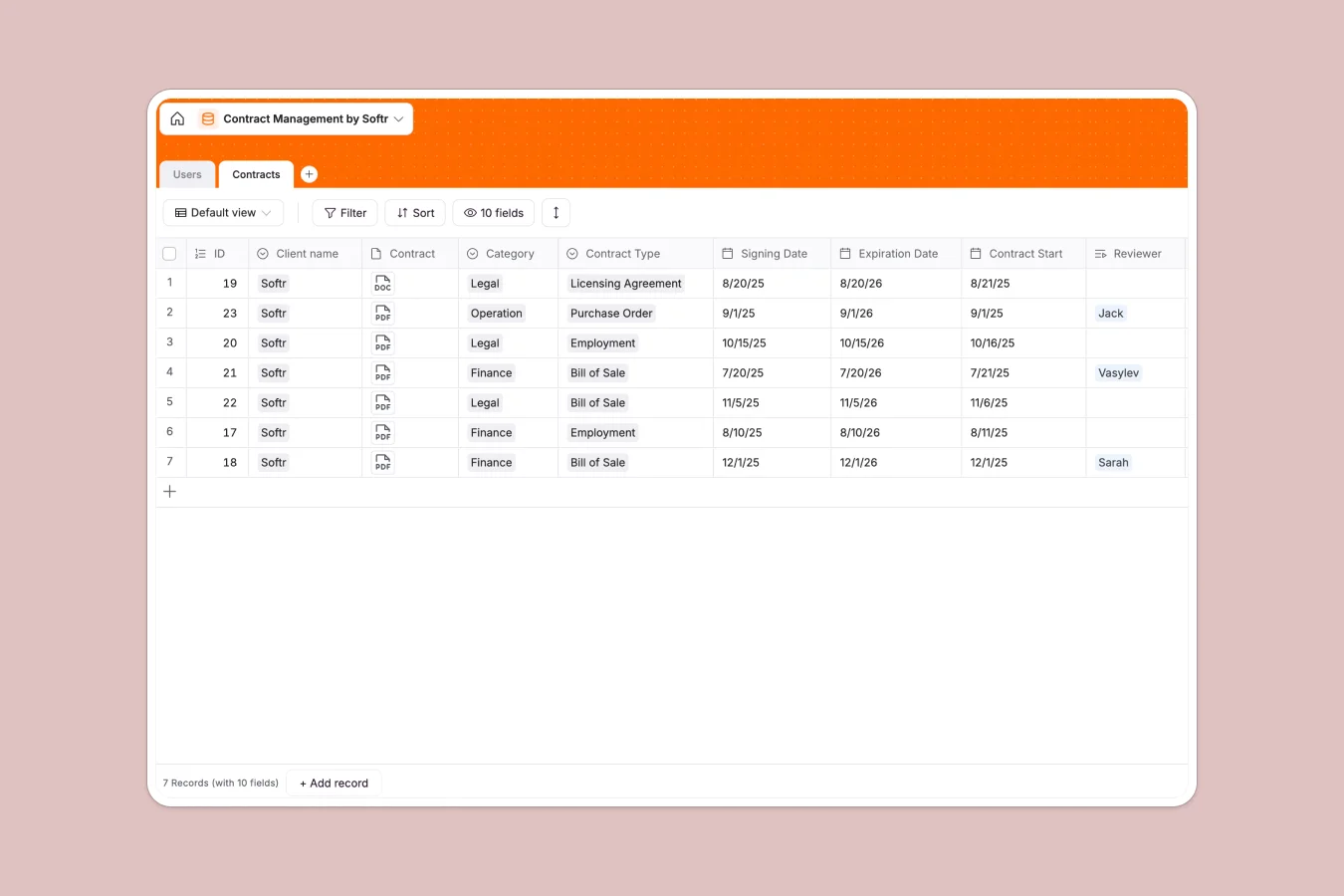
Your Contract Management database at a glance
This template centralizes your team's agreements, client contracts, and key milestones in one secure place.
It connects clients directly to their active agreements, allowing you to track status, review ownership, and pinpoint expiration dates. You can monitor whether contracts are in development or fully approved and assign reviewers immediately.
What to check before building your contract management base in Airtable
Choosing the right environment to store sensitive documents, signing dates, and client information is a foundational step.
While databases are excellent for structured data, traditional tools limit your ability to share this data with external clients or your broader team without paying for expensive per-seat licenses. Scaling your operation shouldn't mean facing storage limits or paying for every single reviewer.
What changes with a database built for apps
If you want your team to edit and view contracts without exposing your entire database, you need more than just tables. You need a setup configured for custom partner portals and team access controls.
This is exactly what Softr Databases are designed for. You get the robust relational structure you expect—linking clients to contracts and users to reviews—paired with the native ability to build external-facing systems with unlimited collaborators.
What you can do with this template
With this template, you can track contracts by signing date, categorization, and review workflow stages instantly. You can easily attach contracts directly to their digital records, making audits and updates seamless.
Additionally, you can run Database AI agents inside your database to read attached PDFs, summarize key clauses, or extract critical renewal dates automatically. This turns your tracking system into a self-maintaining repository.
-
Users
Manage contract reviewers and administrative staff access and profiles
-
Contracts
Track client agreements, renewal timelines, status, and legal categories
Who is this Contract Management database for
- Legal Teams: Securely store documents, manage sign-offs, and track compliance dates in a single reliable view.
- Procurement Managers: Keep vendor agreements organized and monitor expiration windows so transitions are smooth.
- Sales & Account Executives: Instantly check client status, track signing progress, and access signed documents.
- Operations Leaders: Oversee internal and external contractors without managing fragile spreadsheet links.
How to take it further
Customize the database
You can easily modify column settings to match your exact legal terms. Add custom categories like software licensing or freelancer NDA, adjust values, and configure custom approval flows in minutes.
Import your existing data
Transitioning from legacy systems to a modern workflow is simple. Fast-track setup by importing existing client and agreement sheets through CSV files or robust API endpoints.
Build a full app around it
Once your database setup is ready, you can scale it into a secure, access-controlled portal. The fastest path is to use our AI app generator to turn your structured database into a functional app in seconds.
This lets you configure granular users and permissions so client contracts remain private, while reviewers and internal executives only see the specific agreements relevant to them.
-
1
-
2
-
3
-
4
Frequently asked questions
-
What is a contract management database?
-
Why use a no-code database to build a contract management system?
-
How can AI help managing data for contract management?
-
Can I build an app with contract management database?
-
Is this Contract Management template free?
-
How is this contract tracker different from an Airtable template?
Start building today. It's free!
Build and launch your first app in under 30 minutes.