


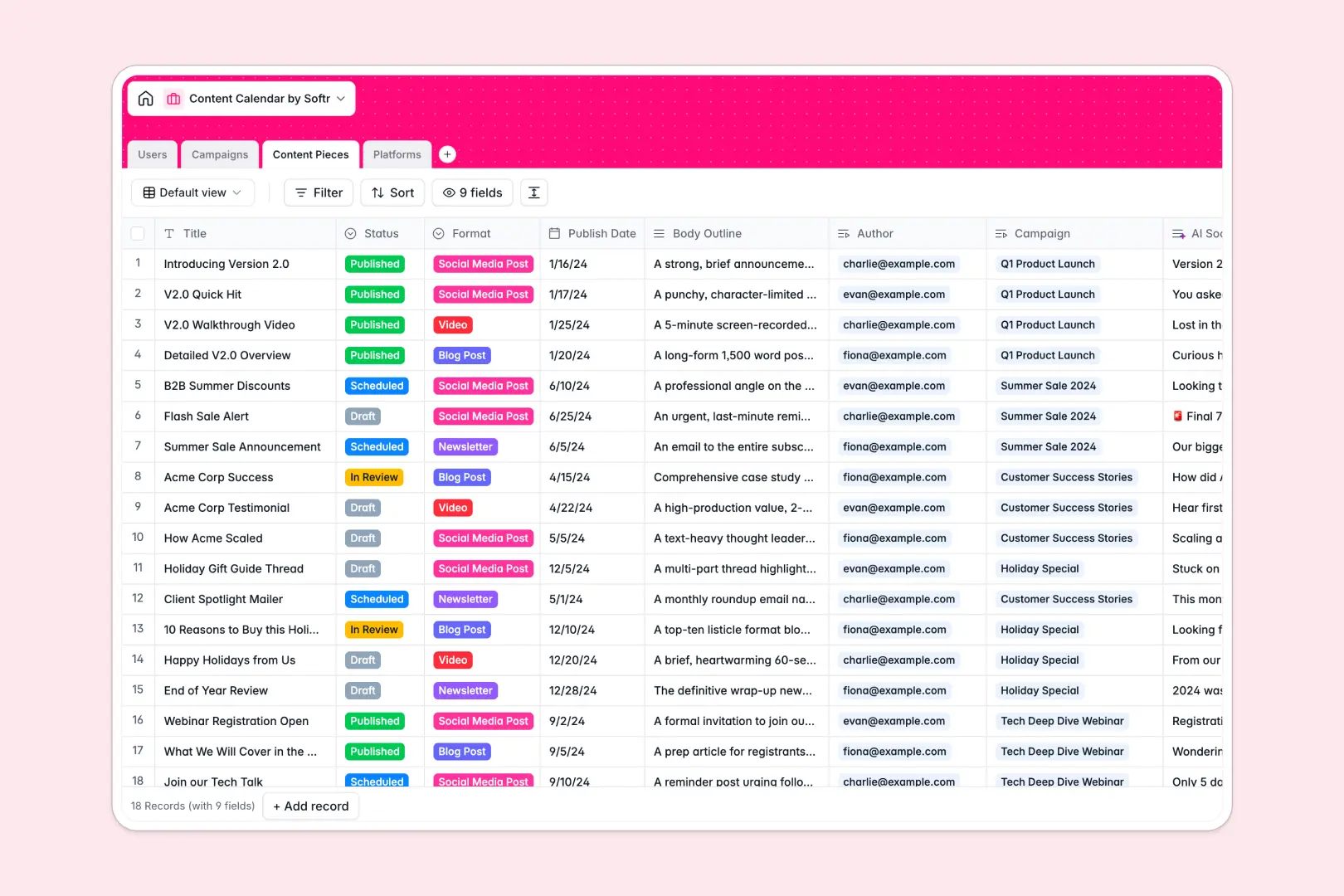
Your Content Calendar database at a glance
Streamline your entire editorial pipeline from campaign ideation to multi-platform publishing. This template connects authors, campaigns, platforms, and individual content pieces in one clear system.
Manage authors in the `Users` table, group content in `Campaigns`, plan specific items in `Content Pieces`, and track distribution channels in the `Platforms` table.
Use built-in AI fields to instantly generate campaign ideas, synthesize platform overviews via live web search, and draft tailored social media snippets.
What to check before building your content calendar base in Airtable
Choosing a structured database instead of a flat spreadsheet is the best way to manage complex editorial assets. However, building this workflow in Airtable comes with specific trade-offs.
What changes with a database built for apps
As your marketing team grows, Airtable's per-seat pricing model quickly becomes expensive just to let external editors update status fields.
With Softr Databases, you get unlimited collaborators so your entire roster of creators, editors, and clients can coordinate without budget penalties.
Instead of stitching separate tools together for user portals or submission forms, you gain a unified database capable of powering custom portals with proper access control.
What you can do with this template
Connect your creators to specific campaigns, track publish dates, and count scheduled updates per channel automatically.
Leverage native Database AI agents to automate repetitive writing prep—like summarizing draft outlines into short social snippets or researching site details through web search fields.
-
Users
Track team contributors with roles, contact details, and content ownership
-
Campaigns
Manage marketing campaigns and generate creative draft ideas using AI
-
Content Pieces
Track individual content items and draft social snippets automatically with AI
-
Platforms
Manage publication channels using AI web search to generate profile overviews
Who is this Content Calendar database for
This template is designed for content-focused teams seeking seamless planning and automatic execution.
- Marketing Managers: Run multi-channel campaigns and track total output counts across all platforms.
- Content Editors: Manage a roster of writers, assign titles, and review outlines in one central workspace.
- Freelance Creators: Access assigned briefs, submit drafts, and track publication schedules without friction.
How to take it further
Customize the database
Tailor your workflow by modifying the `Status` choices or adding custom select options for your specific focus areas like podcasts or newsletters. Editing fields is completely visual.
Import your existing data
Easily move your existing content schedule into this template using our fast CSV importer or sync via API.
Build a full app around it
When your database grows, turn it into a custom editorial portal. Use the AI app generator to draft a password-protected interface where writers only view their assigned content.
This keeps your master content strategy private while letting the team execute flawlessly, all connected natively to your database.
-
1
-
2
-
3
-
4
Frequently asked questions
-
What is a content calendar database?
-
Why use a no-code database to build a content calendar system?
-
How can AI help managing data for your content calendar?
-
Can I build an app with this content calendar database?
-
Is this content calendar database free?
-
How is this template different from an Airtable template?
Start building today. It's free!
Build and launch your first app in under 30 minutes.