


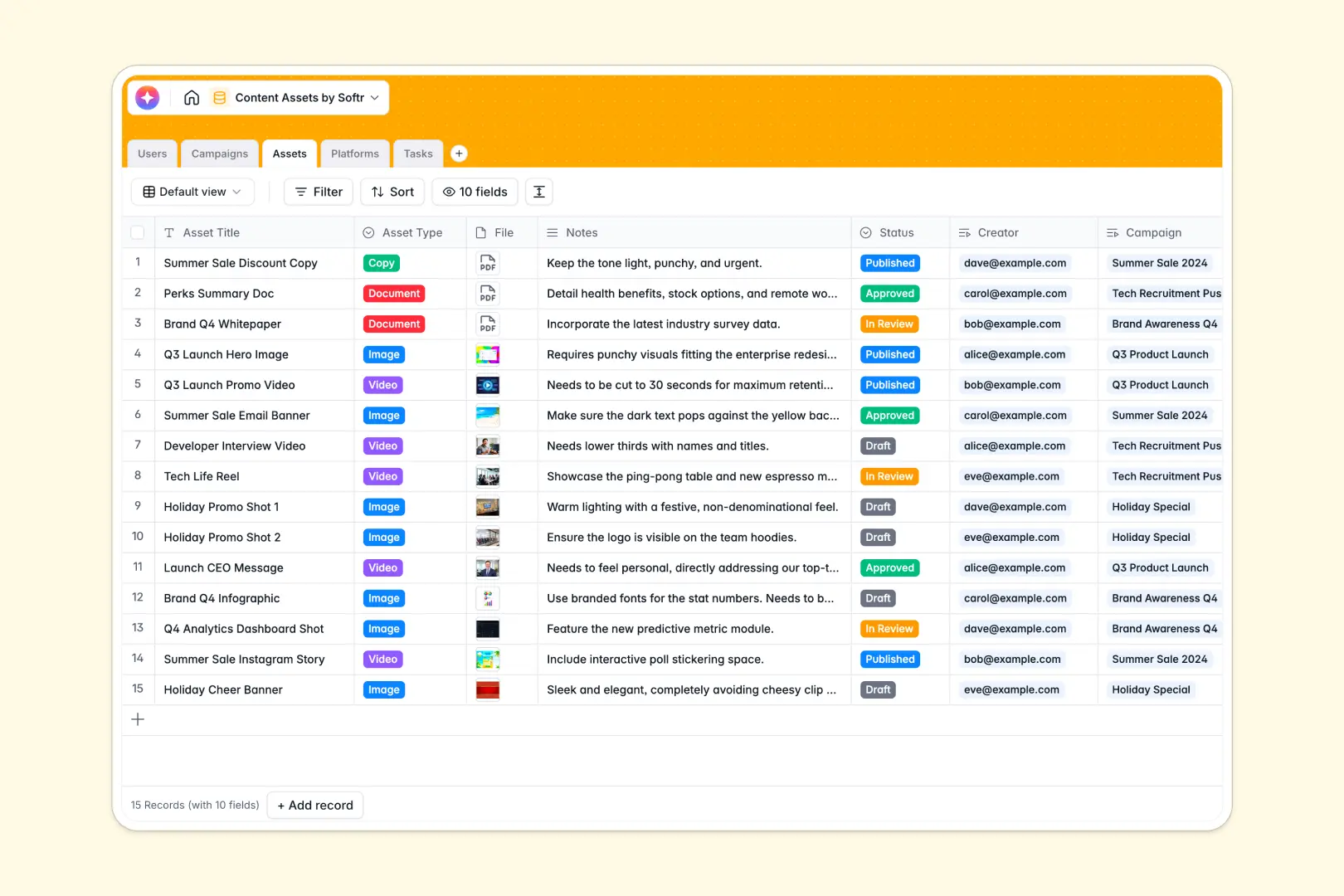
Your Content Assets database at a glance
This template simplifies content management by organizing your creative campaigns, digital assets, and production tasks in one central hub. It brings creators, reviewers, and managers together to streamline your marketing operations.
The data is organized across structured tables for Users, Campaigns, Assets, Platforms, and Tasks. These tables link natively so every piece of copy or video is connected to its target platform and active campaign.
Built-in AI makes production even faster. The database automatically creates summaries of campaign briefs and drafts asset descriptions based on your working notes.
What to check before building your content assets base in Airtable
While Airtable provides a strong relational setup, scaling content operations with external teams often runs into friction. Managing access permissions, sharing assets, and avoiding high licensing costs can become challenging.
What changes with a database built for apps
When you use Softr Databases, you solve the collaborator cost bottleneck immediately. Rather than paying expensive per-seat fees for every creator, freelancer, or reviewer, Softr includes unlimited collaborators.
Additionally, content hubs often need to evolve into custom portals. Instead of stitching multiple tools together for forms, portal access, and views, Softr combines the database, interface, and automated workflows in a single platform.
What you can do with this template
You can centralize the entire digital pipeline from campaign brief to platform distribution. Link tasks to assets to ensure creators always know their deadlines and target channels.
You can also leverage native Database AI agents. Let AI summarize long campaign briefs or generate drafted copy instantly based on notes inside your database fields.
-
Users
Manage team roles, contact details, and progress on assigned creative tasks
-
Campaigns
Organize promotional events and use AI to auto-summarize campaign briefs
-
Assets
Centralize media files and generate copy ideas using AI drafting capabilities
-
Platforms
Map digital channels and track total assets distributed to each destination
-
Tasks
Track creation deadlines, instructions, and assignments for each asset
Who is this Content Assets database for
This template is built for teams looking to optimize media production and cross-team collaboration:
- Marketing Managers: Coordinate high-level campaigns, assign production tasks, and review briefs in one clean workflow.
- Content Creators: Keep track of asset requirements, upload design files, and view deadlines for target platforms.
- Reviewers & Approvers: Quickly inspect incoming copy, documents, or video files and update status fields in real time.
- Agency Teams: Collaborate with external clients and freelancers safely without risking database overages.
How to take it further
Customize the database
Adapt this database in seconds. You can easily modify platform listings, add custom asset categories like podcast audio, or add custom tags for campaign seasons.
Import your existing data
If you already have campaign lists in spreadsheets or another tool, bring them over quickly. Use the CSV import tool or API connection to dump existing assets into these clean tables without restarting.
Build a full app around it
When your team is ready to collaborate at scale, turn this database into a portal. Use Softr's AI Co-Builder to generate a complete web app in one prompt, then customize it visually with the interface builder.
You can configure granular users and permissions to ensure external freelancers only see their assigned tasks, while internal managers control the budget. Creating a seamless app on a structured database speeds up operations without exposing raw tables.
-
1
-
2
-
3
-
4
Frequently asked questions
-
What is a content assets database?
-
Why use a no-code database to build a content assets system?
-
How can AI help managing data for content assets?
-
Can I build an app with this content assets database?
-
Is this Content Assets template free?
-
How is this template different from an Airtable content tracker?
Start building today. It's free!
Build and launch your first app in under 30 minutes.