


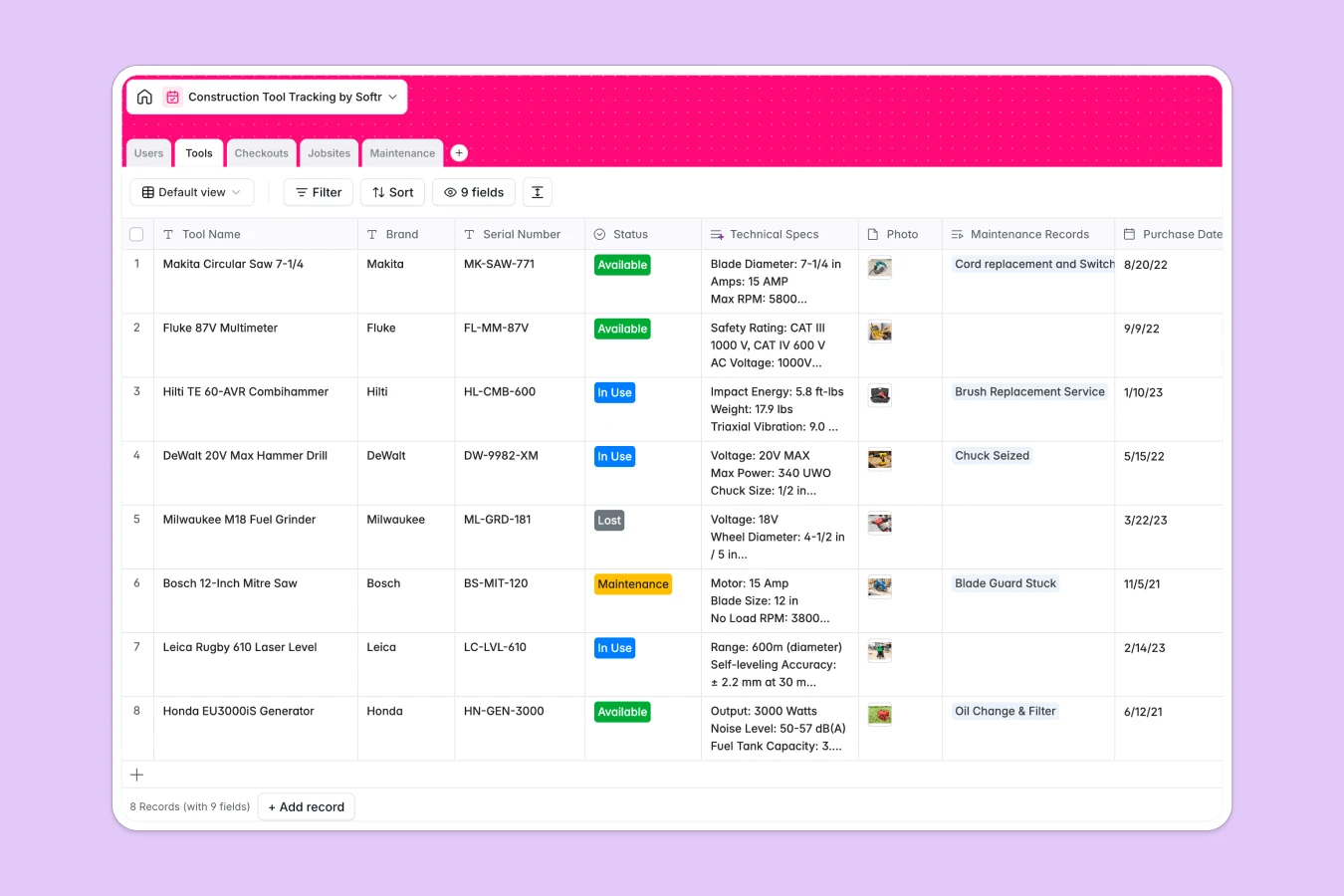
Your Construction Tool Tracking database at a glance
Track expensive assets, monitor real-time tool availability, and assign gear to specific jobsites without losing track of a single item.
This template connects Tools, Checkouts, Users, and Jobsites natively. You can see who checked out which drill, when it is due, and locate on-site gear instantly.
Built-in AI fields retrieve technical specifications for new tools and generate repair solutions based on maintenance ticket descriptions.
What to check before building your construction tool tracking base in Airtable
Airtable is a solid database, but tracking physical industrial tools often means sharing access with field crews, site managers, and third-party contractors. This is where pricing and scaling limits can catch you off guard.
What changes with a database built for apps
When field workers and site managers need to update tool status from mobile devices, Airtable's per-seat pricing gets incredibly expensive.
Softr Databases handle this differently by offering unlimited collaborators on all plans. You can safely let every team member log checkouts without a ballooning bill.
Furthermore, you can keep your inventory healthy automatically. Native Database AI agents run directly inside your tables, searching the web for spec sheets or analyzing maintenance tickets to propose instant troubleshooting steps.
What you can do with this template
Prevent lost equipment by monitoring expected return dates and setting clear statuses like "Maintenance" or "In Use."
Organize multi-site logistics by tracking active jobsites and counting active tools at each location automatically.
-
Users
Track workers, foremen, and admins with roles and checkout counts
-
Tools
Manage physical equipment and generating AI technical specifications
-
Checkouts
Log tool status, assignments, due dates, and active borrow records
-
Jobsites
Track active construction locations and currently allocated equipment
-
Maintenance
Log repairs with costs and generate AI step-by-step solutions
Who is this Construction Tool Tracking database for
This template works well for growing operations that need clean asset visibility without administrative maintenance.
- Construction Managers: Track tool depreciation, centralize maintenance logs, and ensure teams have correct equipment.
- Site Foremen: Monitor real-time gear allocations on specific jobsites to avoid double-booking valuable machinery.
- Operations Leads: Scale operations without facing seat-license penalties as your roster of field workers grows.
How to take it further
1. Customize the database
Tailor your status tags, customize tool categories, or set custom alerts for overdue items. It is incredibly easy to add new columns or modify choices directly in your database.
2. Import your existing data
Bring your current inventory list online in seconds. You can upload a CSV of your equipment or utilize our API to sync existing tool spreadsheets.
3. Build a full app around it
When your field teams are ready for an even simpler layout, you can easily build an app on top of this exact database. Our AI Co-Builder transforms this structured data into custom mobile portals where workers check tools out with a single click.
This gives you precise users and permissions control, meaning workers only see their assigned gear while admins oversee all site records and maintenance tasks.
-
1
-
2
-
3
-
4
Frequently asked questions
-
What is a construction tool tracking database?
-
Why use a no-code database to build a construction tool tracking system?
-
How can AI help managing data for construction tool tracking?
-
Can I build an app with this construction tool tracking database?
-
Is this construction tool tracking template free?
-
How is this template different from an Airtable template?
Start building today. It's free!
Build and launch your first app in under 30 minutes.