


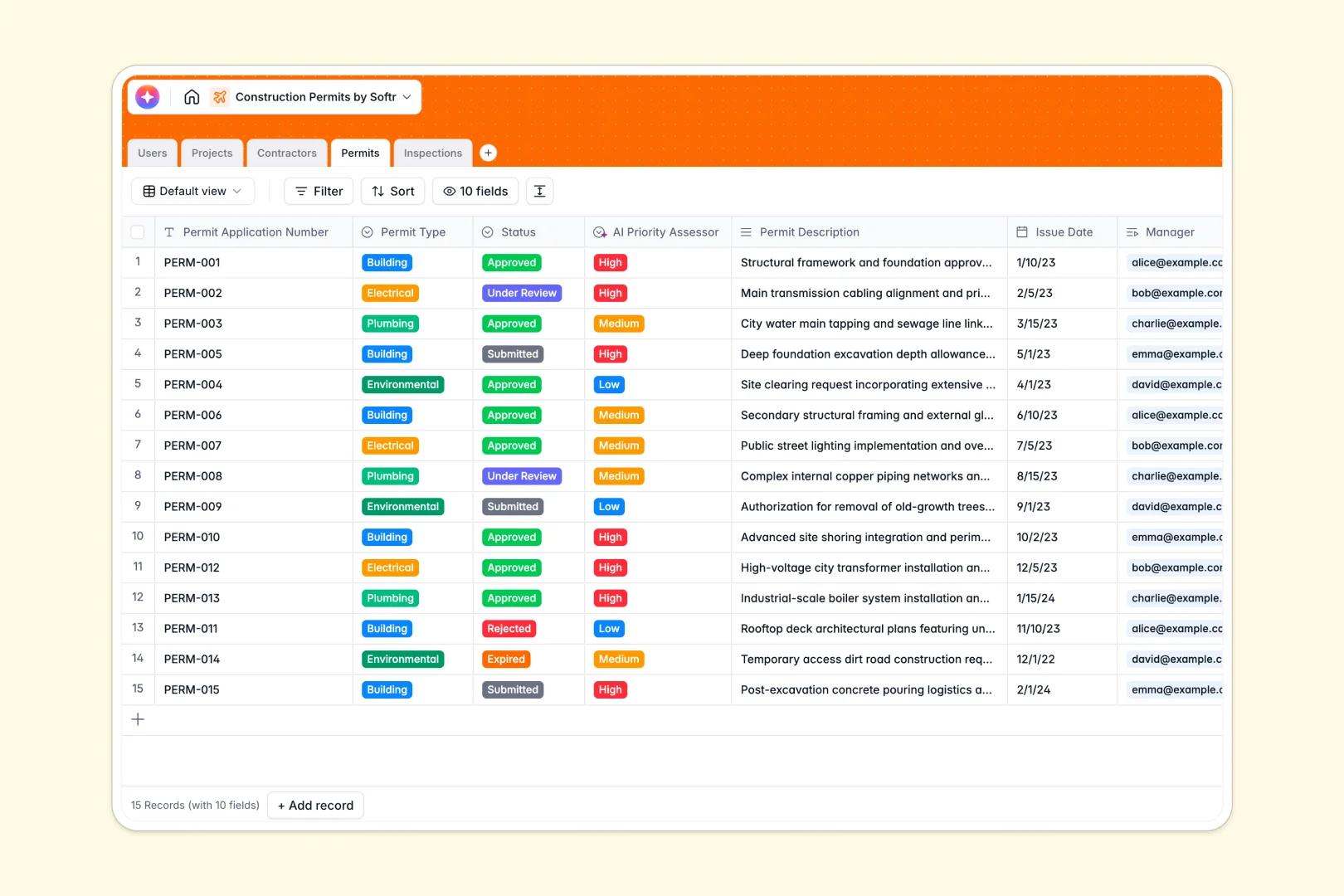
Your Construction Permits database at a glance
This template provides a clear, central way to manage every step of your development projects. Seamlessly log permit status, track required inspections, and maintain organized contact details for external contractors.
Five pre-configured tables connect construction projects directly to their active building or electrical permits, and link those permits to on-site inspections. Staff members can assign inspectors to fields and view real-time compliance outcomes.
Built-in intelligent fields automatically generate project titles, summarize inspection notes, and assess priority levels so your administration team can work without bureaucratic bottlenecks.
What to check before building your construction permits base in Airtable
When managing active building and inspection workflows across multiple job sites, a database is the right choice to keep work moving in order.
What changes with a database built for apps
While Airtable offers structured tables, its per-seat pricing often forces custom builders to limit database access for field inspectors, contractor companies, and project managers due to scaling costs.
With Softr Databases, you get identical relational structure and automatic linked records, but with unlimited collaborators on all pricing tiers. This means you can keep external contractors fully connected to their permits without getting charged for every single user login.
Having the database on a unified platform also means you can transition from simple spreadsheet rows to custom portals and workflows on the exact same infrastructure without needing to buy, learn, and maintain third-party overlay interfaces.
Coordinate field inspections with native intelligence
This template comes equipped with Database AI agents that eliminate manual data entry. They instantly summarize lengthy field notes into clear bullet points and classify permit urgency based on descriptions.
This structure helps office staff schedule inspections and approve tasks quickly, while field workers can easily upload photo attachments directly to specific records.
-
Users
Track staff members handling permits, inspections, roles, and contacts
-
Projects
Manage construction projects with AI-generated titles and location details
-
Contractors
Register executing builders with AI-powered overview from company websites
-
Permits
Track applications, approvals, and AI-assessed priority classification levels
-
Inspections
Log site inspections with notes, outcomes, and AI executive summaries
Who is this Construction Permits database for
- Project Managers: Keep track of overlapping building, electrical, and environmental permits without losing site visibility.
- Permit Managers: Oversee application statuses, coordinate with active construction firms, and keep ownership transparent.
- Field Inspectors: Instantly view scheduled assessments, update outcomes, and log photos directly on job sites.
- Construction Contractors: Experience smooth execution with clear insight into active permits and inspection steps.
How to take it further
Customize the database
You can modify the permit types, project tags, and compliance outcomes in minutes. Adjust role select options or update the inspection outcomes to match your local regulatory requirements.
Import your existing data
Move your structured data from spreadsheets or existing systems into this template with ease. Utilize CSV uploads or live API setups to map and transfer your contractor directory and project history.
Build a full app around it
When you are ready to expand your workflow, use our AI app generator to turn this relational structure into a fully functional contractor portal or inspector app.
By building an interface, you can set custom users and permissions to control what private information external contractors can see. This ensures field teams only access their assigned permits, keeping sensitive project details secure.
-
1
-
2
-
3
-
4
Frequently asked questions
-
What is a construction permits database?
-
Why use a no-code database to build a permit system?
-
How can AI help managing data for construction permits?
-
Can I build an app with this construction permits database?
-
Is this construction permits template free?
-
How is this template different from a construction permits Airtable template?
Start building today. It's free!
Build and launch your first app in under 30 minutes.