


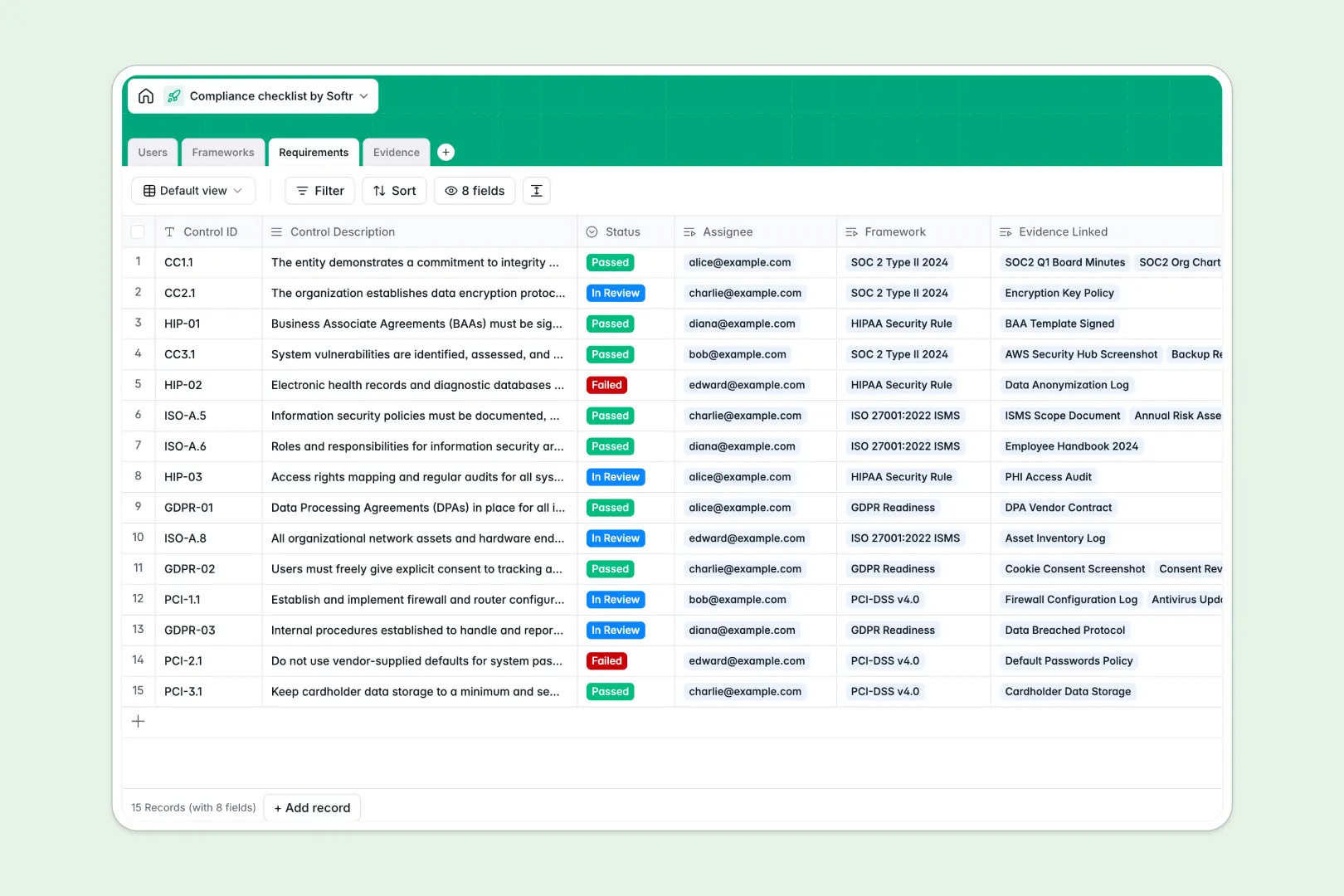
Your Compliance Checklist database at a glance
Scale your audit readiness with a structured system designed to bring teams and control documentation together. This template makes it simple to map requirements directly to concrete evidence without losing track of details in cluttered folders.
Everything connects logically: Frameworks (like SOC 2 or GDPR) link directly to active Requirements, which in turn link to uploaded Evidence files and assigned team Users.
With built-in AI capabilities, the database automatically drafts compliance summaries for your frameworks, generates action steps for control requirements, and classifies uploaded evidence documents on the fly.
What to check before building your compliance checklist base in Airtable
Managing compliance requires strict accuracy, clear accountability, and painless collaboration. While creating an audit tracker in a relational database is a smart move, locking your data into Airtable comes with specific challenges that teams outgrow as audit deadlines approach.
What changes with a database built for apps
Compliance is a team effort involving IT, HR, legal, and external auditors. With Airtable, sharing your compliance database with external auditors or internal assignees quickly gets expensive due to restrictive per-seat pricing.
Softr Databases are built with a different philosophy. You get the same powerful relational foundations, linked tables, and custom select fields, but with unlimited collaborators on all plans.
This means you can invite as many auditors and employees as you need to view and edit progress without worrying about ballooning software costs.
What you can do with this template
With this pre-built template, you can immediately coordinate on compliance frameworks. Team leads can assign specific control IDs to owners and review uploaded evidence as soon as it arrives.
By leveraging embedded Database AI agents, your database can automatically categorize uploaded policy documents or access logs, helping you maintain a clean data structure and save hours of manual review.
-
Users
Track compliance team members, system auditors, and task assignees
-
Frameworks
Manage compliance audits with AI-generated goal and progress summaries
-
Requirements
Track active control criteria using AI for status and next steps triage
-
Evidence
Store audit proof files and use AI to automatically classify attachments
Who is this Compliance Checklist database for
- Compliance Managers: Keep internal prep schedules on track and audit readiness transparent across the company.
- External Auditors: Access a dedicated, organized review portal where framework requirements and evidence are clearly linked.
- Operations Teams: Easily track assigned control tasks and see exactly what evidence must be uploaded to satisfy policy requirements.
How to take it further
1. Customize the database
You can easily adapt the pre-configured schema to match your business needs. Add specific compliance frameworks, rename evidence categories, or create custom status stages with a few clicks inside the intuitive editor.
2. Import your existing data
If you have controls stored elsewhere, you don't need to rebuild them from scratch. Quickly import your control descriptions and checklist requirements via CSV format to get your tracking system running instantly.
3. Build a full app around it
As your program scales, spreadsheets or bare databases aren't enough. Use our AI app generator to turn this database into a secure compliance portal in minutes.
Within the same platform, you can customize users and permissions to control access. Internal teams can submit evidence through simple forms, while external auditors log in to view only the approved records and approved documentation they need.
-
1
-
2
-
3
-
4
Frequently asked questions
-
What is a compliance checklist database?
-
Why use a no-code database to build a compliance checklist?
-
How can AI help managing data for compliance?
-
Can I build an app with this compliance checklist database?
-
Is this compliance checklist template free?
-
How is this template different from an Airtable template?
Start building today. It's free!
Build and launch your first app in under 30 minutes.