


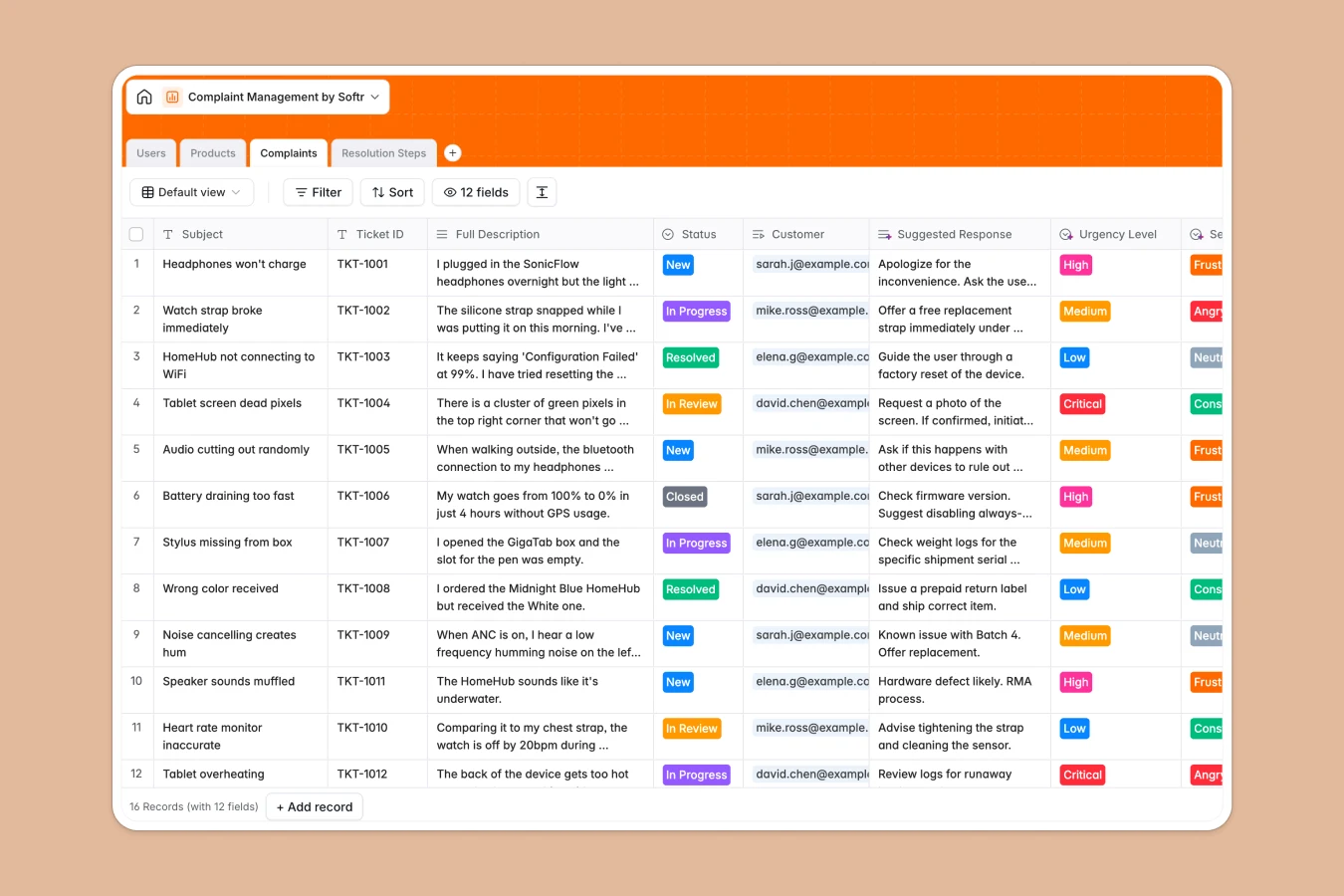
Your Complaint Management database at a glance
This template provides a clear way to log, organize, and resolve customer grievances and product tickets. It helps your team react quickly, maintain high customer satisfaction, and identify recurring product issues before they escalate.
The database connects your critical data across four structured tables: Users (customers and support agents), Products (with automated grievance rollups), Complaints (the tickets themselves), and Resolution Steps. By keeping these objects linked, you can trace any ticket back to the specific buyer or product SKU without messy searches.
Where complaint management outgrows Airtable
If you are managing customer tickets, you already know that a structured database is better than a flat spreadsheet. However, setting up a database in Airtable can quickly reveal limitations that slow down your support operations.
What changes with a database built for apps
When your team tracks sensitive customer records and support tickets, you need a system that everyone can access without ballooning bills. With Softr Databases, you get unlimited database collaborators on all plans—meaning you do not pay per seat just to let your support agents update progress or view product histories.
Furthermore, managing customer complaints typically requires giving access to external stakeholders or customers themselves. With Softr, you can transition your backend data into a customer portal with strict security, instead of paying for expensive Airtable licenses or stitching external tools together.
What you can do with this template
With this database, you can log complete ticket histories, assign agents to critical cases, and categorize incoming issues by Urgency Level. This template also includes structured fields for Sentiment Analysis and Suggested Responses, making it easy to prioritize frustrated clients first.
You can also configure Database AI agents directly inside your tables to analyze ticket gravity, summarize resolution steps, or draft template responses naturally as new records come in.
-
Users
Manage customers, support agents, and system admins with roles and contacts
-
Products
Track the catalog of offered products linked to their customer complaints
-
Complaints
Track customer support tickets and analyze sentiment to suggest responses
-
Resolution Steps
Log actions, communications, and steps taken to resolve active incidents
Who is this Complaint Management database for
- Customer Support Teams: Streamline ticket assignments, track resolutions, and monitor customer sentiment in one clean view.
- Product Managers: Identify which SKUs generate the most complaints using built-in rollup counts to improve quality.
- Operations Managers: Centralize customer and staff directories alongside historical resolution steps for auditing.
How to take it further
Customize the database
You can customize the fields in a few clicks to match your exact support process. For example, add new options to the Urgency Level select list, edit staff roles, or add custom notes fields to log phone call details.
Import your existing data
If you have active tickets sitting in spreadsheets or external systems, you can import them via CSV upload or API sync. This database imports your records instantly without breaking the existing table relationships.
Build a full app around it
When your team is ready to scale, you can easily build an app on top of this database. Use the AI Co-builder to instantly generate an internal support desk or external customer portal with secure login.
By leveraging users and permissions, you can ensure customers only see their own submitted tickets while support agents can edit and update assignments globally.
-
1
-
2
-
3
-
4
Frequently asked questions
-
What is a complaint management database?
-
Why use a no-code database to build a complaint management tool?
-
How can AI help managing data for complaints?
-
Can I build an app with this complaint management database?
-
Is this complaint management template free?
-
How is this template different from a complaint tracker in Airtable?
Start building today. It's free!
Build and launch your first app in under 30 minutes.