


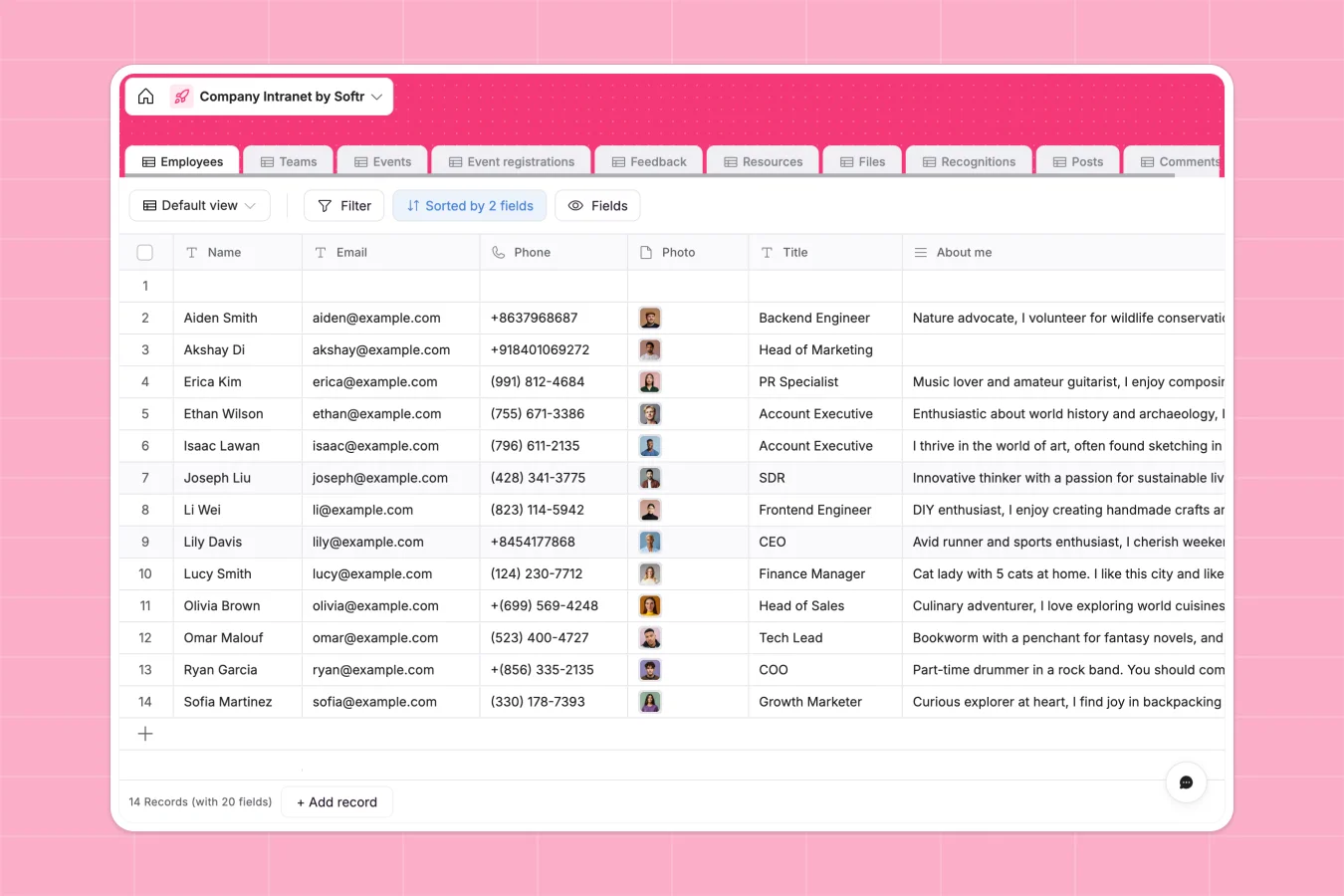
Your Company Intranet database at a glance
This Company Intranet template helps organizations centralize internal resources, streamline communications, and keep teams connected. It organizes your employee directory, company files, feedback, and social events in one secure hub.
By linking employees to specific teams, events, and posts, everyone stays aligned. Multiple tables like Employees, Teams, and Resources connect natively to create a unified system.
What to check before building your company intranet base in Airtable
While structured databases are essential for building a reliable directory, committing your company data to Airtable brings specific challenges as your team scales.
What changes with a database built for apps
Unlike platforms that charge per collaborator and quickly become expensive as more colleagues join, Softr Databases include unlimited collaborators on all plans. This means every team member can update their profile or submit feedback without driving up your monthly bill.
Furthermore, your data isn't locked in a spreadsheet-like view. Softr handles up to 200,000 records per database and comes with high API rates, ensuring your staff directory always loads instantly.
What you can do with this template
This template lets you track events with RSVP limits, share team-restricted documents, and host internal discussion posts. You can also deploy Database AI agents directly into your tables to automatically summarize feedback or categorize newly uploaded files.
Because the structure is ready out of the box, you can begin organizing your organizational directory, company announcements, and resource links immediately, without complex configuration.
-
Employees
Track team members with contact details, roles, and intranet contributions
-
Teams
Manage organizational units with managers, members, and shared resources
-
Events
Schedule corporate happenings, workshops, and RSVP requirements
-
Event registrations
Track employee signups and attendee lists for upcoming internal events
-
Feedback
Collect internal team feedback and suggestions for organizational improvement
-
Resources
Centralize company-approved software, wellness benefits, and equipment links
Who is this Company Intranet database for
- HR & People Ops Leads: Maintain an accurate organization chart, organize team-wide events, and review continuous employee feedback.
- Department Heads: Share internal documents with specific restriction levels and coordinate direct reports easily.
- Internal Communicators: Publish pinned announcements, share resources, and highlight peer recognitions.
How to take it further
Customize the database
You can customize the structure of your database in seconds. Modify employee role options, update document categories, or add custom fields to capture distinct details like remote work locations.
Import your existing data
Moving your records is painless. Bring your existing employee directory, equipment details, or team rosters directly into the database using a clean CSV import or the flexible programmatic API.
Build a full app around it
When your team is ready, you can seamlessly generate an app with AI on top of this exact database. Softr's AI builder translates a simple prompt into a customized portal where staff can log in, edit profiles, and view files.
You can set up granular users and permissions to control who can view sensitive files or edit feedback, organizing a complete digital workplace from a single, secure data source.
-
1
-
2
-
3
-
4
Frequently asked questions
-
What is a company intranet database?
-
Why use a no-code database to build an intranet?
-
How can AI help managing data for my intranet?
-
Can I build an app with this company intranet database?
-
Is this company intranet template free?
-
How is this database different from an Airtable template?
Start building today. It's free!
Build and launch your first app in under 30 minutes.