


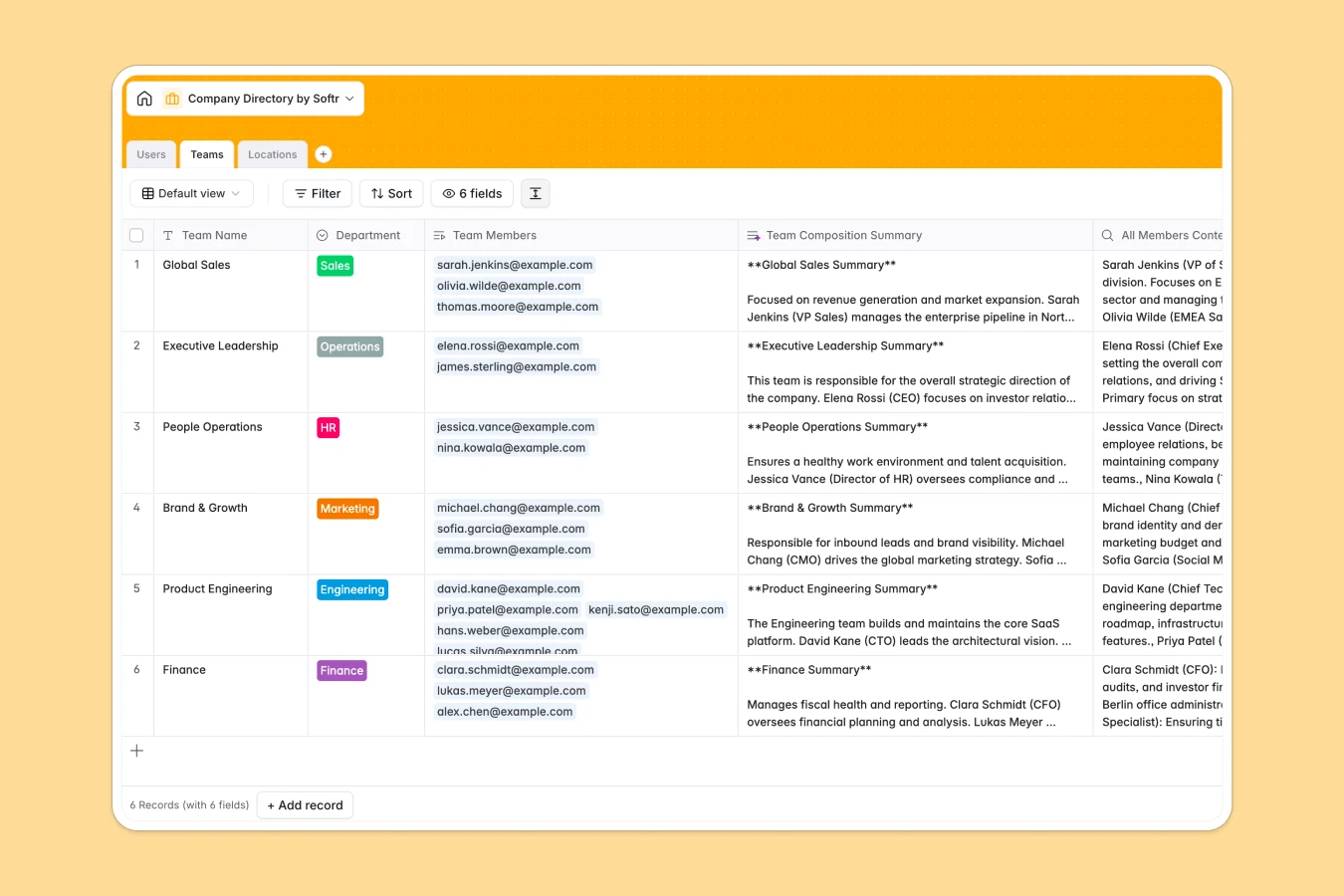
Your Company Directory Database at a glance
This template gives you an instant, central team directory to map out your organization in real time. Keep track of employees, their specific roles, reporting lines, and office physical sites in one clean view.
It works by connecting three essential tables—Users, Teams, and Locations—so when you update an employee's location or department, the counts and summaries update automatically. Native connection means no copy-pasting across different lists.
This directory includes one-click AI-powered summaries of team compositions. Write a prompt inside your table to read details of each team member and generate who is responsible for what in seconds.
What to check before building your Company Directory base in Airtable
Enterprises and growing teams often choose Airtable to build organizational directories because they need a structured database with linked records instead of a messy spreadsheet. But there are crucial factors to consider before you commit.
What changes with a database built for apps
While databases organize the backend of your staff directory cleanly, how your team actually accesses it matters. This is exactly what Softr Databases are designed for—unifying your tables and user-facing apps in one place.
Airtable charges per collaborator seat if anyone needs to edit or search records, which gets incredibly expensive as your team grows. With this template, you get unlimited collaborators so the entire company can search, update, or edit their details for free.
Scaling is also worry-free, as you bypass restrictive record limits and get a platform built to grow from day one. You keep clear data integrity without worrying about API limits or seat costs.
What you can do with this template
With this database, you can map direct reporting chains inside your team. Every employee can be linked to a Manager and a Direct Report, building a visual organizational hierarchy that stays accurate.
Your teams get an intelligent overview of ownership. By utilizing Database AI agents, you can auto-summarize team missions based on who is assigned to them, keeping everyone aligned without manual reporting.
-
Users
Manage employee profiles, contact details, organizational roles, and managers
-
Teams
Organize departments and generate AI summaries of team responsibilities
-
Locations
Track physical company office locations, addresses, and staff distribution
Who is this Company Directory database for
- HR & People Ops Leads: Maintain clean employee directories, track office assignments, and coordinate team growth plans in one spot.
- Department Heads: Map team missions, monitor headcount, and easily understand direct reporting relationships.
- Scaling Startups: Keep Everyone aligned as you hire quickly, ensuring new joiners know who to contact on day one.
How to take it further
Customize the database
Add your own unique organizational taxonomy in minutes as a native database. Customize the Access Role choices (Admin, Manager, Member) or change department options like Engineering and HR to fit your precise organizational layout.
Import your existing data
Skip the manual typing. Quickly upload your entire company list with our CSV importer or connect your existing systems using our native API capabilities to get your team directory live immediately.
Build a full app around it
When your team is ready for a internal company directory portal, you can easily build an app on top of this template. You can set granular users and permissions so workers can log in to view the directory but only HR can approve updates.
-
1
-
2
-
3
-
4
Frequently asked questions
-
What is a company directory database?
-
Why use a no-code database to build a company directory?
-
How can AI help managing data for your company directory?
-
Can I build an app with this company directory database?
-
Is this company directory database free?
-
How is this template different from an Airtable template?
Start building today. It's free!
Build and launch your first app in under 30 minutes.