


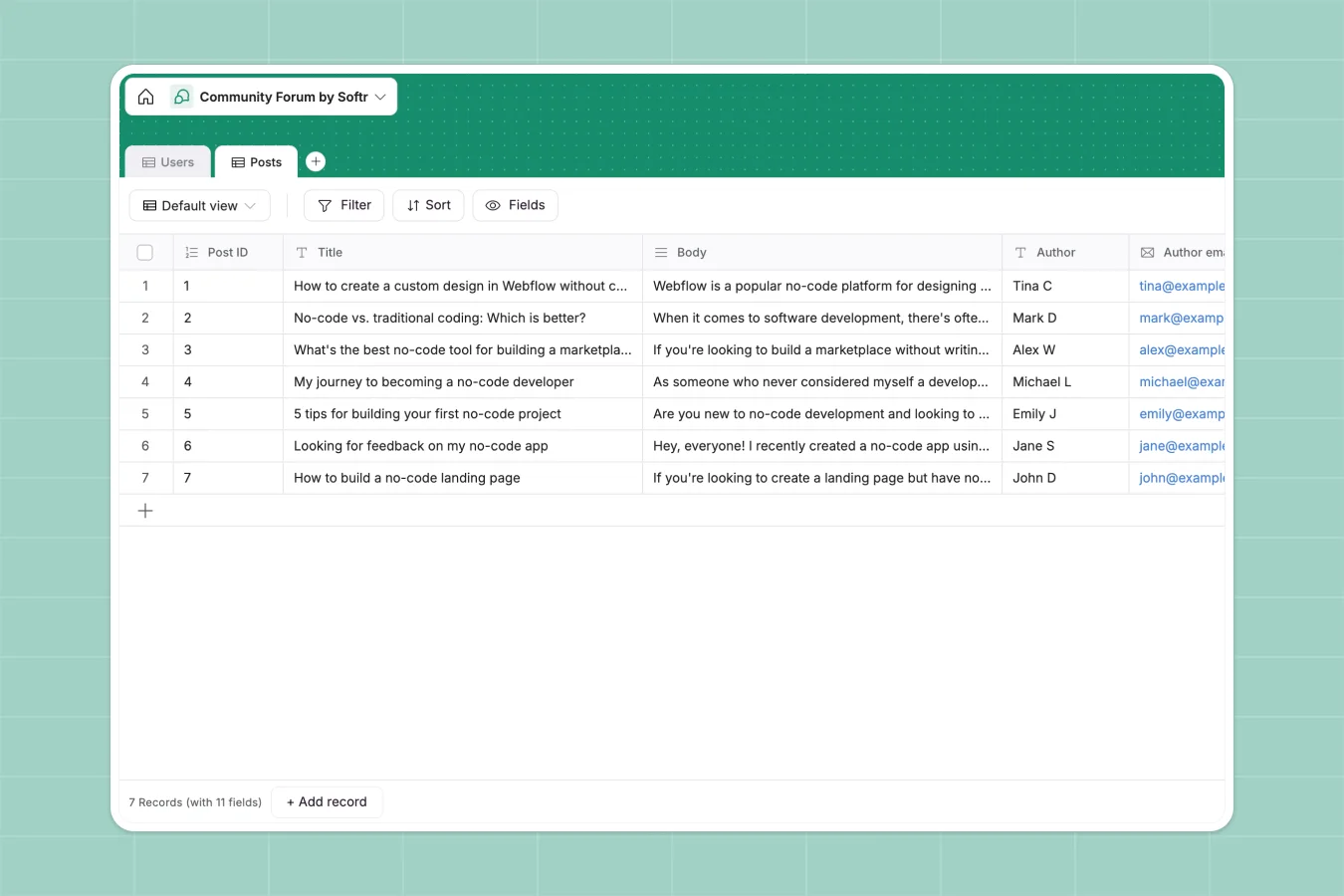
Your Community Forum database at a glance
This template provides a simplified, structured backend to organize your community. You can easily manage discussion posts, structure your categorization, and track user profiles in a central place.
Everything is split logically into two main tables: Users and Posts. This architecture makes it incredibly easy to see who is publishing, what categories are trending, and who is moderating your forum.
What to check before building your community forum base in Airtable
While choice of a database tool like Airtable is smart for structured tables, building a community hub there exposes severe limitations. For starters, Airtable charges per-seat pricing for editors, meaning as your list of moderators or active members grows, your operational bill skyrockets.
What changes with a database built for apps
When managing community data, you shouldn't have to choose between extreme pricing and structural integrity. Native Softr Databases allow unlimited collaborators on all pricing tiers, enabling you to bring in as many moderators as you need.
Additionally, high-volume forums can outgrow Airtable's record thresholds quite quickly. By hosting your data natively on Softr, you escape the restrictive limits and get a database built specifically to power responsive interfaces.
What you can do with this template
This template allows you to easily tag posts into predefined categories like Discussion, Tutorials, or Feedback. You can customize these categories from your settings in seconds to match your exact niche.
You can also assign roles like Moderator or Member to your users, ensuring your forum's administrative foundation is secure and ready to scale.
-
Users
Manage community members, contact information, and moderator roles
-
Posts
Organize forum content categorized by topics with author details
Who is this Community Forum database for
- Community Managers: Easily organize discussions, tag topics, and moderate member lists.
- Creators and Educators: Track student questions and share extra tutorials in one structured hub.
- Product Teams: Gather and categorize user feedback directly within your internal roadmap workspace.
- Support Teams: Keep a central repository of frequently discussed issues and helpful tools.
How to take it further
Customize your database
You can modify this template in a couple of clicks to fit your target workspace. Add extra categories, change select options, or introduce new tables for comments or replies to capture multi-layered dialogue.
Import your existing data
If you already have structured member lists or a history of discussions in external files, simply upload them via CSV. The native import tools will map your columns into typed fields cleanly.
Build a full app around it
Having a structured database is the single most important step to launching a dynamic web page. You can easily build an app on top of this exact schema, turning your backend tabular list into a live, interactive community portal.
Using Softr's visual editor, you can build discussion feeds, form inputs for people to post directly, and customized permissions. This ensures moderators can delete posts while members only see relevant boards.
-
1
-
2
-
3
-
4
Frequently asked questions
-
What is a community forum database?
-
Why use a no-code database to build a community forum system?
-
How can AI help managing data for community forums?
-
Can I build an app with a community forum database?
-
Is this community forum template free?
-
How is this different from an Airtable template?
Start building today. It's free!
Build and launch your first app in under 30 minutes.