


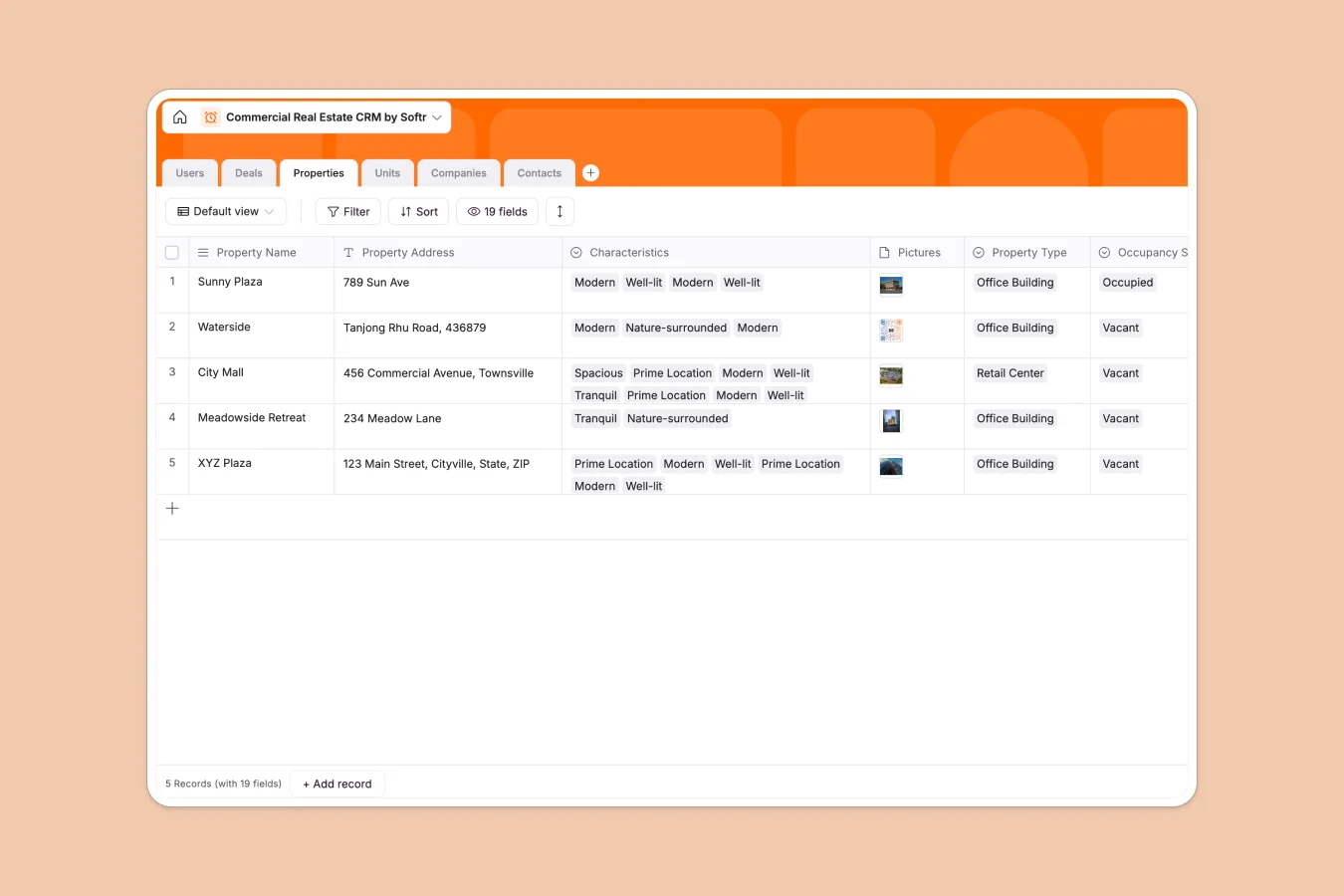
Your Commercial Real Estate CRM database at a glance
This template provides commercial brokerage teams with a robust way to track properties, multi-unit buildings, deals, companies, and contacts in one centralized workspace. It eliminates administrative friction so your agents can focus on closing transactions.
By naturally linking tables, the database automatically connects deals to specific properties and units, making it easy to track which tenant is leased where, complete with terms, start and end dates, and associated documents.
What to check before building your commercial real estate CRM in Airtable
While Airtable is a solid relational database option, building a custom CRM there comes with specific team-wide challenges you should consider before you commit.
What changes with a database built for apps
Airtable's per-seat pricing quickly punishes team growth, charging you for every single agent or administrator who needs editing permissions. With Softr Databases, you get unlimited collaborators across all plans, so your entire brokerage can update properties and records without inflating software costs.
Furthermore, to turn an Airtable base into an actual portal that external clients, landlords, or tenants can access safely, you have to stitch together foreign interface tools and automation builders. Because Softr natively builds apps and portals over its database, you can design full agent dashboards and secure client areas inside the exact same platform.
What you can do with this template
This CRM lets you separate complex assets into individual properties and units. It dynamically computes rollups like total occupied lease values and handles multiple agent assignments seamlessly.
You can also run native Database AI agents within your fields. Use them to auto-summarize lease agreements, enrich company profiles with web data, or categorize prospective tenants who drop inquiries into your system.
-
Users
Manage internal team members, roles, permissions, and client assignments
-
Deals
Track pipeline milestones, lease values, terms, and negotiating parties
-
Properties
Catalog commercial buildings with locations, occupancy status, and features
-
Units
Manage individual rental spaces with lease terms and availability status
-
Companies
Organize tenant and landlord entities with active deals and associations
-
Contacts
Maintain key stakeholder contact details connected to deals and companies
Who is this Commercial Real Estate CRM database for
- Commercial Brokerages: Keep listings, lease totals, active tenant pipelines, and agent assignments clear and accessible for the entire team.
- Independent RE Brokers: Manage properties, track deals from new to won, and store landlord and tenant details without losing lead history.
- Property Management Firms: Coordinate tenant companies, unit vacancies, ownership records, and active lease expirations in a single dashboard.
How to take it further
Customize the database
To adapt this template to your unique market, edit select options under the Property Type field (such as adding industrial or multi-family options) and log specific Characteristics like parking space availability or transit proximity directly inside your tables.
Import your existing data
Avoid manual data entry by uploading your property spreadsheets or client CSVs straight into your database in seconds. You can also utilize the Softr Database API to sync your properties periodically with your MLS or external marketing listings.
Build a full app around it
When you are ready to take your workflow to the next performance tier, you can easily generate an app with AI directly on top of this exact schema. Translate your property data into a client portal where tenants submit maintenance issues or view leases.
By relying on robust users and permissions, you can ensure that agents only see their assigned deals and properties while administrators maintain complete visibility and configuration over the entire system.
-
1
-
2
-
3
-
4
Frequently asked questions
-
What is a commercial real estate CRM database?
-
Why use a no-code database to build a commercial real estate CRM?
-
How can AI help managing data for commercial real estate?
-
Can I build an app with this commercial real estate CRM database?
-
Is this Commercial Real Estate CRM database template free?
-
How is this template different from an Airtable template?
Start building today. It's free!
Build and launch your first app in under 30 minutes.