


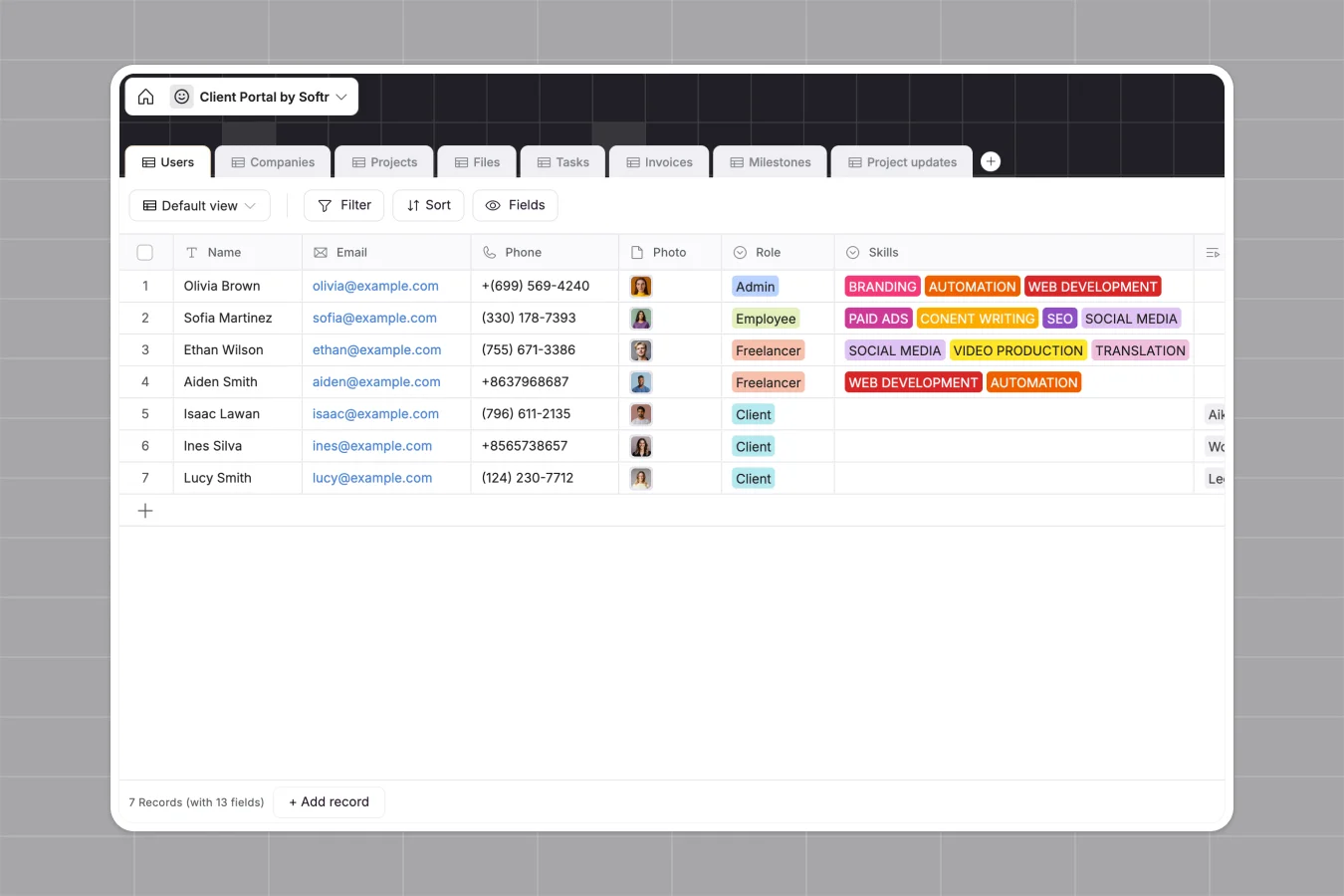
Your Client Portal database at a glance
This template gives you an all-in-one registry to organize your professional relationship with clients. It lets you monitor ongoing tasks, share contracts, track invoice statuses, and coordinate project sign-offs in real time.
Everything is connected logically. The Users table links professionals to their specific Companies, which instantly relate to distinct Projects, underlying Tasks, contract Files, and billable Invoices.
Where your client portal outgrows Airtable
While Airtable is a powerful tool, using it to host direct client collaboration quickly reveals several operational scale ceilings and cost penalties.
What changes with a database built for apps
Airtable charges per user for editors, meaning sharing live records or assigning tasks to your clients and freelancers becomes prohibitively expensive. Additionally, when handling high volumes of assets, those bases hit strict record and API caps.
This is exactly what Softr Databases are designed for. Softr provides unlimited collaborators on all plans so your clients can view and interact with data without running up your bill, backed by much higher data caps for real scale.
What you can do with this template
With this database, you can map client companies to active projects, track tasks via automatic formula-driven status flags, and record client-signed files.
By leveraging database AI agents, you can automate task summarization, pull external vendor research, or generate structured project updates as statuses transition.
-
Users
Manage portal users including clients, employees, freelancers, and admins
-
Companies
Store client companies with industry classification, scale, and contacts
-
Projects
Centralize client projects with timelines, status options, and budgets
-
Files
Store project-related files, legal contracts, and client deliverables
-
Tasks
Organize work assignments with deadlines, status flows, and assignees
-
Invoices
Track client billing, overdue states, secure payment links, and files
Who is this Client Portal database for
This system is built for teams operating in service-based industries that regularly exchange deliverables and tasks with external users.
- Agencies: Track client deliverables, design projects, and incoming invoices in a secure hub.
- Consultancies: Coordinate multi-stage project milestones and handle document sharing safely.
- Freelance Networks: Bring project leads and clients together in one reliable system without seat-based fees.
How to take it further
1. Customize the database
This template is fully flexible. You can adjust the select choices in the Users table to match your team\'s specific skill taxonomy, or update the invoice status values to align with your business terminology in seconds.
2. Import your existing data
If you have active projects running elsewhere, you can upload them instantly via bulk CSV import or sync them programmatically via API to get started with no downtime.
3. Build a full app around it
Because this template is built on a structured database, it is ready to scale. When you want to share this data securely, you can generate an app with AI in one prompt to build a personalized client login screen and custom dashboards.
Using granular users and permissions in Softr, you can ensure each logging-in client only sees their own company\'s invoices, tasks, and files—while your team maintains admin access across all projects.
-
1
-
2
-
3
-
4
Frequently asked questions
-
What is a client portal database?
-
Why use a no-code database to build a client portal?
-
How can AI help managing data for your client portal?
-
Can I build an app with this client portal database?
-
Is this client portal database template free?
-
How is this template different from a client portal in Airtable?
Start building today. It's free!
Build and launch your first app in under 30 minutes.