


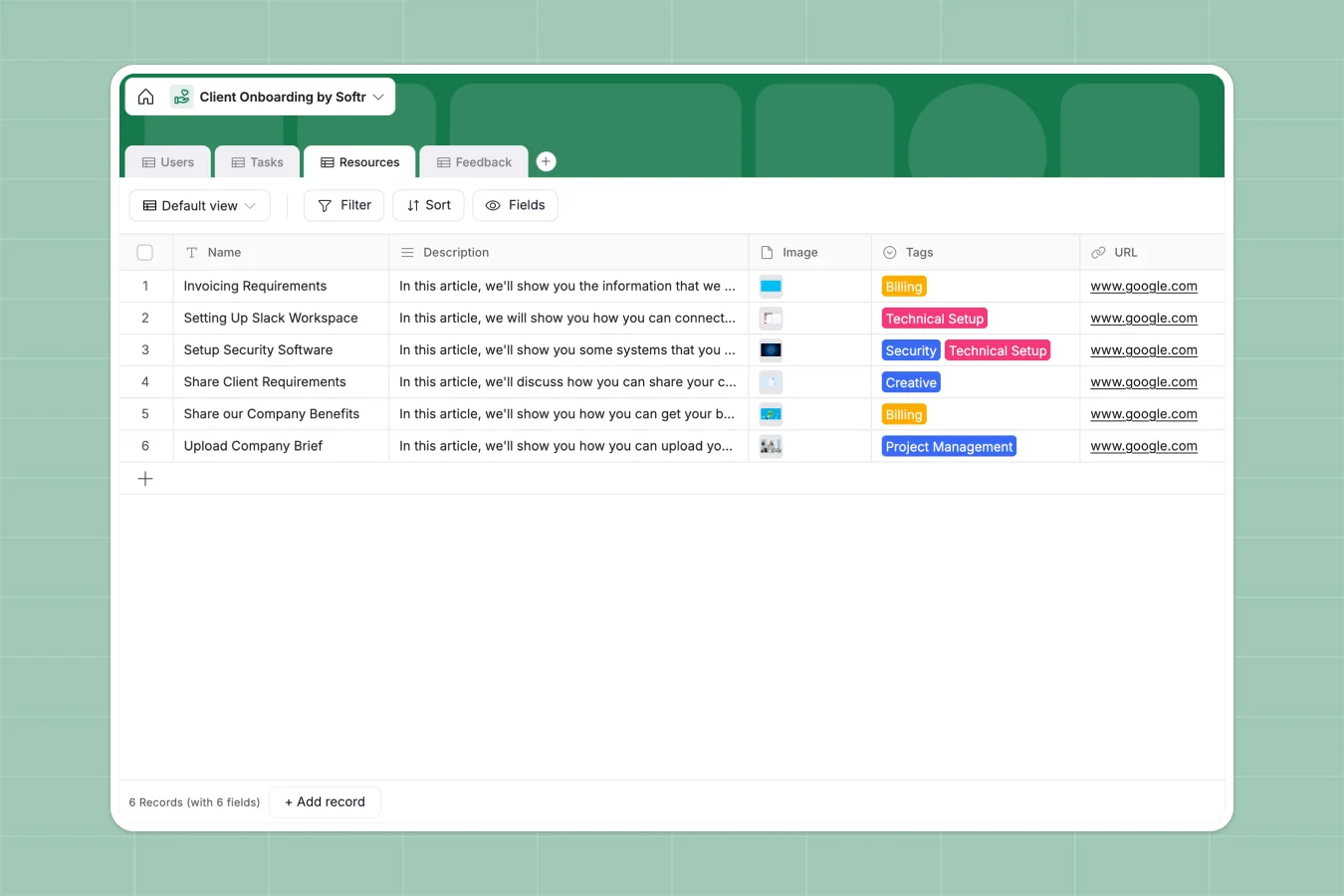
Your Client Onboarding Portal database at a glance
This template provides a beautifully structured database to manage every stage of new client handoffs. You can easily track users, define onboarding roles, assign specific tasks, and document setup resources in one unified system.
Keep everything linked across different tables. Assign tasks to owners, associate files with key steps, and collect client feedback natively without losing valuable context.
If you use Database AI agents, you can even auto-summarize client feedback directly inside your tables.
What to check before building your client onboarding portal base in Airtable
Many teams look at Airtable to structure their client onboarding databases because relational tables make sense for connecting tasks, resources, and clients. But before committing, it is important to consider how your team and clients will interact with that data.
What changes with a database built for apps
While Airtable handles data relations well, it runs into severe friction when sharing that data with external clients or large teams. Per-seat pricing model forces you to pay for every collaborator who needs editing rights, which gets expensive fast when onboarding new clients.
This is exactly what Softr Databases are designed to solve. When you use Softr, you get unlimited collaborators on all plans, allowing both your internal team and external clients to update tasks without surprise costs.
Rather than forcing users to look at raw spreadsheets, you can effortlessly turn this database layout into a fully branded portal with custom access rights.
What you can do with this template
This template serves as your production-ready workspace to track clients from "Pending Contract" to "Active" status. It eliminates messy paperwork by grouping tasks by timeframes like "First week" and linking them directly to guidelines or billing resources.
Your onboarding managers can oversee their assigned clients while clients see only their specific tasks, keeping the entire experience focused and secure.
-
Users
Manage portal users with roles, account statuses and assigned tasks
-
Tasks
Track critical onboarding steps, due dates, owners and achievements
-
Resources
Centralize guides, assets, templates and setup links for clients
-
Feedback
Collect client questions, survey responses and introductory day ratings
Who is this Client Onboarding Portal database for
- Client Success Managers: Keep every new client on track by setting clear timeframes for tasks and assigning direct ownership.
- Agency Founders: Scale your client handoffs with a repeatable, professional database structure that reduces onboarding friction.
- Professional Services Teams: Centralize setup guides, creative resources, and billing documentation in one clear workspace.
How to take it further
Customize the database
You can customize this database in seconds. Modify select options like "Client Status" or "User Role", add custom fields for contract value, or adjust timeframes to fit your unique delivery methodology.
Import your existing data
If you have active clients in spreadsheets, you can bulk upload them instantly via CSV import. You can also connect external APIs to sync live contacts and sync current workflow statuses automatically.
Build a full app around it
When you are ready, use this database to power a secure portal. The fastest path is to use Softr's AI app generator to generate a fully realized application on top of this exact schema.
By building an interface, you can set granular users and permissions so that internal managers can see all accounts, while clients can only view and update their own assigned setup tasks.
-
1
-
2
-
3
-
4
Frequently asked questions
-
What is a client onboarding database?
-
Why use a no-code database to build a client onboarding system?
-
How can AI help managing data for client onboarding?
-
Can I build an app with this client onboarding database?
-
Is this Client Onboarding Portal template free?
-
How is this template different from an Airtable template?
Start building today. It's free!
Build and launch your first app in under 30 minutes.