


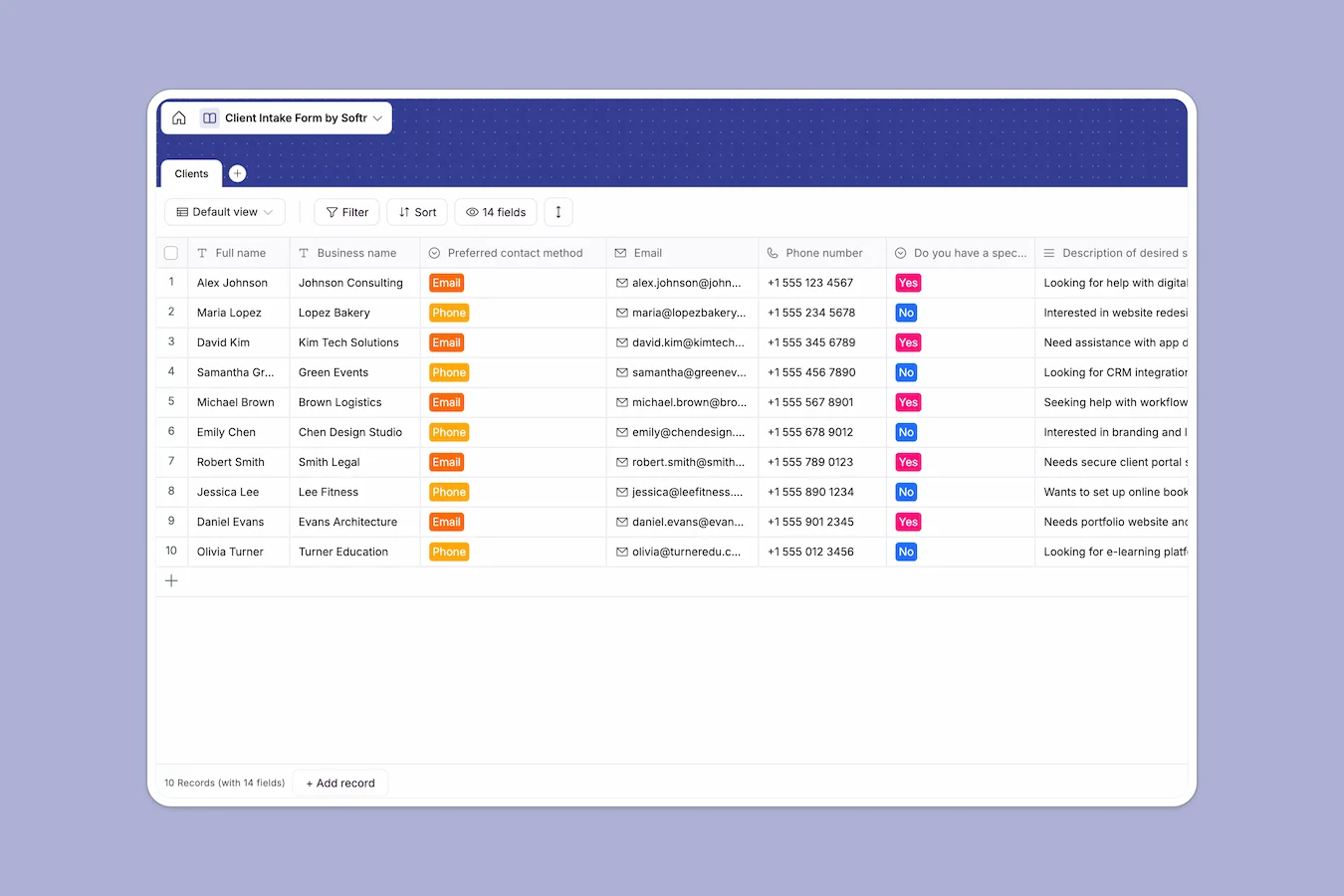
Your Client Intake database at a glance
Streamline how you onboard new clients and capture critical project requirements. Bring emails, business bios, budgets, and competitor insights into a unified view.
A single, clean table holds everything from initial contact methods to project timelines. This structure makes it easy to review prospect submissions without losing track of details.
What to check before building your client intake base in Airtable
Airtable is a capable relational database, but collecting intake submissions often exposes a few functional limits. When your team expands or you need to share incoming leads, tiny details can carry a high cost.
Scale and collaborate without seat penalties
Sharing incoming lead pipelines in Airtable gets expensive quickly because they charge per collaborator with edit rights. If your sales or operations teams need to modify records or update project statuses, costs climb.
This is exactly what Softr Databases are designed for. They include unlimited collaborators on all plans so you can invite your entire team to view, update, and manage incoming client submissions without worrying about per-seat pricing.
What you can do with this template
Instantly capture incoming data like budgets, competitor overviews, and preferred contact channels securely. It serves as a ready-to-use starting point that aligns your team on new projects.
You can also leverage Database AI agents to automate client research directly inside your tables. Set triggers to query their websites, pull competitor data, or clean formatting the second a new client submits their form.
-
Clients
Manage prospective clients with contact details, project needs and budgets
Who is this Client Intake database for
Keep your team aligned and ensure no customer detail slips through the cracks.
- Agency Owners: Qualify leads faster by keeping budgets, project timelines, and business briefs organized.
- Freelancers and Consultants: Centralize prospect communications and ensure you have all requirements before kick-off calls.
- Project Managers: Review client constraints, desired services, and deadlines to allocate team resources.
How to take it further
Customize this database in seconds. Modify select dropdown options like preferred contact methods or add custom fields to suit your unique qualifying process.
Bring over your legacy client history in one go. Use the CSV import tool or API to pull existing contacts, notes, and budgets without manual data entry.
As you grow, turn this structured data into a custom portal. You can use the AI app generator to describe the portal you want, and Softr will instantly co-build an interface connected to this database.
Set up custom users and permissions so clients can submit briefs or view their project status without seeing other clients' information.
-
1
-
2
-
3
-
4
Frequently asked questions
-
What is a client intake database?
-
Why use a no-code database to build a client intake system?
-
How can AI help managing data for client intake?
-
Can I build an app with client intake database?
-
Is this Client Intake template free?
-
How is this client intake template different from Airtable?
Start building today. It's free!
Build and launch your first app in under 30 minutes.