


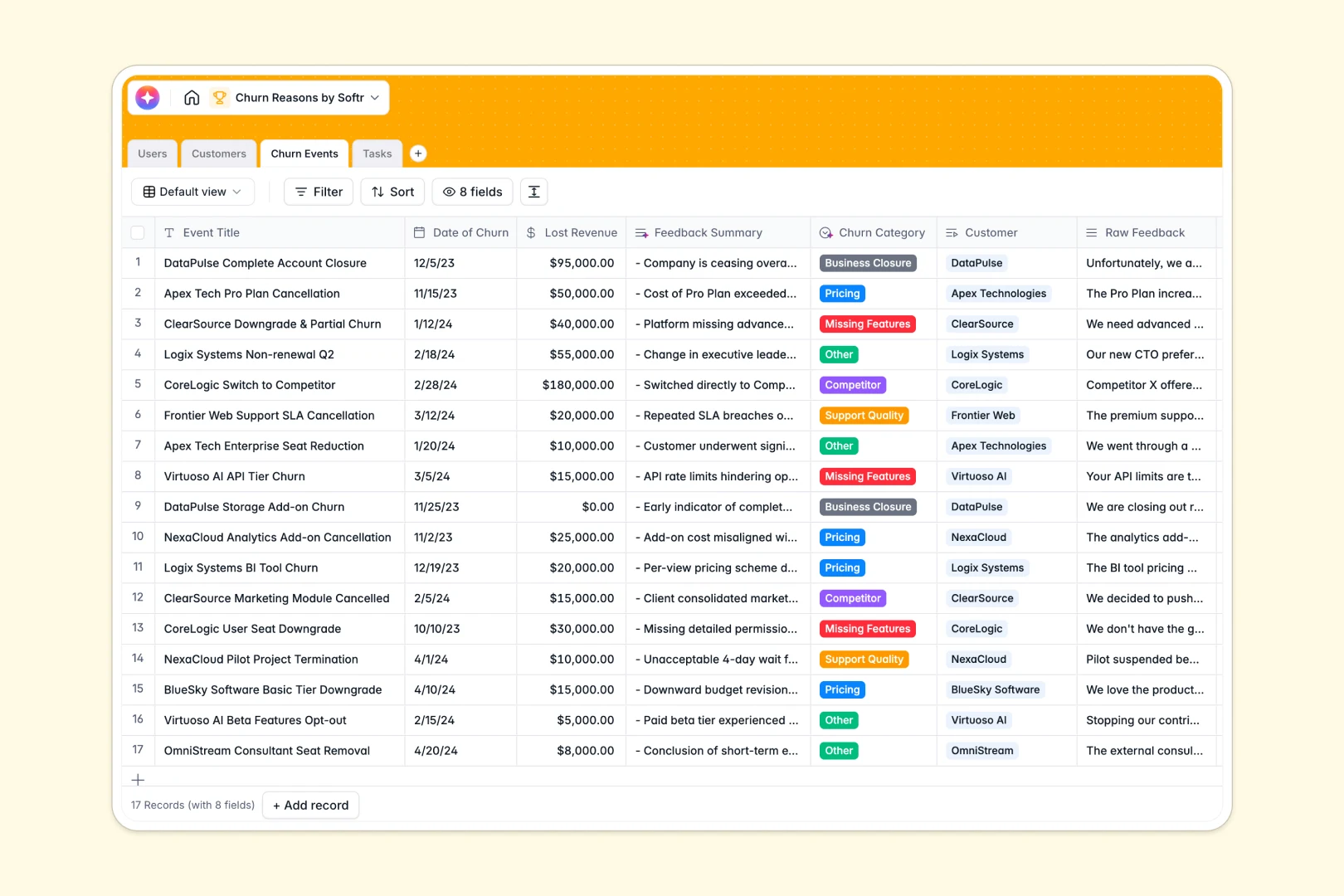
Your Churn Reasons database at a glance
This template allows Customer Success and Product teams to log cancellations, isolate exact pain points, and assign operational tasks in one shared workspace.
By linking relational tables—including Customers, Churn Events, and Tasks—you can calculate total lost revenue automatically over time. Built-in AI runs natively in specific fields to classify and summarize raw text so you never lose critical customer insights.
What to check before building your Churn Reasons base in Airtable
Tracking customer feedback and revenue leakage should keep your team aligned, not raise your software bills.
What changes with a database built for apps
While databases solve basic organization, tracking accounts across different teams usually requires building portals or custom interfaces. Adding collaborators inside another platform immediately triggers per-seat pricing that punishes your team for scaling.
Softr Databases allow you to store details cleanly with structured columns, while maintaining full ownership. You can share your data with unlimited users and build functional internal tools on top of your tables, hassle-free.
What you can do with this template
- Auto-classify why clients leave: Built-in Database AI agents analyze raw, long-text feedback to categorize occurrences under pricing, missing features, or support quality issues without manual input.
- Turn lost accounts into action: Create assigned operational tasks related to specific churn events, complete with automatically drafted outreach emails or follow-up plans.
- Keep revenue calculations accurate: Monitor real-time lost ARR and see cumulative impacts on company records via built-in rollups.
-
Users
Track team profiles, roles, and assigned customer accounts
-
Customers
Manage client profiles with health logs and AI web searches
-
Churn Events
Log customer cancellations with AI-powered feedback analysis
-
Tasks
Track action items with AI action draft generation and owners
Who is this Churn Reasons database for
- Customer Success Leaders: Track account health trends, isolate recurring negative feedback, and prioritize retention plays.
- Product Managers: Identify missing feature requests directly from churned clients to inform product roadmap plans.
- Operations Teams: Keep concrete task assignments linked to account exits to streamline customer offboarding workflows.
How to take it further
Customize the database
Modify the Churn Category dropdown options to align with the specific phrases your clients use. You can add new fields to hold cancellation survey links or custom health scores to suit your retention workflows.
Import your existing data
Transitioning from outside platforms is straightforward. Upload a historical CSV of your churn data or sync active customer lists using the API to centralize your operations immediately.
Build a full app around it
Once your data is housed securely, you can build an app to turn these tables into a client portal or internal CS dashboard. Use Softr's AI Co-Builder to generate clean views where CSMs can only see their managed accounts while PMs view department-wide trends through personalized users and permissions.
-
1
-
2
-
3
-
4
Frequently asked questions
-
What is a churn reasons database?
-
Why use a no-code database to build a churn tracking system?
-
How can AI help managing data for churn reasons?
-
Can I build an app with this churn reasons database?
-
Is this Churn Reasons template free?
-
How is this template different from an Airtable template?
Start building today. It's free!
Build and launch your first app in under 30 minutes.