


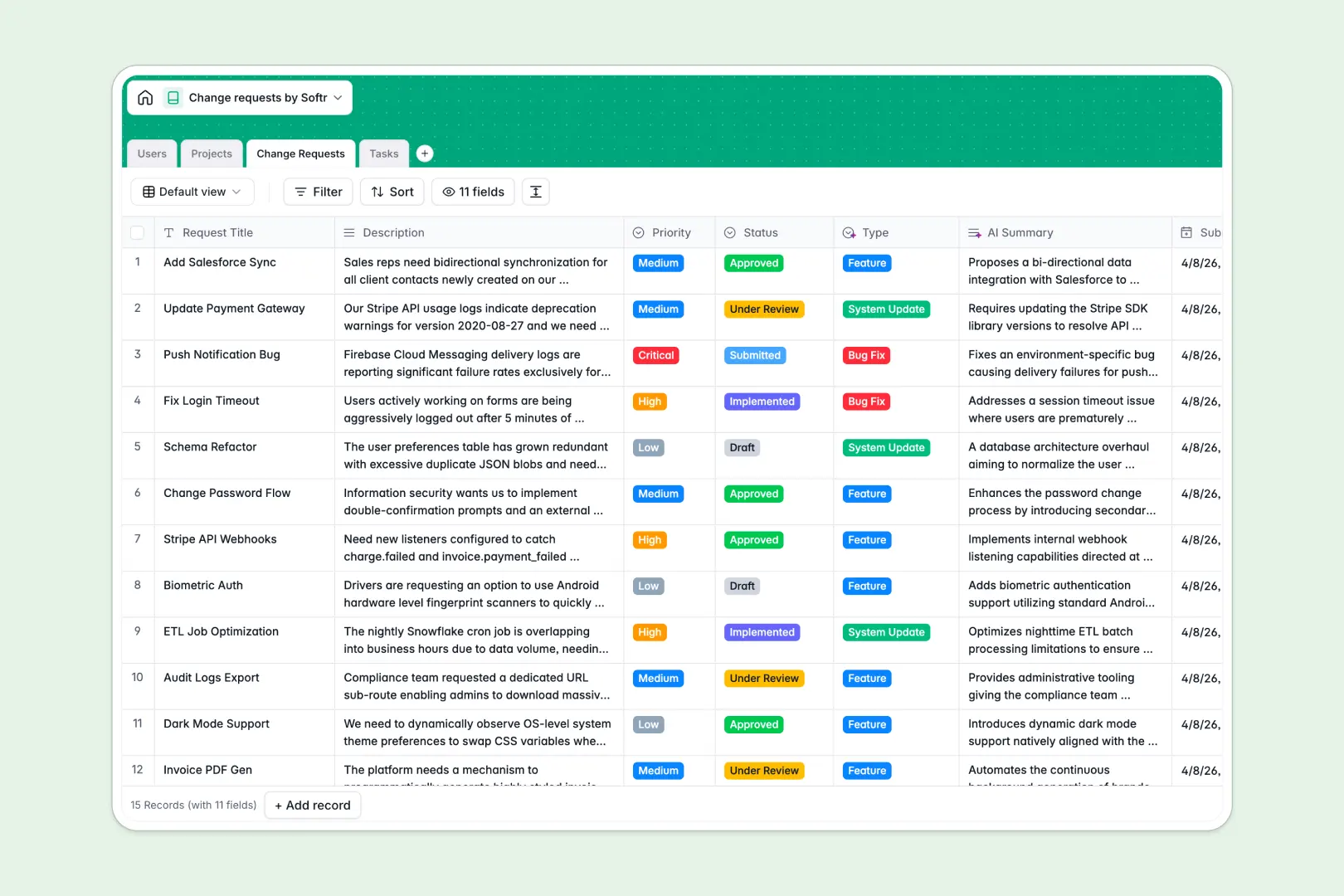
Your Change Requests database at a glance
This template provides a clear workflow to submit, review, and execute technical or operational improvements. It keeps your development and operations teams aligned on what needs to change, why, and who is responsible.
Your database organizes critical data into four structured tables: Users, Projects, Change Requests, and Tasks. Because these tables are natively connected, you can view the open requests count per project and assign specific implementation tasks to team members instantly.
This template also features native AI fields. It automatically generates summaries of long descriptions, drafts implementation steps, and categorizes incoming requests into bugs, features, or system updates without manual effort.
What to check before building your Change Requests base in Airtable
While Airtable is a solid relational database, scaling your project modifications tracking on their platform often leads to unexpected constraints.
What changes with a database built for apps
Managing approvals and tasks across various roles requires a system that is easy to share. Airtable's per-seat pricing quickly becomes expensive when you need to give multiple project managers, reviewers, and external stakeholders access to collaborate on the data.
This is exactly what Softr Databases are designed to solve. Softr includes unlimited collaborators on all plans, meaning your entire organization can submit and review changes without ballooning fees. You also benefit from higher record capacities and faster API performance to handle growing change logs.
Because the database and app layers exist natively in one platform, you do not have to stitch multiple tools together. You can go from a structured backend to an interactive, permission-controlled portal within the same environment.
What you can do with this template
This template provides an immediate, structured workflow for change management. You can instantly filter requests by priority (Low, Medium, High, Critical) and track status transitions from draft to implementation.
With built-in Database AI agents, the database works for you. It automatically generates technical implementation steps for tasks and categorizes change types based on the request description, keeping your queue clean and organized from day one.
-
Users
Track change request process participants, roles, and assignments
-
Projects
Manage systems, departments, and active projects undergoing changes
-
Change Requests
Log and evaluate changes utilizing AI for categorization and summaries
-
Tasks
Execute actionable work items using AI to generate implementation plans
Who is this Change Requests database for
- Project Managers: Keep track of scope modifications and system updates across multiple active projects.
- Reviewers & Approvers: Evaluate incoming requests using AI-generated summaries and assign implementation tasks with clear due dates.
- Engineering & Operations Teams: Access a structured todo list linked directly to approved change requests and technical plans.
- Operations Leads: Maintain a reliable log of all system updates and documentation modifications for auditing purposes.
How to take it further
Customize the database
Adjust fields and select options to match your team's specific change management protocol. You can add unique priority tiers, customize status labels, or create new column types like ratings and formulas directly inside the visual editor.
Import your existing data
If you have an archive of active requests or project details, you can migrate them instantly. Drop your spreadsheet data directly into the database using the built-in CSV import tool, or use our API for automated integration.
Build a full app around it
When your team is ready, you can seamlessly scale this database into an administrative portal. Use the AI app generator to turn your database tables into a portal where requesters submit ideas through forms, and reviewers approve them via private dashboards.
By leveraging granular users and permissions, you can ensure that rectors only see their own submissions while administrators retain full access to approve or edit requests. Starting with a structured database ensures that your visual interface is clean and immediately functional.
-
1
-
2
-
3
-
4
Frequently asked questions
-
What is a Change Requests database?
-
Why use a no-code database to build a change request system?
-
How can AI help managing data for change requests?
-
Can I build an app with this Change Requests database?
-
Is this Change Requests template free?
-
How is this template different from an Airtable template?
Start building today. It's free!
Build and launch your first app in under 30 minutes.