


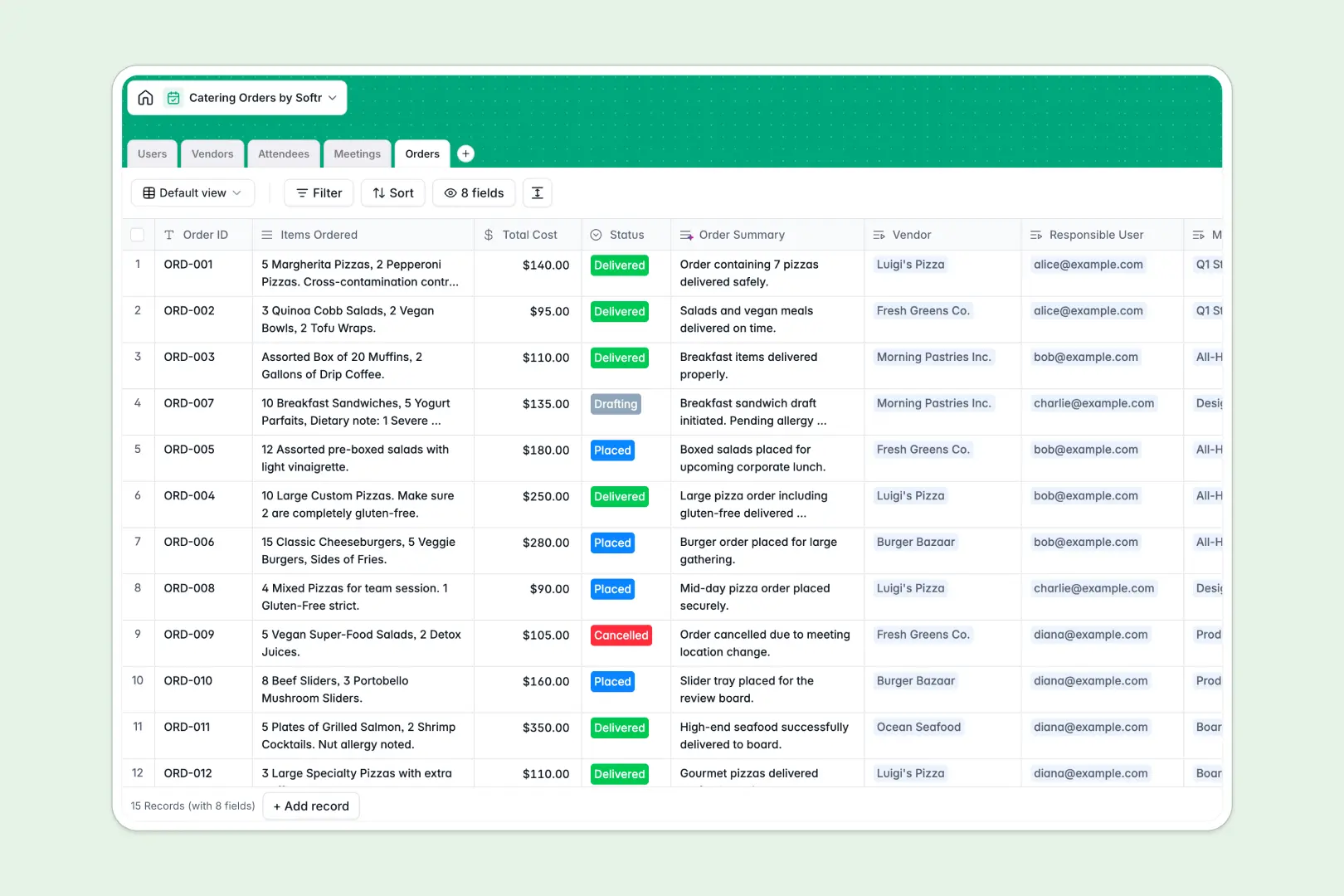
Your Catering Orders database at a glance
Simplify office catering by connecting orders, guest needs, and food vendor details in one structured workspace. This template helps office managers track event budgets, coordinate with local caterers, and manage meeting menus without mismatched emails.
Everything links together intuitively. When a new meeting is scheduled, you can instantly link guest dietary restrictions, select a food vendor, and calculate order costs automatically without manual double-checking.
Built-in intelligent fields automate administrative work. The database automatically categorizes attendee dietary needs and drafts catering briefs from order lists, saving you hours of prep work.
What to check before building your catering database in Airtable
While coordinating office catering in a database makes perfect sense, using Airtable can quickly lead to unexpected friction. The biggest limitation is its per-seat subscription price, which penalizes you as soon as you share order editing access with your broad team, vendors, or event coordinators.
What changes with a database built for apps
Starting with a database built for internal collaboration changes how your team coordinates events. Instead of paying for every user who needs to submit a lunch request, Softr Databases include unlimited collaborators on all plans.
This architecture keeps your database secure while giving you a 10x faster API and higher record ceilings. It is built to serve as the direct foundation for an interactive ordering portal where employees choose their lunch options natively.
What you can do with this template
With this catering workspace, you keep complete records of preferred suppliers, total dinner or breakfast spend, and individual dietary options in clean, typed tables.
By leveraging built-in Database AI agents, you can have the system automatically research and write vendor descriptions from their websites or structure guest dietary notes into standardized labels instantly. This ensures reliable orders and happy guests every single time.
-
Users
Track team members managing catering orders and organizing corporate meetings
-
Vendors
Manage catering partners with web-sourced AI profiles and services
-
Attendees
Track meeting participants with dietary restrictions classified by AI
-
Meetings
Schedule events requiring coordinated internal roles and catering requests
-
Orders
Monitor hospitality transactions with AI-generated event status summaries
Who is this Catering Orders database for
- Office Managers: Streamline weekly team lunches and keep a flawless record of allergy and dietary requirements.
- Event Coordinators: Manage multi-vendor schedules, balance catering budgets, and coordinate delivery logistics effortlessly.
- HR Departments: Ensure all internal company meetings and training sessions are catered on time and on budget.
How to take it further
Customize the database
You can modify table properties in seconds to match your exact office processes. Add customized selection fields for your specific food categories, add extra columns for delivery addresses, or track delivery ratings for your vendors.
Import your existing data
Avoid manual re-keying by quickly importing your current supplier lists and team food preferences using a CSV import. You can also connect to local delivery APIs to sync orders and keep everything updated automatically.
Build a full app around it
When your team is ready, you can transform this clean database into a custom portal. Using the AI app generator, you can describe the exact catering interface you need in plain text, and the system will automatically build an app on top of this exact database, complete with custom forms for employees to submit food choices.
Through advanced users and permissions, you can ensure employees only see their own lunch selections, while office managers keep a master view of total costs and vendor communication. This keeps your logistics clean and processes professional as your team expands.
-
1
-
2
-
3
-
4
Frequently asked questions
-
What is a catering orders database?
-
Why use a no-code database to build a catering system?
-
How can AI help managing data for catering?
-
Can I build an app with this catering database?
-
Is this catering orders template free?
-
How is this template different from an Airtable template?
Start building today. It's free!
Build and launch your first app in under 30 minutes.