


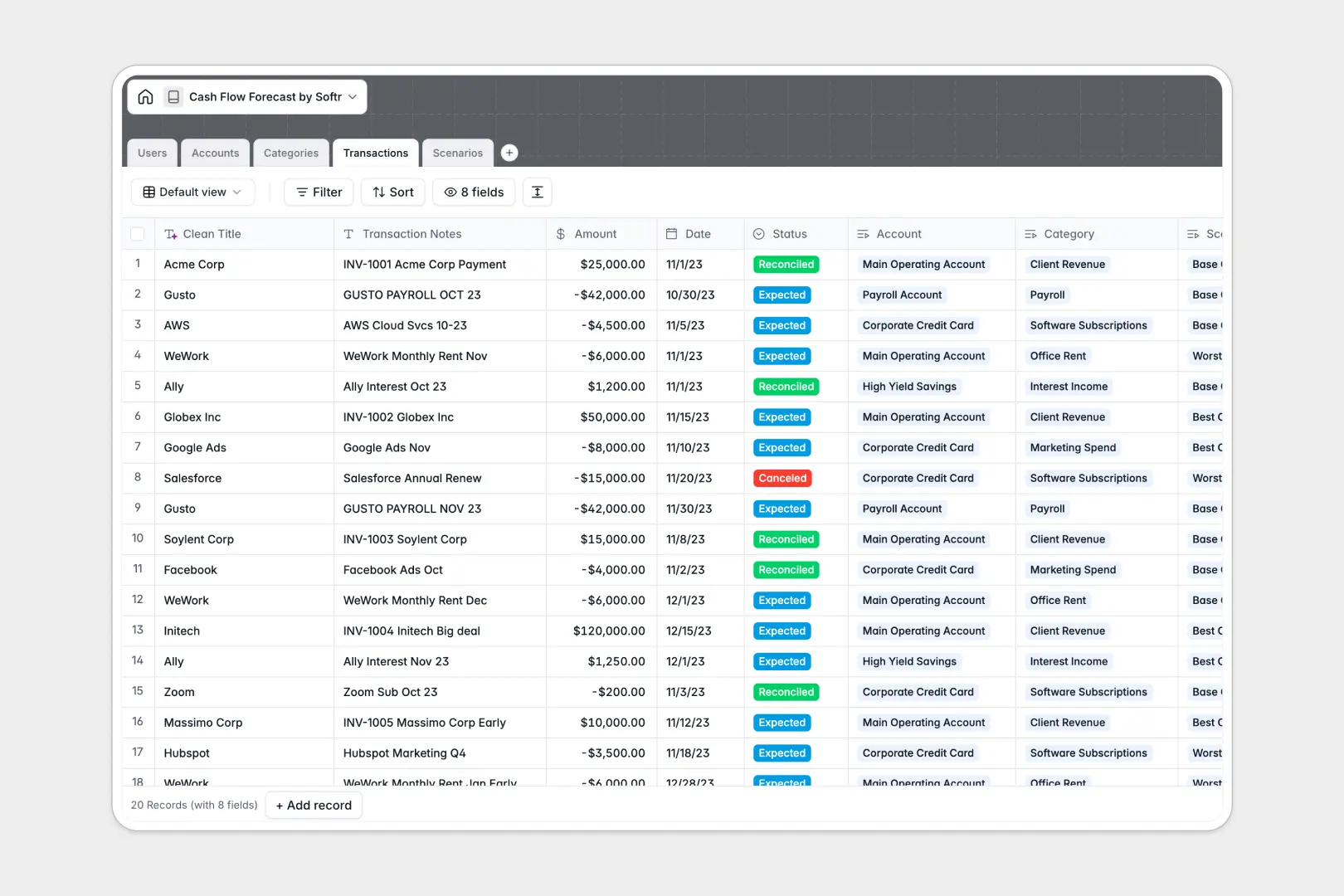
Your Cash Flow Forecast database at a glance
Plan for growth and run strategic scenarios with this collaborative, ready-to-use template. It organizes your accounts, financial categories, and transaction history in one secure workspace.
By connecting your accounts directly to incoming and outgoing cash flows, you instantly see how future expenses affect your liquid runway. This template links analysts, accounts, and projections together so your numbers stay accurate.
Built-in Database AI agents automatically clean up transaction notes into readable vendor names and generate executive briefings for your best-case or worst-case scenarios.
What to check before building your cash flow forecast base in Airtable
When managing sensitive financial projections, you need a structured environment that can scale without technical or cost barriers. While Airtable is an excellent database, its structural limitations often appear when you start sharing projections with executives, department heads, and analysts.
What changes with a database built for apps
Most teams quickly realize that sharing financial insights requires different levels of visibility. With Softr Databases, you aren't forced to pay high per-seat premiums just so managers can view their respective department flows or submit expected vendor payouts.
Instead of managing access by purchasing Airtable collaborator licenses for everyone, you have a platform designed to let you build custom portals with advanced access controls. It supports up to 200,000 records per database alongside a fast API, ensuring your volume of transactions never hits a sudden ceiling.
What you can do with this template
This template allows you to model business outcomes by pairing structural integrity with automation. You can define distinct transaction categories, link them directly to bank account balances, and instantly organize records under specific scenarios like "Conservative" or "Aggressive expansion."
Furthermore, the built-in Database AI agents act directly on your transaction notes, refining messy bank data and drafting auto-generated scenarios briefs so you can focus on financial strategy rather than manual formatting.
-
Users
Track system users managing financial forecasts, accounts, and scenarios
-
Accounts
Manage bank accounts and credit lines with actual and predicted balances
-
Categories
Classify cash flows with AI-generated accounting descriptions for insights
-
Transactions
Track cash movements using AI to extract clean vendor and client names
-
Scenarios
Compare forecast models with automated AI-powered executive briefs
Who is this Cash Flow Forecast database for
- Finance Directors & CFOs: Model growth scenarios and keep leadership aligned with automated executive summaries of financial health.
- Business Operators: Monitor real-time account balances and manage cash inflows and outflows to extend operational runway.
- Department Managers: Log upcoming expenses and submit expected vendor payouts within a collaborative workspace.
- Financial Analysts: Group expected transactions by scenario to easily compare actuals against forecasts.
How to take it further
Customize the database
You can quickly tailor this database to match your exact financial setup. Modify transaction categories, adjust currency fields, or edit the scenario options to mimic your monthly budgeting structure.
Import your existing data
Avoid manual data entry by uploading past transaction lines and current account balances. Import historical CSV files directly or use the database API to sync with external billing tools.
Build a full app around it
When you are ready, turn your financial data into a secure app using Softr's interface builder. This allows you to design client-facing portals or internal executive dashboards. By setting granular users and permissions, you control exactly which analyst or executive can edit transactions, view account balances, or review scenario notes.
-
1
-
2
-
3
-
4
Frequently asked questions
-
What is a cash flow forecast database?
-
Why use a no-code database to build a cash flow forecast system?
-
How can AI help managing data for cash flow forecasting?
-
Can I build an app with this cash flow forecast database?
-
Is this Cash Flow Forecast template free?
-
How is this forecast template different from an Airtable template?
Start building today. It's free!
Build and launch your first app in under 30 minutes.