


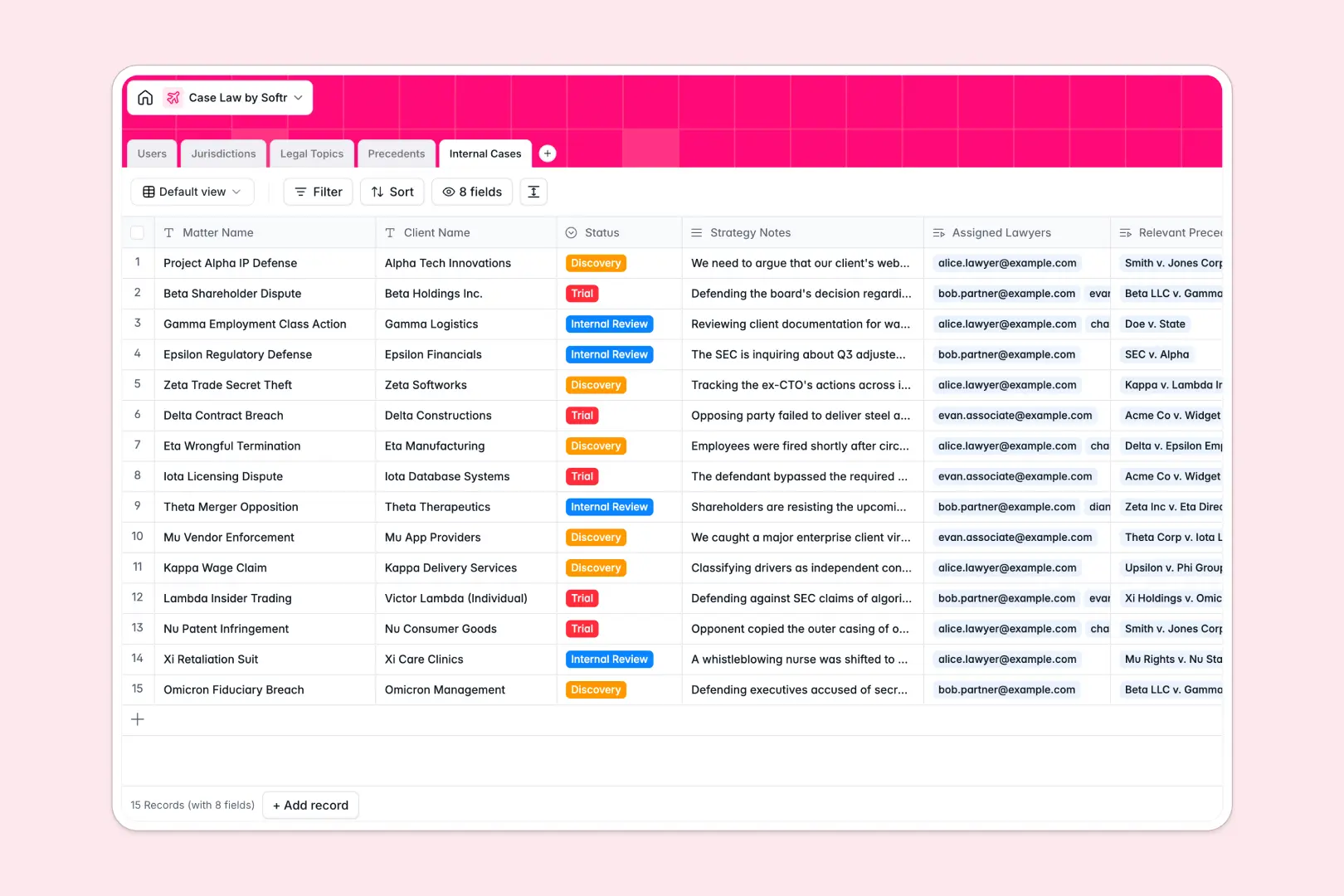
Your Case Law Database at a glance
This template allows you to centralize court rulings, jurisdictions, and legal topics to streamline legal research. By connecting actual precedents directly to your active matters, your legal team stays perfectly aligned on strategy.
Everything in the database is fully connected. Legal teams can map specific rulings to active internal cases, assign lawyers, and keep jurisdiction nuances separate from overall topics.
With built-in processing, this template uses AI agents to instantly summarize heavy legal texts. It highlights critical precedents and drafted legal arguments, saving your team hours of manual brief writing.
What to check before building your case law base in Airtable
While finding a specialized template on Airtable feels like a logical path, critical issues quickly arise when managing law files across entire practice groups.
What changes with a database built for apps
Legal firms often run into steep per-seat fees when sharing databases with multiple paralegals, partners, and external clients. Softr Databases handle this differently by offering unlimited collaborators on all plans so your entire team can input strategy notes and review cases without surprise bills.
Additionally, keeping client strategies secure means you need precise gatekeeping. A direct platform layer helps you show sensitive materials only to specific assigned lawyers, protecting client confidentiality natively rather than patching different software tools together.
What you can do with this template
This template establishes a definitive source of truth where you can filter case files by courts and legal topics with zero lag. You can link your internal active files directly to foundational precedents to track strategy updates alongside real evidence.
With integrated Database AI agents, the database will extract key takeaways and draft comprehensive summaries automatically. Instantly process complex legal texts right inside your field columns to save hours on analytical case preparation.
-
Users
Manage system lawyers, paralegals, and administrative staff workflows
-
Jurisdictions
Organize court levels and geographic regions for case law mapping
-
Legal Topics
Categorize areas of law and tag relevant legal domains easily
-
Precedents
Centralize case rulings with AI-generated summaries and key takeaways
-
Internal Cases
Track active law firm matters utilizing AI to compile strategic briefs
Who is this Case Law database for
- Law Firms: Centralize case logic, map precedents, and share critical case files across research divisions.
- Solo Practitioners: Keep research organized, track legal developments by court, and secure client files without high software overhead.
- Legal Researchers & Paralegals: Accelerate drafting chores and aggregate summaries using native intelligence pipelines.
- In-House Counsel: Maintain complete visibility of corporate legal matters and mapped precedents in a central environment.
How to take it further
Customize the database
Define your legal specialties by updating select fields and tags in seconds. Adjust court lists, add status criteria like "Discovery" or "Trial," and assign customized roles without needing database training.
Import your existing data
Migrate cases effortlessly into your workspace by utilizing CSV imports. Connect other software via API to synchronize active client files and background research databases instantly.
Build a full app around it
When your firm is ready to securely share this data with clients or external teams, you can easily build an app on top of this exact structure. Utilize the AI Co-Builder to generate client portals or secure internal tools with strict users and permissions to control exact access to sensitive documents. By ensuring the app points directly to your well-structured database, you protect access rights while avoiding tedious programming work.
-
1
-
2
-
3
-
4
Frequently asked questions
-
What is a Case Law database?
-
Why use a no-code database to build a Case Law system?
-
How can AI help managing data for Case Law?
-
Can I build an app with this Case Law database?
-
Is this Case Law template free?
-
How is this Case Law database different from Airtable?
Start building today. It's free!
Build and launch your first app in under 30 minutes.