


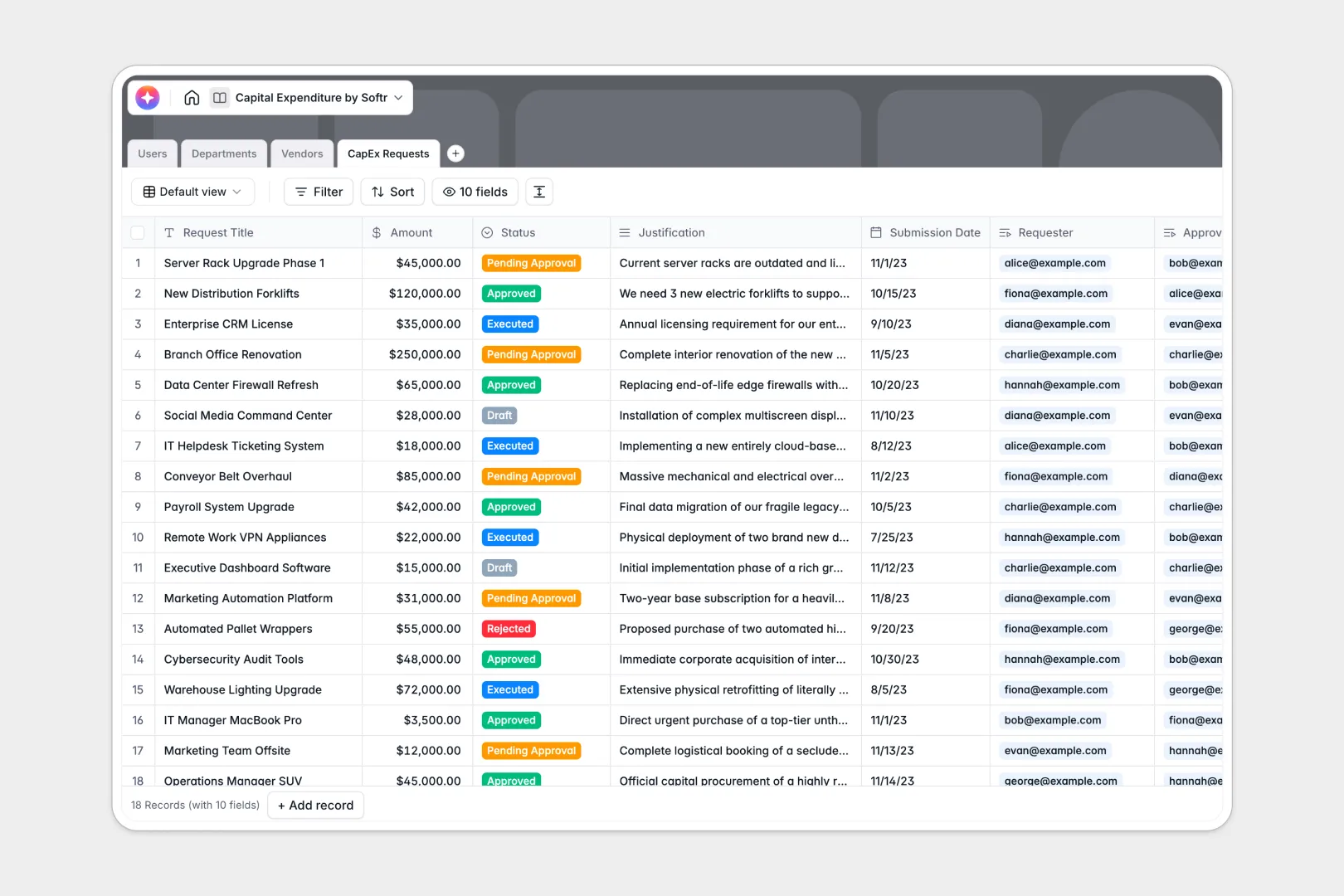
Your Capital Expenditure Database at a glance
This capital expenditure database helps you track every step of your CapEx planning and approval workflow. It provides your team with a central place to submit proposals, justify costs, and monitor department budgets in real time.
Your template connects four distinct tables: CapEx Requests, Users (with designated roles like Requesters and Finance Approvers), Departments (acting as cost centers), and Vendors.
Built-in Database AI agents automatically generate executive summaries from long text justifications and fetch live web data to summarize vendor profiles.
What to check before building your capital expenditure base in Airtable
When managing a core corporate process like CapEx approvals, collaboration and scale are critical. While Airtable supports relational data, its seat-based pricing model means costs escalate quickly as you add requesters, managers, and finance approvers from across the company.
Furthermore, to turn Airtable tables into a secure portal where users only see their own department's budget or their own pending approvals, you end up stretching external user management tools together.
This is exactly what Softr Databases are designed for. You get the same robust relational connection between Requests, Departments, and Budgets, but with unlimited collaborators on all plans and built-in security, so you don't pay per user.
What you can do with this template
- Set up automated, multi-role approval flows: Assign Requesters, Managers, and Finance Approvers with tailored system access.
- Keep budgets accurate naturally: Use native formulas and rollups to automatically calculate total spend and remaining budget per department whenever a request is approved.
- Run background AI researchers: Let integrated Database AI agents automatically summarize complex justifications and analyze target vendor websites.
- Work clean, scale high: Track hundreds of thousands of records without hitting tight Airtable ceilings, keeping historical spend data safe in one place.
-
Users
Track system users with roles, department structures, and request metrics
-
Departments
Manage organizational cost centers, budgets, and actual expenditures
-
Vendors
Store supplier details with committed spend and web-sourced AI summaries
-
CapEx Requests
Track capital proposals with approval flows and AI-generated summaries
Who is this Capital Expenditure database for
- Finance Teams: Keep tight control over budget allocations, remaining spend, and workflow-wide approvals.
- Department Heads: Submit CapEx proposals with rich justifications and track team requests against remaining budget.
- Operations Managers: Store verified supplier details, website histories, and total committed vendor spend.
How to take it further
1. Customize the database
You can easily tailor this template to your existing corporate guidelines. Modify the Status labels, adjust budget thresholds, add specific field types like attachment fields for quotes, or write new formula fields to calculate depreciation.
2. Import your existing data
If you have legacy spreadsheets or historical CapEx logs, upload them instantly. You can import directly using standard CSV spreadsheet files or connect systems via API to bring your existing department structures and vendor directories into the database in seconds.
3. Build a full app around it
When you are ready, use Softr's AI Co-Builder to generate a complete interactive portal. Describe the interface you want in plain words to generate interactive dashboards, submission forms, and clean approval pipelines directly on top of this database.
By leveraging Softr's interface builder paired with granular users and permissions, you can ensure that Requesters only edit their own drafts, while Finance Approvers get a dedicated queue to review pending expenditures.
-
1
-
2
-
3
-
4
Frequently asked questions
-
What is a capital expenditure database?
-
Why use a no-code database to build a CapEx approval system?
-
How can AI help managing data for capital expenditures?
-
Can I build an app with this CapEx database?
-
Is this capital expenditure template free?
-
How is this template different from a capital expenditure Airtable template?
Start building today. It's free!
Build and launch your first app in under 30 minutes.