


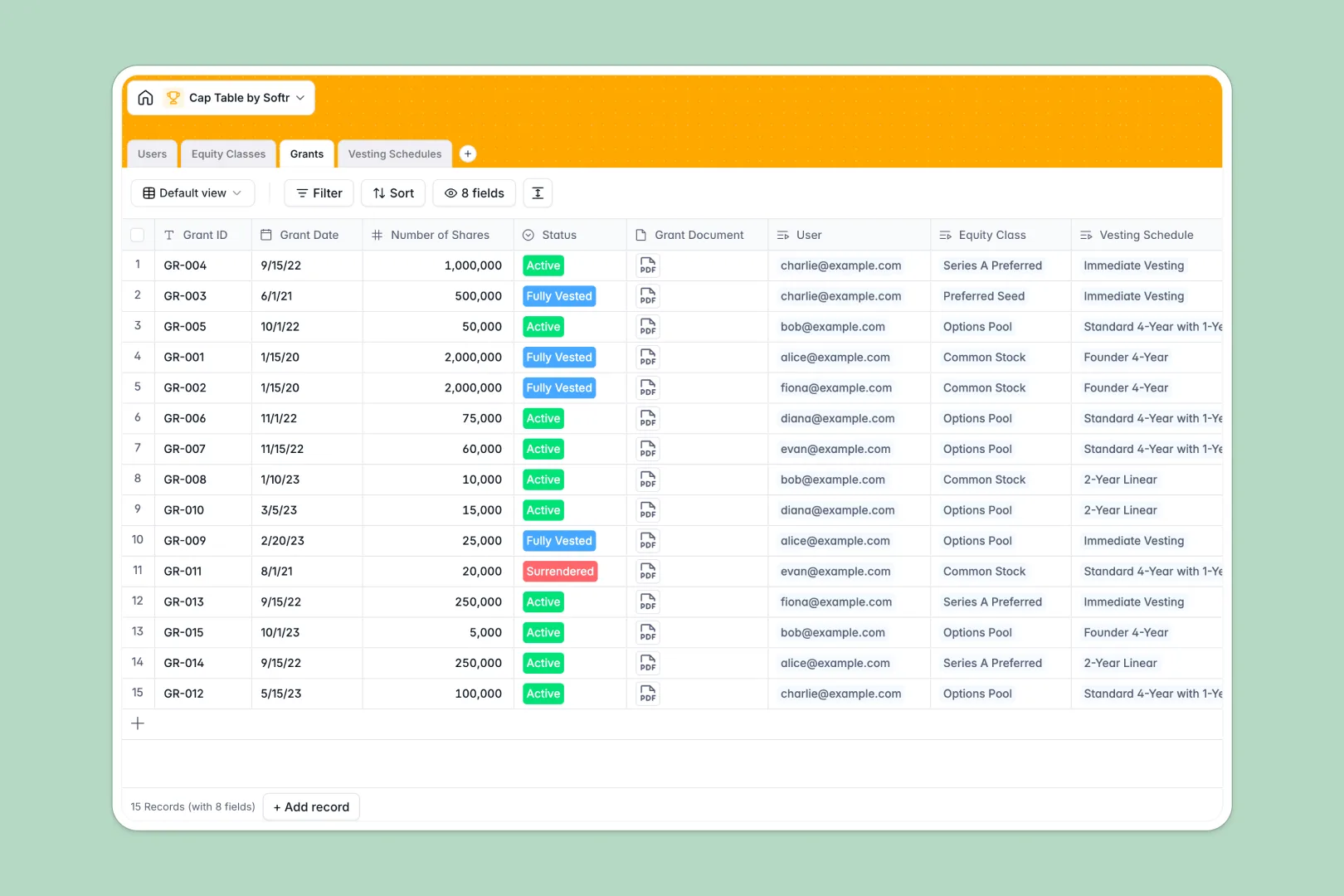
Your Cap Table database at a glance
This template lets you manage equity ownership, track share issuances, and monitor vesting schedules in one clean interface. It structure all critical equity data—from basic user details to complex stock classes—so your team and investors always see accurate figures.
Your cap table is organized across relational tables: Users link directly to Grants, which are tied to Equity Classes and custom Vesting Schedules. This structure guarantees that every share is accounted for without room for human error.
Built-in Database AI agents automatically generate standardized financial definitions for stock designs and translate complex vesting parameters into plain English.
What to check before building your cap table base in Airtable
Choosing the right environment to track company equity is a critical early decision. Airtable is a solid relational tool, but as your company grows and the cap table involves more people, specialized platform constraints become obvious.
Where equity tracking outgrows Airtable
Airtable charges per collaborator as soon as anyone needs edit access, meaning sharing transactional data with your team, lawyers, and investors gets expensive very quickly. Additionally, to let stakeholders log in to check their personal equity without seeing everyone else's grants, you have to buy and stitch together extra portal tools.
This is why modern teams build on Softr Databases. You get the same relational power—like linking equity classes directly to active grants—but with unlimited collaborators on every plan, faster API speeds, and native apps built right in.
Scale ownership without friction
By keeping your cap table in a real database, you avoid broken spreadsheet formulas and mixed data inputs. You can easily roll up total shares issued per stakeholder or automatically compute remaining pools as new grants are approved.
With Database AI agents working natively inside your tables, manual drafting is a thing of the past. Your database automatically translates complicated vesting periods and hurdles into readable summaries.
-
Users
Track stakeholders with contact info, roles, notes, and equity allocations
-
Equity Classes
Manage stock classes and pools with AI-generated legal descriptions
-
Grants
Log specific equity share issuances linked to users and vesting schedules
-
Vesting Schedules
Define timeline rules with AI-powered translations of complex terms
Who is this Cap Table database for
- Startup Founders: Centralize equity distribution, manage option pools, and prepare for funding rounds.
- Legal & Finance Teams: Keep a secure record of legal grants, share prices, and vesting schedules.
- Early-Stage Investors: Monitor portfolio ownership percentages and share classes in real time.
- HR Managers: Align equity compensation packages and track employee onboarding distributions easily.
How to take it further
Customize the database
You can modify this pre-built structure instantly within your workspace. Add new equity columns, rename fields, or adjust select values like grant statuses to mirror your exact corporate legal structure.
Import your existing data
Migrate from spreadsheets in seconds using CSV import or connect external systems to the database API. This gets your historic equity records up to date without manual copy-pasting.
Build a full app around it
When you are ready, you can easily build an app on top of this database. Use the AI app builder to generate custom stakeholder portals, then set up granular users and permissions. This lets founders manage the admin panel while employees and investors log in to securely view only their own active grants and vesting progress.
-
1
-
2
-
3
-
4
Frequently asked questions
-
What is a cap table database?
-
Why use a no-code database to build a cap table system?
-
How can AI help managing data for a cap table?
-
Can I build an app with this cap table database?
-
Is this Cap Table database template free?
-
How is this different from a cap table Airtable template?
Start building today. It's free!
Build and launch your first app in under 30 minutes.