


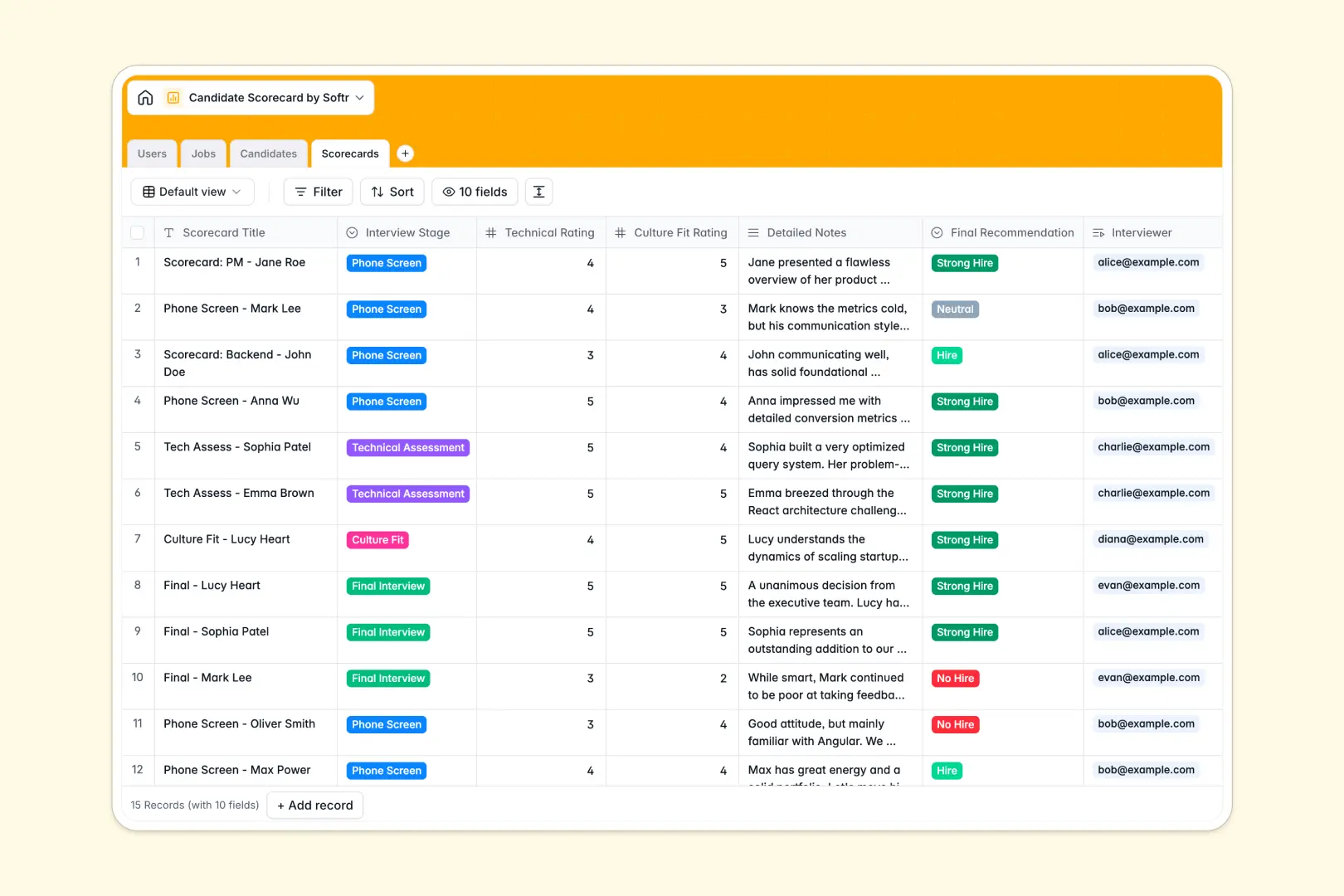
Your Candidate Scorecard database at a glance
This pre-built template helps raw talent turn into hires without administrative friction. You can track open positions, maintain structured candidate profiles, and collect objective scores direct from interviewers.
The database connects your hiring team (Users), open roles (Jobs), applicant profiles (Candidates), and interview results (Scorecards). This means you instantly see who evaluated which candidate, what their ratings were, and what role they applied for.
Built-in field automations work native inside your tables. For example, the database uses an AI-powered profile summary to extract candidate insights directly from LinkedIn profiles.
What to check before building your candidate scorecard base in Airtable
While starting with a relational database is absolutely the right move to prevent messy spreadsheets, committing to Airtable comes with specific bottlenecks that impact scaling teams.
What changes with a database built for apps
Instead of paying high per-seat fees just so five interviewers can submit their feedback, Softr Databases allow unlimited collaborators on all plans. This design means you can easily invite hiring managers, HR representatives, and external recruiters without escalating costs.
Additionally, you avoid stitching together separate form builders or interface layers to gather scorecard data. The database, permissions, and app layer all sit together natively on a platform structured with high performance limits.
What you can do with this template
With this database, you can run detailed evaluation stages from initial screen to final offer. Each role and candidate stays cleanly organized under a structured pipeline schema, which prevents mixed data formatting.
You can also let Database AI agents analyze feedback for you. The database automatically categorizes strengths and weaknesses from long-form interview reviews into clean, actionable bullet points.
-
Users
Track recruitment staff, interviewers, and access roles inside the organization
-
Jobs
Manage open corporate positions, job requirements, and assigned managers
-
Candidates
Track job applicants with recruitment pipeline stages and AI profile summaries
-
Scorecards
Evaluate interview metrics and ratings with automated AI feedback summaries
Who is this Candidate Scorecard database for
- Recruiting Teams: Track applicants across pipeline stages, manage incoming resume attachments, and speed up hiring decisions.
- Hiring Managers: View open jobs, monitor total candidates, and review structured scorecards across their open roles.
- Interviewers: Log clear technical or culture ratings along with recommendations without messing up master tables.
- HR Leads: Maintain a centralized directory of HR personnel roles, assigned recruiters, and conducted evaluations.
How to take it further
Customize the database
You can easily modify pipeline stages or technical criteria in minutes. Adjust rating systems, add field columns, or adapt interview stages directly inside your Softr Database.
Import your existing data
If you have active candidate backlogs, you can easily shift them here. Simply import your data via CSV or link with external tools using standard API connections.
Build a full app around it
When your team is ready to scale, you can transform this relational data structure into a true web application. You don't have to code; you can easily build an app or generate an interface with AI that links directly to this database.
This setup allows you to create secure custom portals with granular users and permissions. Your interviewers only see scorecards they need to fill, while sensitive candidate emails and salary data stay hidden.
-
1
-
2
-
3
-
4
Frequently asked questions
-
What is a candidate scorecard database?
-
Why use a no-code database to build a candidate scorecard system?
-
How can AI help managing data for candidate scorecards?
-
Can I build an app with this candidate scorecard database?
-
Is this candidate scorecard template free?
-
How is this candidate scorecard template different from an Airtable template?
Start building today. It's free!
Build and launch your first app in under 30 minutes.