


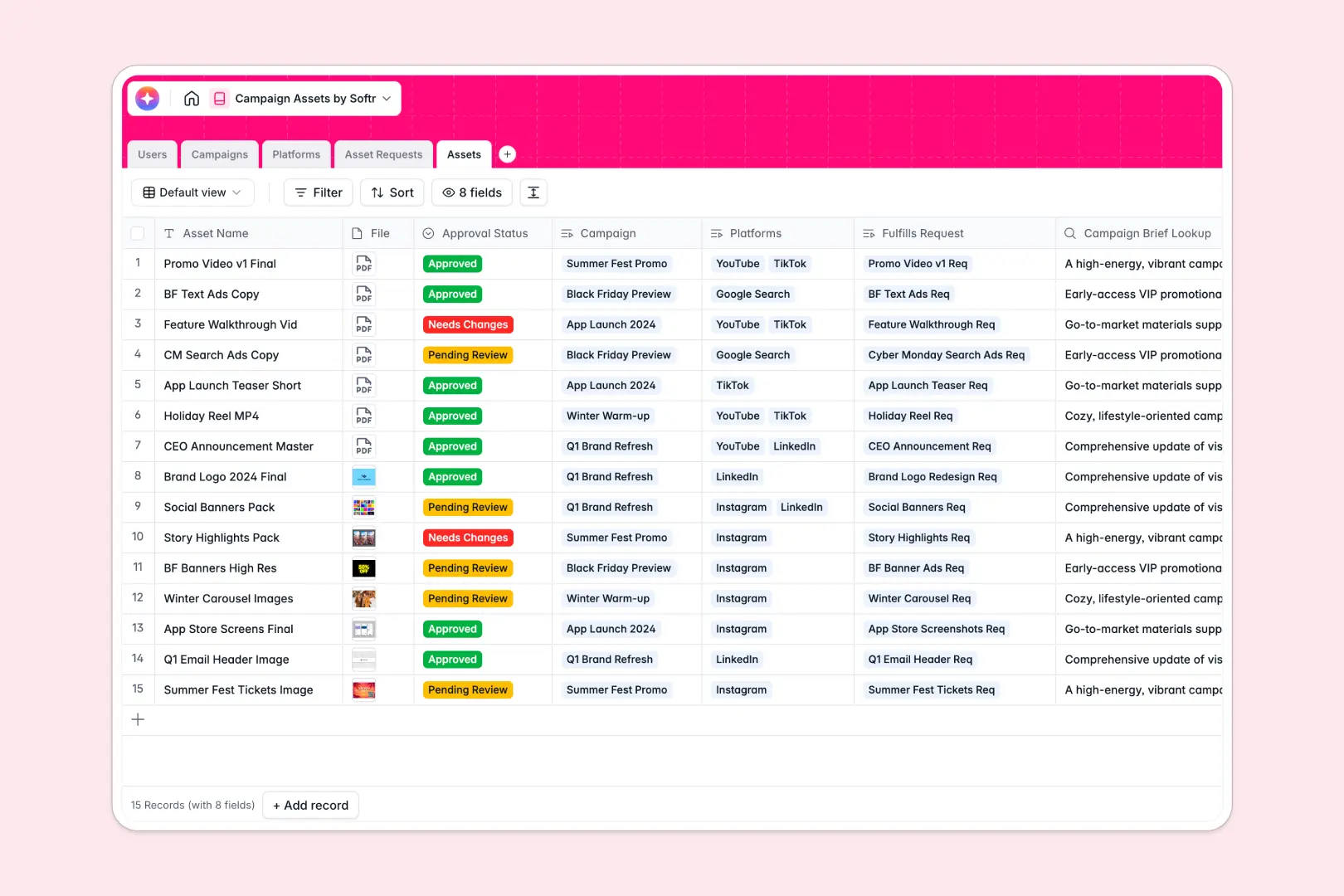
Your Campaign Assets database at a glance
Manage all your marketing campaigns, creative deliverables, publishing platforms, and designer requests in a single, unified workspace. This database connects campaigns directly to their respective assets and requirements, ensuring your team stays aligned.
Everything stays perfectly organized thanks to relational tables linking your Users, Campaigns, Asset Requests, Assets, and Platforms. No more searching through disjointed folders or missing platform-specific guidelines.
With native AI features, you can automatically generate social media copy for approved assets, write executive campaign summaries, and auto-categorize request priorities instantly.
Where campaign assets outgrow Airtable
When tracking campaign production, Airtable seems like a logical choice because of its relational foundations. However, as your creative operations expand to more team members and external stakeholders, you quickly hit a ceiling.
What changes with a database built for apps
Airtable charges per collaborator, meaning giving editing access to every creator, copywriter, manager, and client gets expensive incredibly fast.
This is exactly what Softr Databases are designed to solve by offering unlimited collaborators on all plans. You can also handle larger datasets easily with higher record limits and a significantly faster, more responsive API. Instead of stitching together separate tools for forms, feedback loops, and external client approvals, your interface and logic live natively in the same platform.
Streamlining your creative workflows
This template allows you to go from a rough brief to a live asset without friction. You can manage internal asset tickets, track designer assignments, and view automated platform-specific summaries.
Using built-in Database AI agents, your database can instantly draft platform copy based on the campaign brief or evaluate asset urgency based on typed requirements, making your content pipeline completely self-maintaining.
-
Users
Manage team roles, contact details, creative work assignments and ownership
-
Campaigns
Track marketing campaigns with briefing documents and AI executive summaries
-
Platforms
Organize distribution channels utilizing AI to research platform capabilities
-
Asset Requests
Manage design tickets employing AI to classify request priority automatically
-
Assets
Store creative deliverables featuring an AI copywriting assistant for social media
Who is this Campaign Assets database for
This system is designed to remove bottlenecks across your entire creative and marketing workflow:
- Marketing Managers: Oversee campaigns, review executive summaries, and track delivery deadlines without manual follow-ups.
- Content Creators & Designers: View assigned asset requests, submit files for approval, and access platform requirements in one place.
- Social Media Managers: Retrieve final approved assets alongside AI-generated promotional copy ready for immediate distribution.
- Agency Partners: Collaborate on deliverables and submit ideas without running into expensive seat-based pricing plans.
How to take it further
Customize the database
Modify any table structure or field type in just a few clicks. You can easily adjust the status dropdowns, update platform format options, or add custom fields to track specific file formats and dimensions.
Import your existing data
Bring your active projects and platform lists into your new workspace. You can perform quick CSV bulk uploads or leverage API connections to sync live records without interrupting progress.
Build a full app around it
When your team is ready, you can easily build an app on top of this exact database. Softr's AI Co-Builder lets you generate a collaborative creative hub or internal ticketing portal in seconds.
With granular users and permissions, you can ensure designers only edit their assigned requests, clients only see approved previews, and managers retain full system control.
-
1
-
2
-
3
-
4
Frequently asked questions
-
What is a Campaign Assets database?
-
Why use a no-code database to build a campaign assets system?
-
How can AI help managing campaign data and creative assets?
-
Can I build an app with this Campaign Assets database?
-
Is this Campaign Assets template free?
-
How is this different from a Campaign Assets template in Airtable?
Start building today. It's free!
Build and launch your first app in under 30 minutes.