


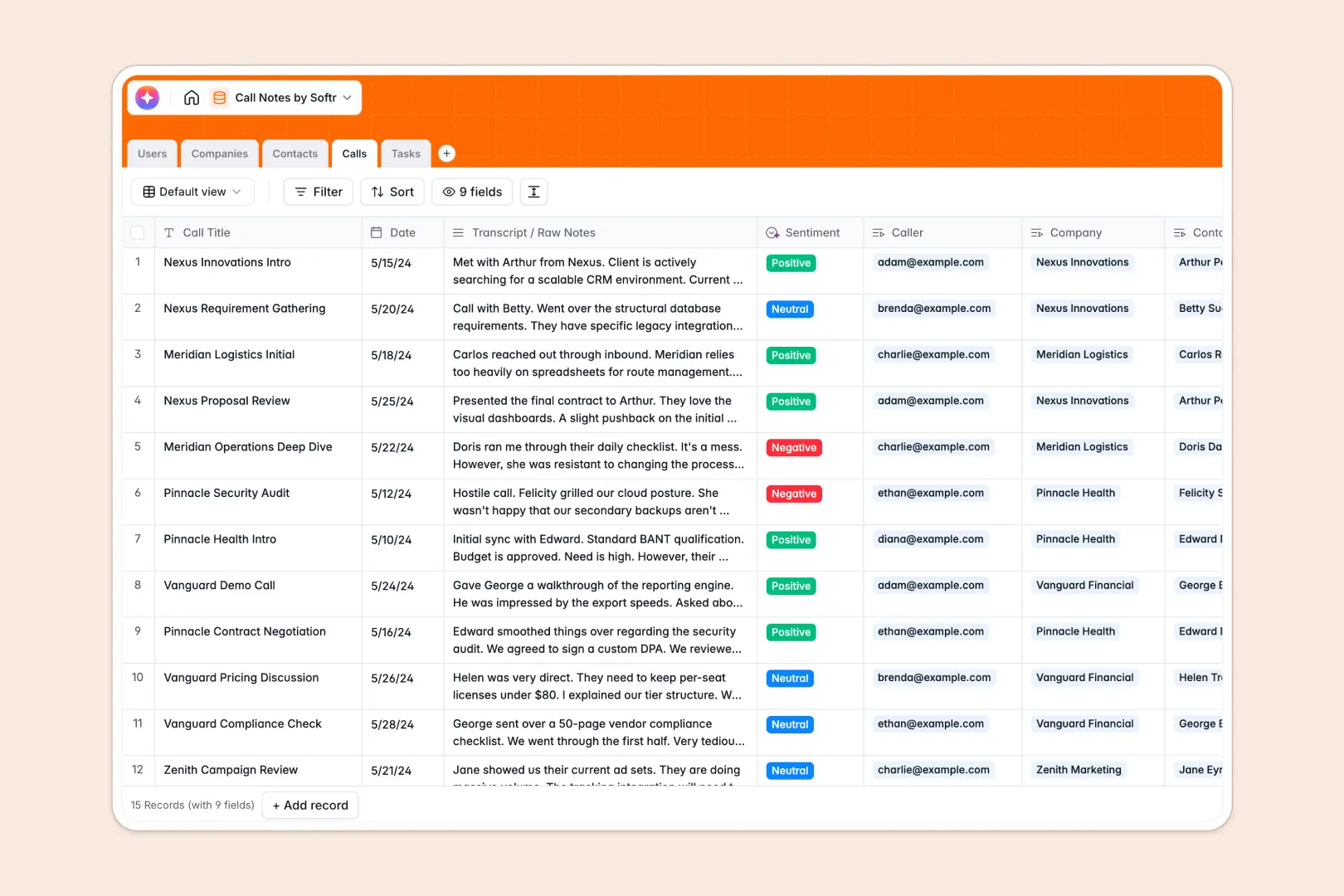
Your Call Notes database at a glance
This template provides a clear structure to log every external meeting, track key take-aways, and manage follow-up tasks without things slipping through the cracks. It connects your callers, the companies they interact with, and specific contacts under one single source of truth.
Every time you log a conversation, the database automatically links the transcript to the relevant client profile and generates concise summaries and sentiment ratings. This keeps your internal team completely aligned before jumping into the next client conversation.
What to check before building your call notes base in Airtable
If you are searching for a call notes Airtable setup, you already understand why managing customer touchpoints in basic spreadsheets gets messy. You need linked tables, typed columns, and a clean relational structure to manage contacts and their conversations correctly.
While Airtable offers these database foundations, teams often find that stretching it to collaborate across the company got expensive quickly due to its per-seat pricing model. Additionally, to let external clients or broader team members view call histories safely, you usually have to stitch together separate portal tools.
What changes with a database built for apps
Starting with Softr Databases gives you the exact same relational foundation—such as linking users, companies, and tasks—but with a platform built to grow.
You benefit from a unified space offering generous record limits, faster API query speeds, and unlimited collaborators on all plans. Instead of worrying about extra license costs just to let team members view a call summary, you can share access freely.
What you can do with this template
With this template, you get built-in Database AI agents working directly inside your tables. For example, the system automatically researches company details based on their URL and parses a raw transcript into key action items instantly.
You can also capture action items right next to the meeting record—meaning your team knows exactly who is assigned which follow-up task and when it is due.
-
Users
Track internal team members, roles, contact info, and assigned tasks
-
Companies
Manage client organizations with AI-powered web-researched descriptions
-
Contacts
Maintain a directory of external client contacts and their information
-
Calls
Log call transcripts with AI-generated summaries and sentiment analysis
-
Tasks
Organize actionable next steps, task statuses, due dates, and assignees
Who is this Call Notes database for
- Sales Teams: Standardize call logging, auto-generate call summaries, and check historical sentiment before conducting renewal calls.
- Customer Success Managers: Manage client profiles, linked task deadlines, and account handoffs without losing context.
- Product Teams: Track user interview transcripts, analyze feature feedback sentiment, and link product requests directly to contacts.
- Agency Founders: Keep client communications completely transparent across account managers, designers, and developers.
How to take it further
1. Customize the database
This template works right out of the box, but you can customize it visually within seconds. You can edit the multi-select fields to change call categories, add new table views, or add specific columns like "Call Recording Links" to hold your media.
2. Import your existing data
If you already have team details or contacts saved somewhere else, you can import them quickly. Simply upload a CSV file or use our developer-friendly API to keep your database synced with your existing dialers or calendar apps.
3. Build a full app around it
Once your database structure is ready, you can easily build an app on top of it. Using the built-in users and permissions settings, you can turn this backend into a client portal or a secure internal workspace where team members only see their assigned tasks and calls, keeping your master workspace clean and secure.
-
1
-
2
-
3
-
4
Frequently asked questions
-
What is a call notes database?
-
Why use a no-code database to build a call notes system?
-
How can AI help managing data for call notes?
-
Can I build an app with this call notes database?
-
Is this Call Notes database template free?
-
How is this call notes template different from an Airtable template?
Start building today. It's free!
Build and launch your first app in under 30 minutes.