


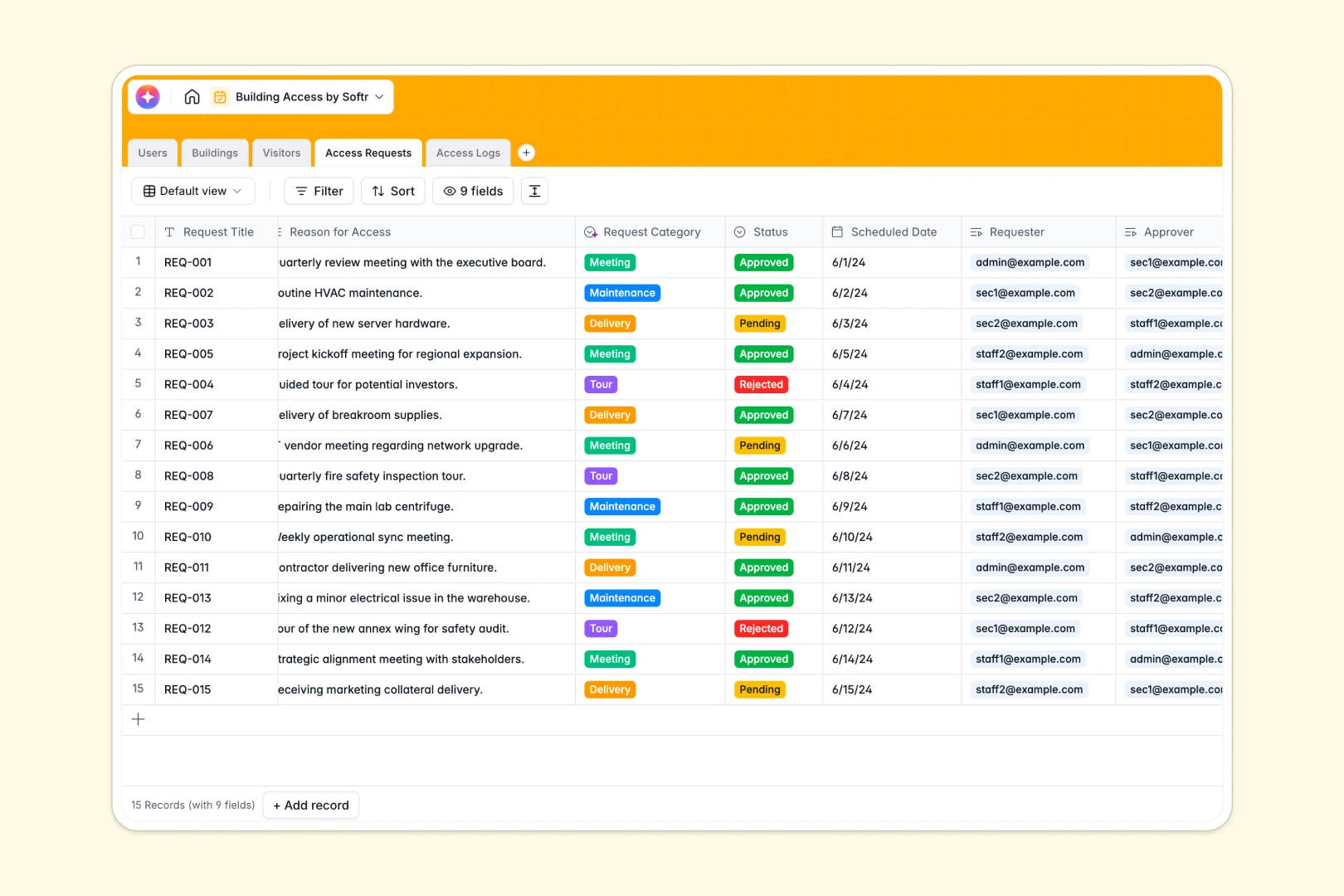
Your Building Access database at a glance
This template helps you coordinate physical facility security, visitor permissions, and real-time logs in one central system. It eliminates manual visitor sign-in sheets and ensures security teams always know who is inside your facilities.
Everything is connected naturally: tracked physical Buildings link directly to Access Requests and live Access Logs, helping security staff quickly verify whether a visitor has a valid, approved schedule.
With built-in AI components, the database automatically researches details from a visitor's website and classifies access request categories based on your logs.
What to check before building your Building Access base in Airtable
While using Airtable for facility planning is a solid choice, security and operations teams frequently hit limits as their physical offices, staff directory, and daily log requirements scale up over time.
What changes with a database built for apps
Managing physical access requires absolute alignment between administrators, onsite guards, and employees. In Airtable, as soon as security guards or team leaders need to update access logs or approve requests, you must buy them expensive collaborator seats.
Instead, using a standalone relational database offers a more sustainable path. This is exactly what Softr Databases are designed for—giving you robust relational fields like building lookups without collaborator pricing blocks.
By uniting building data with flexible access control, you get the structure of a relational database alongside the tools to build custom client portals with Softr.
-
Users
Track staff members with roles, contact info, and building entry rights
-
Buildings
Manage physical facilities, addresses, and current access status levels
-
Visitors
Manage guests with contact details and AI-generated company insights
-
Access Requests
Track visitor requests categorized automatically using AI classification
-
Access Logs
Monitor building entries and exits with AI-generated event summaries
Who is this for
This system is designed specifically for organizations that need to control physical space access and maintain digital security logs without friction:
- Operations & Facility Managers: Oversee building capacities, maintain accurate visitor histories, and run safety audits instantly.
- Physical Security Teams & Gate Guards: Use real-time lookup tools to instantly verify identity and approve badge requests without looking through paperwork.
- Security Operations Directors: Maintain strict compliance records and reduce security risks by tracking historical building entries.
How to take it further
Once your base data is ready, you can elevate your facility workflow into a complete custom application. Instead of sharing a raw database with your staff or receptionists, use Softr to build a secure, user-friendly portal interface.
You can easily construct custom dashboards for security guards to scan incoming entries, design self-service request portals where employees register guests, and build executive reporting dashboards—all without writing a single line of code.
-
1
-
2
-
3
-
4
Frequently asked questions
-
What is a building access management template?
-
Can I integrate a security portal with my database?
-
How do I manage security permissions for guests?
-
Do security guards need database licenses to view data?
-
How secure is physical access data in this layout?
Start building today. It's free!
Build and launch your first app in under 30 minutes.