


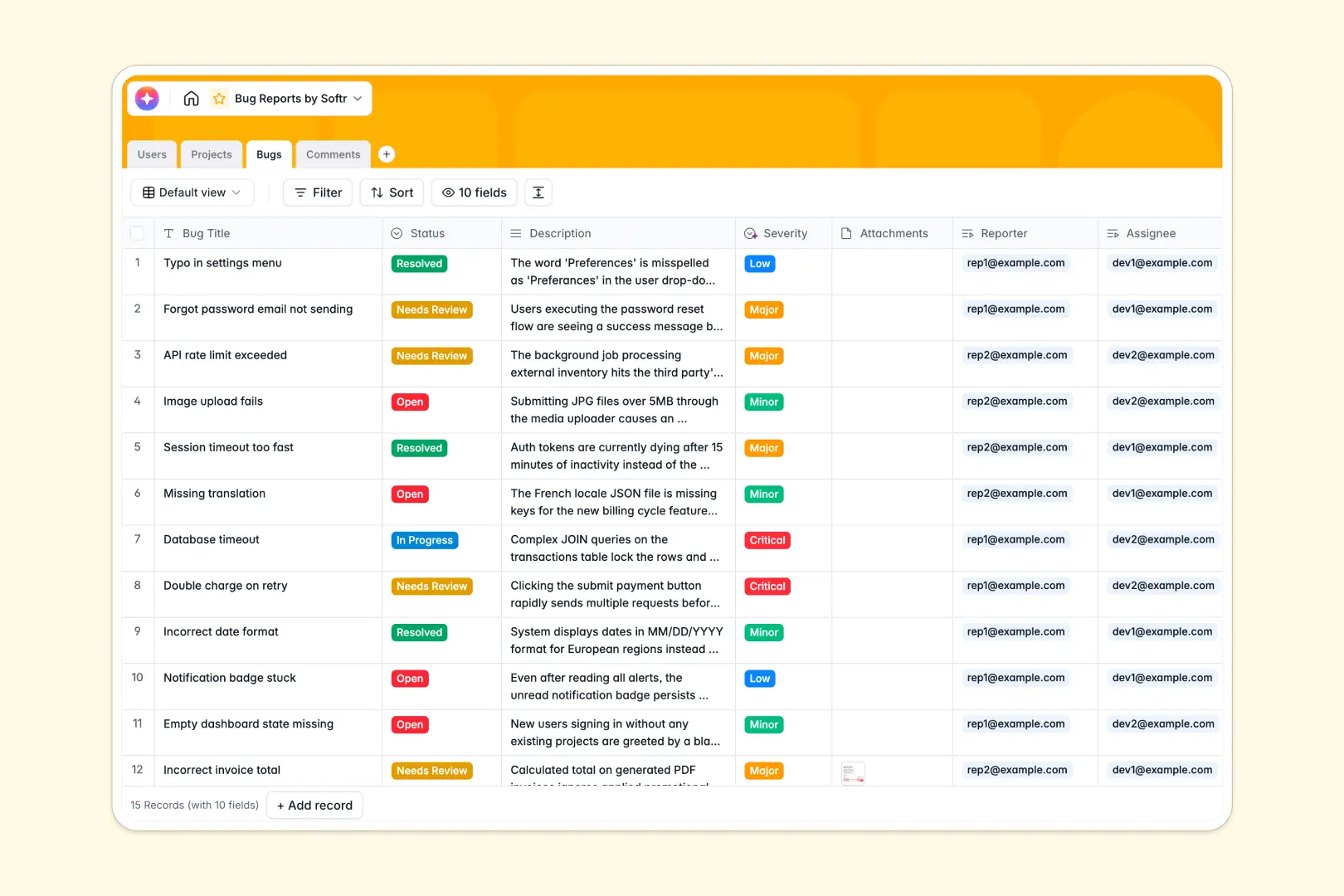
Your Bug Reports database at a glance
This template gives you an organized workspace to centralize software issues, delegate tasks, and monitor progress in one place. It eliminates chaotic diagnostic threads and lost ticket numbers by bringing development teams and QA reporters together.
Everything in this database is fully relational. The Bugs table links directly to Users (reporters, assignees, and admins), Projects, and Comments to ensure that everyone involved has the full technical context for every issue.
This database also features built-in AI-powered intelligence. It immediately analyzes bug descriptions to automatically determine ticket Severity and generates a concise Bug Summary to save developers valuable investigation time.
What to check before building your bug reports base in Airtable
If you are considering tracking software defects in Airtable, you are already making the smart choice to use a relational database instead of a flat spreadsheet. However, there are a few scale ceilings and operational limits you should keep in mind before you commit.
What changes with a database built for apps
Airtable charges per collaborator, meaning that as soon as your developers, QA analysts, and external testers need editing access, your monthly software costs skyrocket.
This is exactly what Softr Databases are designed to solve. Softr databases offer unlimited collaborators across all plans, so your entire product team can log, edit, and close tickets without ever worrying about per-seat pricing.
Additionally, you get a higher record ceiling and faster API access, meaning your historical issue logs won't hit an immediate structural wall.
What you can do with this template
With this template, you can capture exact bug descriptions, upload system screenshots in the attachments field, and let native Database AI agents instantly categorize the urgency of new tickets.
Because this template is fully customizable, you can instantly rename severity levels, add custom status tags, or link individual bugs directly into your strategic product roadmaps.
-
Users
Track team members, roles, contact info, and system access levels
-
Projects
Manage software modules, assigned project leads, and related bugs
-
Bugs
Track issues using AI to determine severity and generate summaries
-
Comments
Centralize communication logs and discussion history for bug tickets
Who is this Bug Reports database for
- Product & Project Managers: Oversee open issues across modules and allocate development resources based on automatic severity rankings.
- QA & Testing Teams: Submit detailed logs, attach console screenshots, and easily track which developer has been assigned to the fix.
- Software Engineers: View a clean personal queue of assigned bug tickets complete with context, logs, and a built-in comment system.
How to take it further
1. Customize the database
You can adjust this template in seconds by modifying the status dropdown choices (e.g., adding a "QA Verified" phase) or adding a custom category field to tag specific front-end or back-end modules.
2. Import your existing data
If you have legacy CSV exports from old trackers or Jira projects, you can bring them in via our CSV importer or use our API to automatically sync issues from helper scripts.
3. Build a full app around it
When your team grows, you can easily turn this database into a secure issue tracking portal. Use Softr's AI app generator to generate a fully functional web interface with a single prompt.
This lets you configure granular users and permissions so that external clients can submit bugs through a simple form and developers get a private Kanban dashboard to update statuses without seeing admin dashboards.
-
1
-
2
-
3
-
4
Frequently asked questions
-
What is a bug reports database?
-
Why use a no-code database to build a bug tracking system?
-
How can AI help managing data for bug reports?
-
Can I build an app with this bug reports database?
-
Is this bug reports template free?
-
How is this bug reports template different from an Airtable template?
Start building today. It's free!
Build and launch your first app in under 30 minutes.