


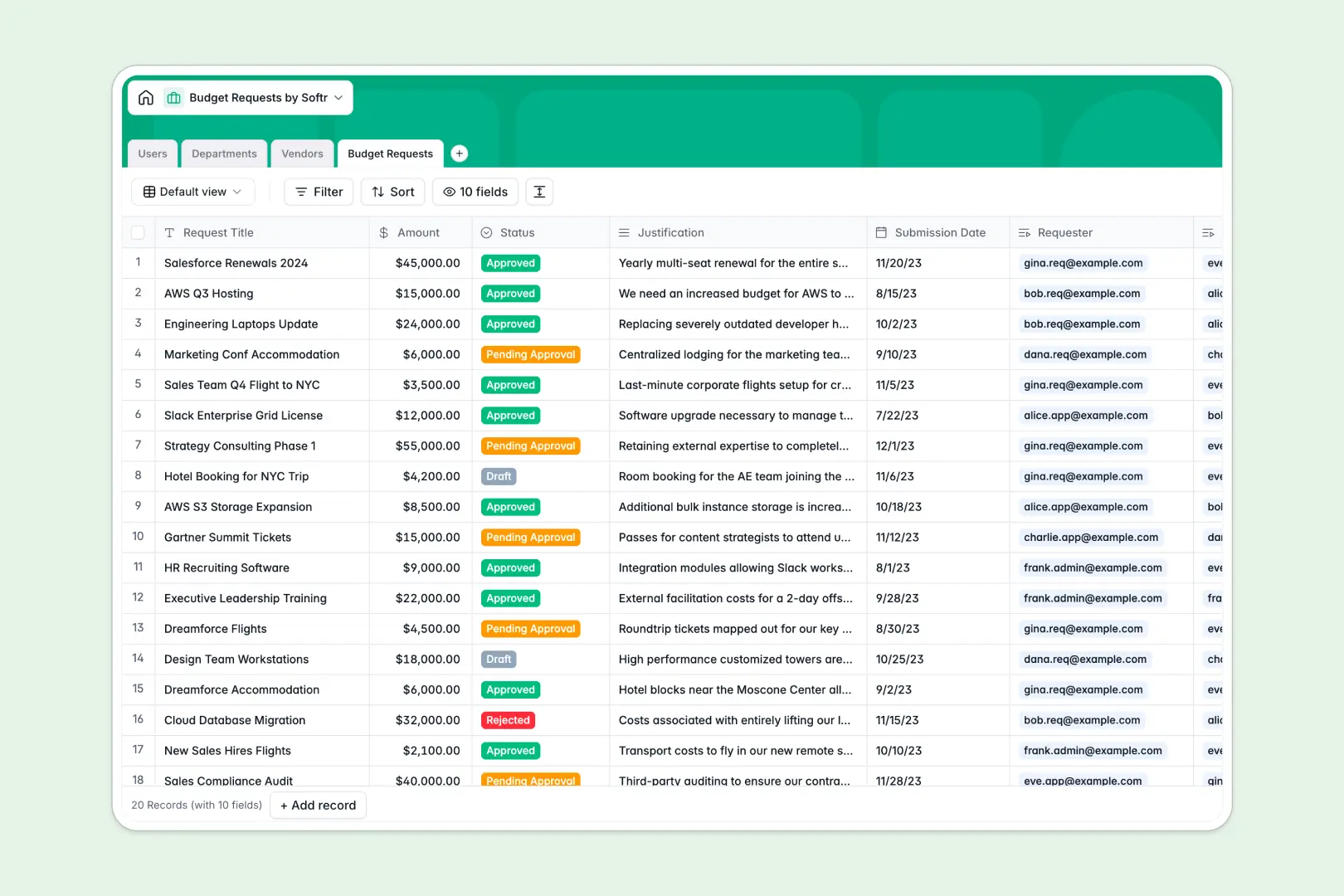
Your Budget Requests database at a glance
This template gives your team a structured way to submit, track, and approve budget requests without endless email threads. It eliminates lost requests, double entries, and manual coordination errors.
Everything is connected in a logical database layout: Users are linked to their respective Departments, which automatically aggregate spending. Requests are mapped to external Vendors to keep your supplier records clean and easy to analyze.
With built-in AI capabilities, the database works for you by automatically generating vendor descriptions from their websites and summarizing user justifications to speed up management approvals.
What to check before building your budget requests base in Airtable
While Airtable is an excellent relational database, building your team's budget approval workflows there often introduces structural and financial bottlenecks as your company grows.
What changes with a database built for apps
When multiple departments submit requests, Airtable's per-seat pricing quickly becomes punitive. Charging you for every single staff member who needs to submit or view a budget request makes scaling expensive.
With Softr Databases, you get unlimited collaborators on all plans so your entire company can submit requests without soaring software bills. You can also handle much larger datasets smoothly with generous record and API limits.
Furthermore, you won't need to stitch together external form builders, notification systems, or custom interface tools. Softr includes the database, visual frontend, and automation workflow features natively in one platform.
What you can do with this template
This template provides pre-built tables for Users, Departments, Vendors, and Budget Requests. You can immediately track amounts, categorize expenses, and monitor approval statuses from Draft to Approved.
It features native Database AI agents designed to automate data enrichment. The database can automatically crawl a vendor's website to draft a summary or instantly condense a long purchase justification into short bullet points for your leadership team.
-
Users
Manage system requesters, approvers, and admins with access roles and departments
-
Departments
Organize company units, track members, and rollup collective budget demands
-
Vendors
Catalog suppliers with AI-driven company descriptions generated from their websites
-
Budget Requests
Track budget proposals with costs, workflows, and AI-generated justification summaries
Who is this Budget Requests database for
- Finance teams: Centralize reviews, automate repetitive summaries, and track departmental budget limits automatically.
- Department heads: Submit clear requests, attach justification details, and monitor approval statuses in real time.
- Operations managers: Keep direct records of external vendors and verify tech stack or hardware categories.
- Leadership teams: Access high-level rollups of requested versus approved spend without digging through individual rows.
How to take it further
Customize the database
Modify select field values to match your company's expense categories (such as adding Travel or Tech Stack) or adjust the user roles to match your internal hierarchy. As a native database, structural changes translate to automated updates across your records instantly.
Import your existing data
If you have a historical log of expenses, you can upload them via CSV import in just a few clicks. You can also sync active vendor registries through APIs to preserve historical continuity.
Build a full app around it
When you are ready to rollout this tool to the entire company, you can generate an app with AI in seconds. Type a plain-language prompt to generate custom submission forms, dedicated approval dashboards, and self-service portals on top of this exact database.
This lets you implement granular users and permissions. Requesters will only see their own submissions, department heads can approve their team's requests, and finance admins retain global editing power—all within a secure, branded interface.
-
1
-
2
-
3
-
4
Frequently asked questions
-
What is a budget requests database?
-
Why use a no-code database to build a budget request system?
-
How can AI help managing data for budget requests?
-
Can I build an app with this budget requests database?
-
Is this budget requests template free?
-
How is this different from an Airtable template?
Start building today. It's free!
Build and launch your first app in under 30 minutes.