


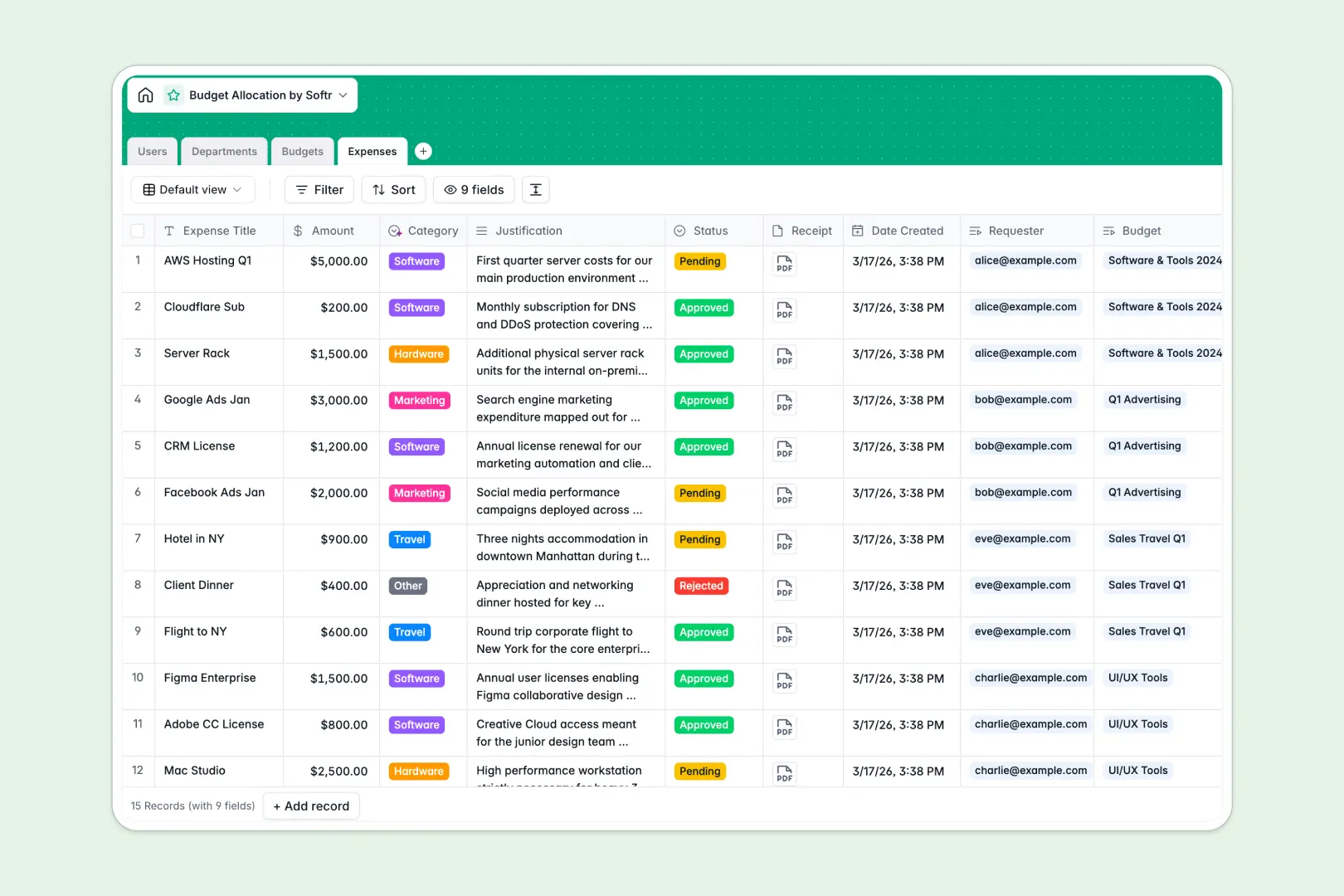
Your Budget Allocation database at a glance
This template simplifies how organizations distribute resources, track department spending, and approve expenses. It gives teams real-time visibility into financial health without tedious spreadsheets or broken calculations.
The database is built around four interconnected tables: Users, Departments, Budgets, and Expenses. As expenses are logged, rollups and formulas automatically deduct amounts from the assigned budget to show remaining balances instantly.
With native intelligence, the database automatically writes professional department objectives, categorizes expenses based on titles, and summarizes your overall budget health status.
What to check before building your budget allocation base in Airtable
Using Airtable for budget tracking is a common instinct because relational databases are far superior to spreadsheets. However, managing financial data across an entire team can quickly run into limitations as your operation grows.
What changes with a database built for apps
While Airtable is great for structuring tables, charging per-seat for edit access means sharing budgets with multiple department heads becomes expensive fast. With Softr Databases, you get unlimited collaborators on every plan, so your entire organization can request and update expenses without driving up the bill.
Additionally, instead of stitching together third-party form builders and interface tools, everything you need to run internal workflows exists in the same platform. You can scale your records up to 200,000 per database and utilize native AI agents that execute tasks directly inside your fields.
What you can do with this template
Ensure budget owners always know their exact spending limits. This template automatically calculates remaining balances and updates a structured health status based on total allocated amounts versus real-time expenditures.
Department heads can also streamline approvals with a built-in workflow. Expenses are logged with receipts, justifications, and automatic AI-powered categorizations, making final sign-offs fast and audit-ready.
-
Users
Track system users, department heads, and requesters with roles and access
-
Departments
Manage departments with dedicated AI-generated strategic objective profiles
-
Budgets
Track allocations, remaining funds, and AI-powered health status summaries
-
Expenses
Track purchase requests with receipts and AI-powered category classification
Who is this Budget Allocation database for
This structured template is designed for teams that need clear visibility into their financial resources and spending workflows.
- Department Heads: Easily track assigned department budgets and monitor available balances before approving team requests.
- Finance Operators: Maintain a single source of truth for organizational spending without managing messy spreadsheet versions.
- Budget Requesters: Submit expenses with standard justifications and clear categorization for faster reimbursement cycles.
How to take it further
1. Customize your fields and structures
You can tailor this template to your exact financial system in seconds. Add custom expense categories like "Consulting" or "Hardware," change currency symbols, or add a custom approval workflow to match your internal policies.
2. Import your existing financial data
Transitioning to this database is completely frictionless. You can quickly upload your past expenses and current department limits via a CSV import, or use the API to sync with external accounting systems.
3. Build a secure portal for your team
When your organization is ready, you can easily build an app on top of this exact database. Using Softr's AI Co-Builder, you can generate an entire budget portal in one click, letting managers view their departments while restricting requesters to only see their own submissions.
With robust users and permissions, you can ensure high privacy standards. Every team member gets a secure view tailored to their role, making expense tracking completely decentralized and collaborative.
-
1
-
2
-
3
-
4
Frequently asked questions
-
What is a budget allocation database?
-
Why use a no-code database to build a budget allocation system?
-
How can AI help managing data for budget allocation?
-
Can I build an app with this budget allocation database?
-
Is this budget allocation template free?
-
How is this budget allocation database different from Airtable?
Start building today. It's free!
Build and launch your first app in under 30 minutes.