


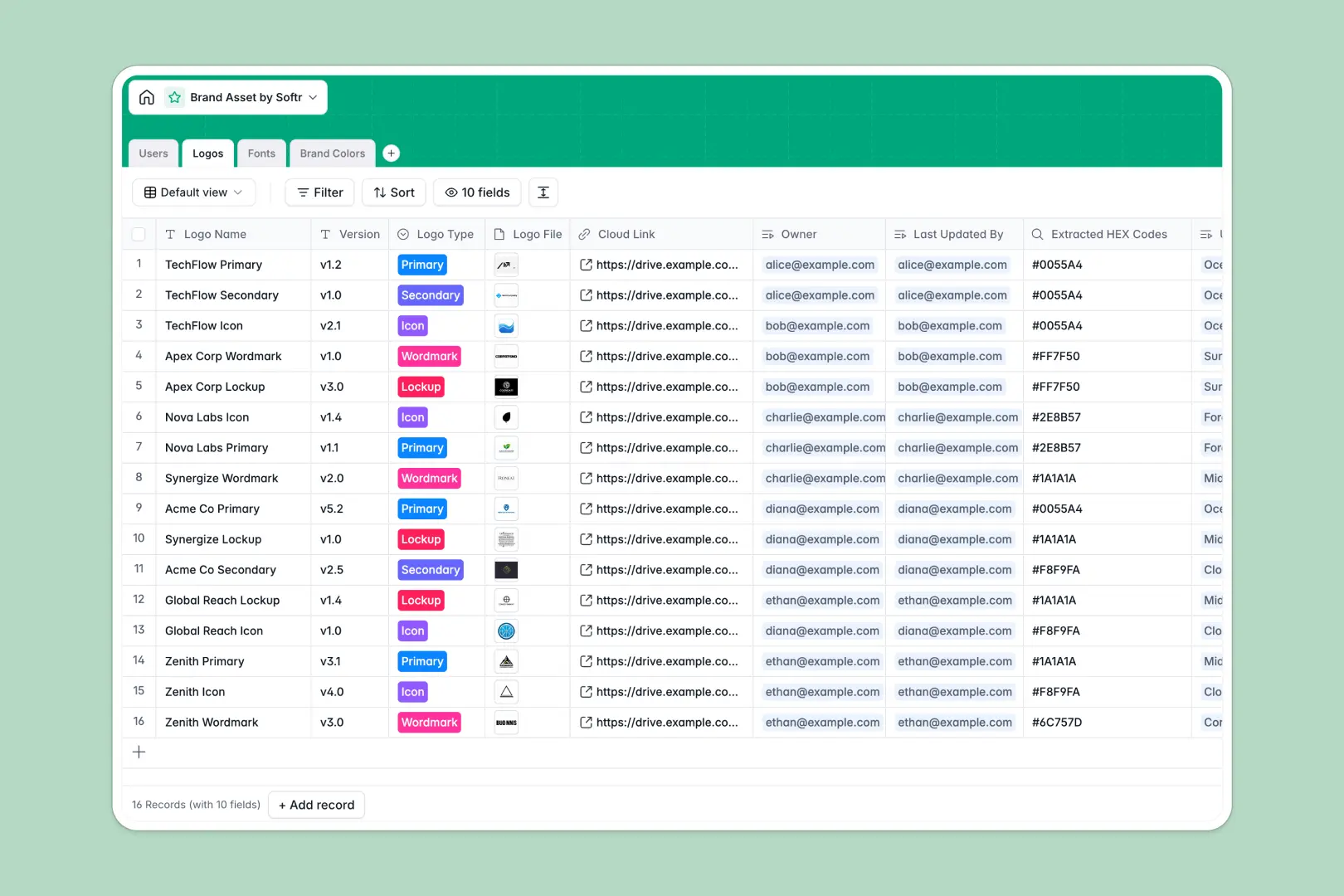
Your Brand Asset Database at a glance
This template provides a central source of truth for all your design elements, preventing teams from using outdated logos or incorrect creative assets.
It connects four primary tables—Users, Logos, Fonts, and Brand Colors—so you can track who owns each asset and which elements belong to specific campaign guidelines.
With built-in AI capabilities, the database automatically pulls font background information and generates matching color palettes directly based on the hexadecimal values you input.
What to check before building your brand asset base in Airtable
While Airtable is a capable relational database, launching a brand portal there often introduces unexpected team bottlenecks and hidden costs.
If you want external stakeholders, freelance designers, or PR agencies to browse or write to your library, Airtable requires paid seat licenses for each editor, which becomes expensive quickly.
What changes with a database built for apps
Starting with Softr Databases gives you the same relational capabilities as Airtable but with completely unlimited collaborators on all plans.
You do not have to stitch multiple tools together just to share your logos privately with external partners or control downloads.
Instead of paying per seat, you get an secure, scalable data foundation that can store up to 200,000 records without hitting low creative-storage limits or strict developer API ceilings.
What you can do with this template
This template allows you to distribute vector files and verify which colors are approved for digital and print designs instantly.
You can leverage built-in Database AI agents to automate repetitive design research, such as mapping complementary color palettes or classifying font weights.
It is ready to use immediately as a standalone portal database or as the foundation for your custom brand management dashboard.
-
Users
Manage team roles, design ownership and access levels for brand assets
-
Logos
Centralize official brand logos, formats, version control and color links
-
Fonts
Organize active typography settings with AI-powered origin and classification insights
-
Brand Colors
Define precise color hex codes and utilize AI to generate design pairings
Who is this Brand Asset Database database for
- Brand Managers: Ensure everyone uses approved logo versions and exact RGB or CMYK parameters.
- Creative Directors: Easily organize typography files and keep historical logs of asset modifications.
- Marketing Teams: Grab updated social media assets instantly without chasing down design resources.
- Freelance Partners: Access exact guidelines and upload new brand iterations directly to your review queue.
How to take it further
Customize your database
Adjust fields or add custom asset categories to align with your organization's specific creative standards.
You can easily modify user roles like Admin, Designer, or Reviewer directly inside the native table view to control your team workflow.
Import your existing library
Import your spreadsheets or bring your existing brand library over seamlessly via CSV files.
You can also automatically sync assets from other external tools using native API endpoints to build a single consolidated library.
Build a full app around it
When you are ready to share this safely, you can easily launch a visual portal around your database.
Use the AI app generator to describe the portal you want, and it will build an interface on top of this exact database, complete with search and download filters.
You can then set precise users and permissions to control who can edit assets and who has view-only access, keeping your brand identity protected.
-
1
-
2
-
3
-
4
Frequently asked questions
-
What is a brand asset database?
-
Why use a no-code database to build a brand asset system?
-
How can AI help managing data for brand assets?
-
Can I build an app with this brand asset database?
-
Is this brand asset database free?
-
How is this brand asset template different from an Airtable template?
Start building today. It's free!
Build and launch your first app in under 30 minutes.