


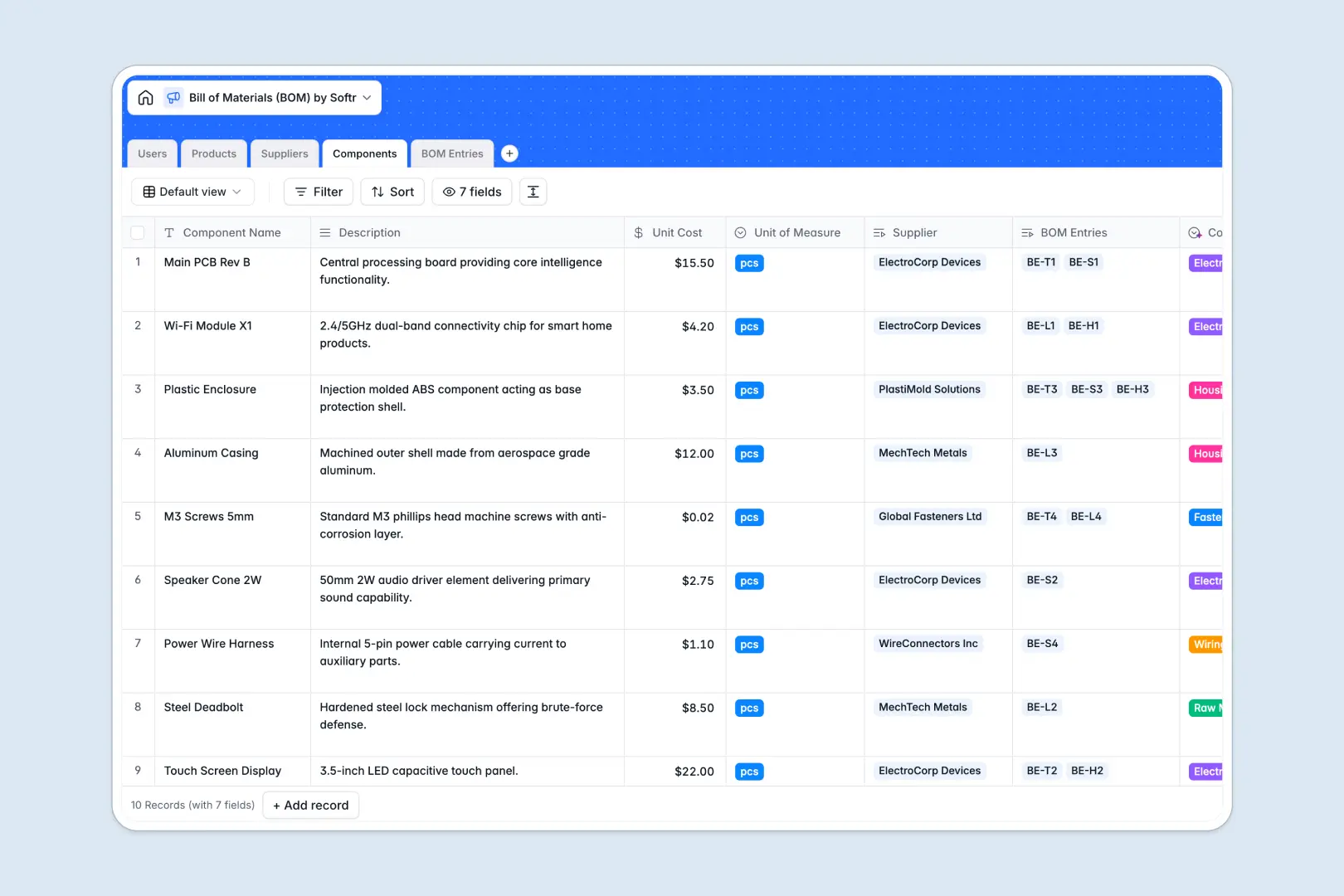
Your Bill of Materials database at a glance
Connect your product designs, required components, and active suppliers in one centralized database. This template keeps everyone from procurement to engineering aligned on live costs and part details.
It organizes data across structured tables like Products, Components, and Suppliers, linking individual BOM Entries together automatically. This structure means you can rollup final costs and trace parts to their origin instantly.
Built-in AI fields help you classify component categories and generate supplier summaries using web searches on the fly. This automation ensures your database maintains itself as you add new parts.
Where bill of materials outgrows Airtable
While using Airtable for tracking manufacturing parts shows you understand the need for a structured relational database, there are critical limitations to consider as your production operations scale.
What changes with a database built for apps
Keeping your product managers, engineers, and suppliers aligned requires real-time data sharing. Airtable's per-seat pricing quickly punishes team-wide collaboration by charging for every user who needs editing permissions.
With Softr Databases, you can share access with unlimited internal and external collaborators on all plans. Plus, you get higher record ceilings and a way faster API to power scale without hitting sudden bottlenecks.
Instead of just staring at a static table, you can build full-scale portals with customized views. This lets you share sensitive supplier details with procurement while keeping engineers focused strictly on technical component specifications.
What you can do with this template
Track overall assembly structures and automatically sum up total product expenses using native formula and rollup fields. This keeps your margins clear even when raw material prices shift.
Utilize Database AI agents to automate repetitive administrative work like writing supplier research summaries or classifying component categories. This keeps your inventory clean and standardized without manual effort.
-
Users
Track system users, roles, and ownership of products and suppliers
-
Products
Manage finished goods with total costs and AI-generated marketing pitches
-
Suppliers
Organize vendor contacts, ratings, and AI-powered background research
-
Components
Catalog raw materials and parts classified automatically with AI power
-
BOM Entries
Map quantities of parts to products with AI-summarized requirements
Who is this Bill of Materials database for
This template is designed for operations teams that need structured manufacturing and product assembly tracking:
- Product Managers: Calculate accurate target BOM costs and manage final assembly configurations.
- Supply Chain Managers: Coordinate supplier details, monitor tier rankings, and track component unit costs.
- Engineering Teams: Structure nested child parts and define precise material configurations for physical builds.
How to take it further
Customize the schema. Add fields for lead times, minimum order quantities, or stock locations to adapt this database to your exact shop floor layout.
Import existing data. Migrate complex spreadsheets or past builds easily using standard CSV files or the direct API to keep your database updated immediately.
Build a full app around it. When your team is ready, go from a database to an interactive portal where vendors can submit price updates and engineers can browse part libraries. Use an AI app generator to generate client or internal portals from this template in one click.
Setup granular access control so vendors only modify their assigned parts, while administrators maintain full oversight over sensitive product pricing and global BOM structures.
-
1
-
2
-
3
-
4
Frequently asked questions
-
What is a Bill of Materials database?
-
Why use a no-code database to build a Bill of Materials system?
-
How can AI help managing data for your Bill of Materials?
-
Can I build an app with this Bill of Materials database?
-
Is this Bill of Materials template free?
-
How does this BOM database template compare to Airtable?
Start building today. It's free!
Build and launch your first app in under 30 minutes.