


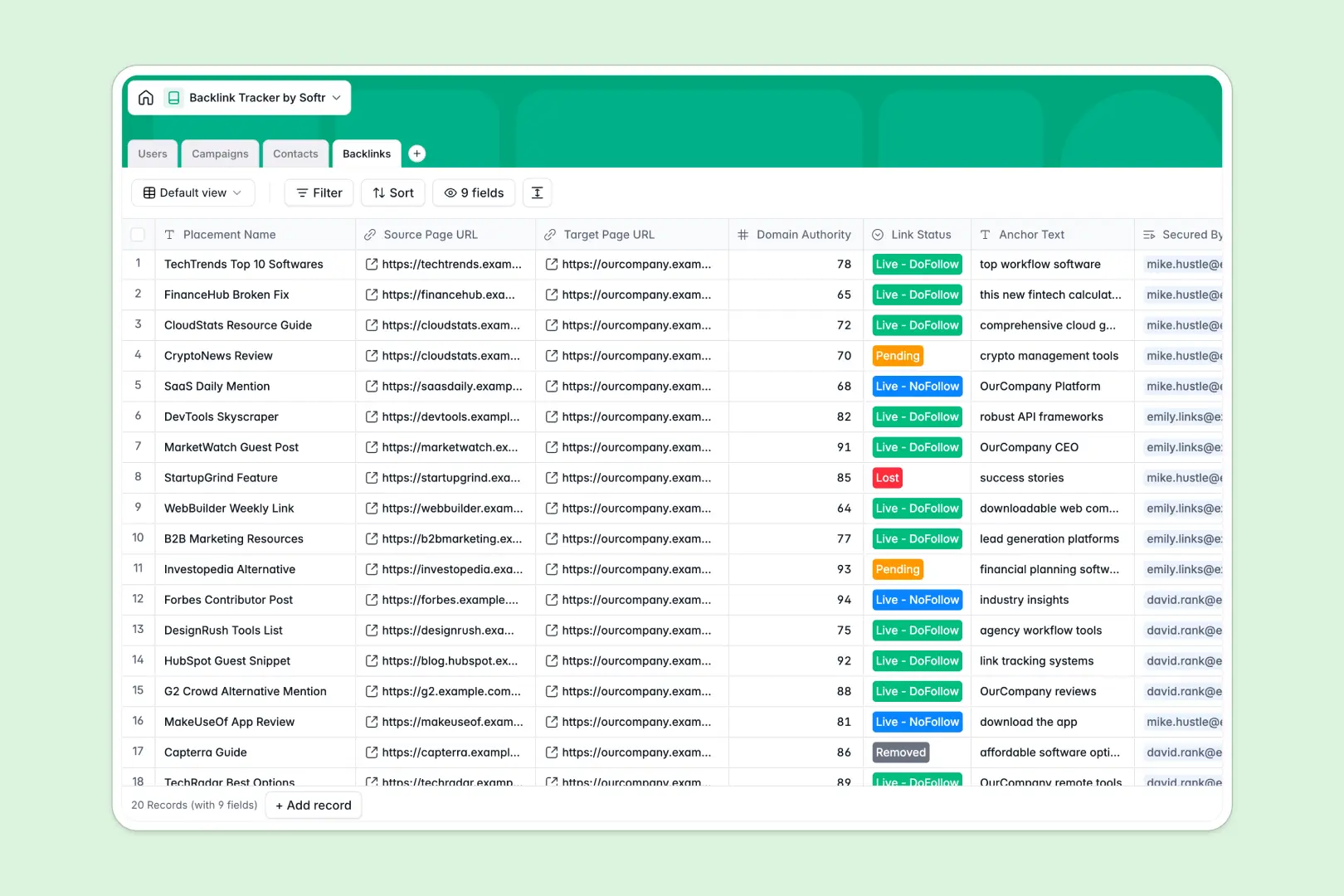
Your Backlink Tracker at a glance
Monitor your link-building campaigns in real time and organize your off-page SEO efforts in one structured space. This template keeps track of publishers, domains, and live URLs so your team knows exactly where your ranking power is coming from.
Keep track of high-level Campaigns, Contacts for outreach, and secured Backlinks in unified tables that connect naturally. Easily track metrics like Domain Authority and anchor text alongside your relationship status with editors.
Automate your research directly in your workspace. Built-in Database AI agents can fetch live domain details and draft personalized outreach emails automatically to save your team hours of manual work.
What to check before building your backlink tracker in Airtable
Starting your outreach tracking in a relational database is a smart move, but there are critical limitations to consider before settling on Airtable.
What changes with a database built for apps
While Airtable gives you a solid relational structure, its restrictive, per-seat pricing makes it highly expensive to invite external freelance writers, agencies, or your entire SEO team.
This is exactly why Softr Databases are built with a different model: they include unlimited collaborators on all plans so your whole team can manage backlinks without pricing penalties. Plus, you get higher scale ceilings and faster API performance to support deep analytics and high-volume link imports.
Instead of stitching third-party portal tools onto your data layer, you can build a native application directly on top of your tables, combining data, interfaces, and permissions in one environment.
What you can do with this template
With this template, you can track the exact status of your link-building pipeline from initial outreach to live placement. View everything in linked tables that connect your campaigns directly to the contacts who got them published.
Take advantage of Database AI agents that crawl the live web to research target domains and draft outreach emails directly in your database fields. No external APIs or manual copy-pasting required.
-
Users
Track team members, roles, campaigns, and individual backlink targets
-
Campaigns
Manage SEO initiatives, target contacts, milestones, and success metrics
-
Contacts
Manage outreach prospects with AI-generated domain research and email drafts
-
Backlinks
Monitor secure links with target URLs, anchor texts, and status updates
Who is this Backlink Tracker database for
- SEO Managers: Track link-building performance, measure campaign ROI, and monitor secured link status in one secure dashboard.
- Outreach Specialists: Manage conversations with webmasters, keep emails organized, and leverage AI drafts to secure placements faster.
- Content Marketing Agencies: Collaborate with multiple client teams and freelance writers without paying expensive per-seat database fees.
- In-House Marketing Teams: Share live progress with executives through structured tables without risking accidental deletion of primary records.
How to take it further
Customize the database
Adjust fields to match your exact SEO workflow in seconds. You can easily modify select menus for outreach states, add custom metrics like organic search traffic, or create new views to highlight pending and broken links.
Import your existing data
Move your historical backlinks and contact lists over in minutes. Upload a CSV file directly into your tables, or pull live outreach information from your other SEO tools using our fast, high-limit database API.
Build a full app around it
When your team is ready to scale, easily build an app on top of this database. Generate a custom partner portal or internal dashboard using the Softr AI app generator to control what files and tables your team can view or edit.
Using native users and permissions, you can ensure that external link builders only edit their assigned rows, keeping your main campaign data secure and protected.
-
1
-
2
-
3
-
4
Frequently asked questions
-
What is a backlink tracker database?
-
Why use a no-code database to build a backlink tracker?
-
How can AI help managing data for your backlink tracker?
-
Can I build an app with this backlink tracker database?
-
Is this Backlink Tracker database free?
-
How is this tracking database different from Airtable?
Start building today. It's free!
Build and launch your first app in under 30 minutes.