


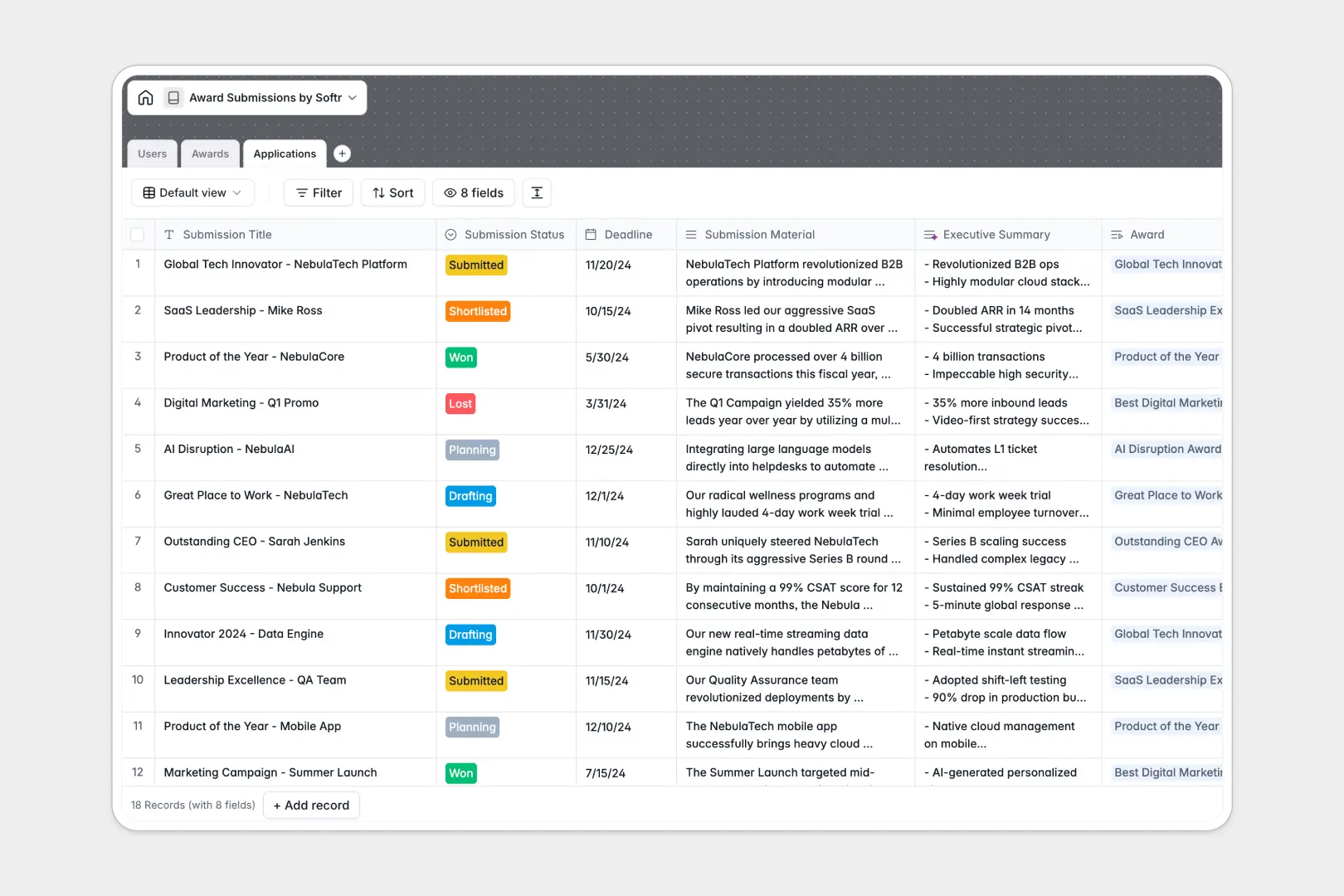
Your Award Submissions database at a glance
Centralize every industry award, applicant, and draft status without losing track of impending deadlines. This template lets you store essential details, monitor visual progress stages, and assemble all supporting files in a single, reliable hub.
Connect a dedicated directory of target awards to your ongoing applications, making it easy to see who is drafting which entry. By avoiding messy and isolated tables, you maintain complete clarity over ownership and progress tracks.
Built-in AI-powered fields work quietly behind the scenes to enrich your data, auto-summarizing complex submission details and searching live URLs to gather precise entry criteria.
What to check before building your award submissions base in Airtable
Managing busy entry schedules across a scaling team requires constant, clean collaboration. While spreadsheets fall short, choosing the right modern system is critical to prevent coordination hurdles.
What changes with a database built for apps
Airtable is a capable relational database, but its per-seat pricing means your software costs scale rapidly once managers, writers, and designers need edit permissions. With Softr Databases, you get unlimited collaborators on all plans so your whole team can freely write, edit, and coordinate drafts.
Furthermore, you escape restrictive scale limitations. This structure easily holds historical submissions, creative assets, and company achievements under robust record limits that ensure your data remains searchable and fast as your brand scales.
What you can do with this template
Organize key targets by category, track firm deadlines, and coordinate draft feedback without switching contexts. You can attach collateral, update submission statuses from planning to winner, and ensure every draft gets reviewed properly.
Run native Database AI agents inside your fields to automatically generate summaries of deep technical proofs and crawl organizer websites for updated criteria on demand.
-
Users
Track team members managing submissions, roles, activity and access
-
Awards
Manage industry awards with AI-generated criteria overviews and details
-
Applications
Track award applications using AI to summarize key submission materials
Who is this Award Submissions database for
- Marketing & PR Teams: Track active industry drafts, coordinate external submissions, and document key dates in style.
- Startup Founders: Accelerate validation by organizing prospective founder-friendly awards and tracking submission statuses.
- HR & Culture Teams: Streamline submission pipelines for regional best-places-to-work recognitions without losing progress records.
How to take it further
1. Customize the database
Define custom entry categories, append unique company metrics, or tailor your submitter roles to align database workflows with your exact brand needs.
2. Import your existing data
Quickly migrate existing spreadsheets, media links, and historic application PDFs into this template via direct CSV imports to build a unified timeline.
3. Build a full app around it
When you are ready to expand, easily build an app on top of your database. Create a secure private portal for applicants to draft copies and set granular users and permissions to control sensitive dashboard views. A robust underlying database makes building custom internal apps straightforward.
-
1
-
2
-
3
-
4
Frequently asked questions
-
What is an award submissions database?
-
Why use a no-code database to build an award submissions system?
-
How can AI help managing data for award submissions?
-
Can I build an app with this award submissions database?
-
Is this Award Submissions database free?
-
How is this award submissions database template different from an Airtable template?
Start building today. It's free!
Build and launch your first app in under 30 minutes.