


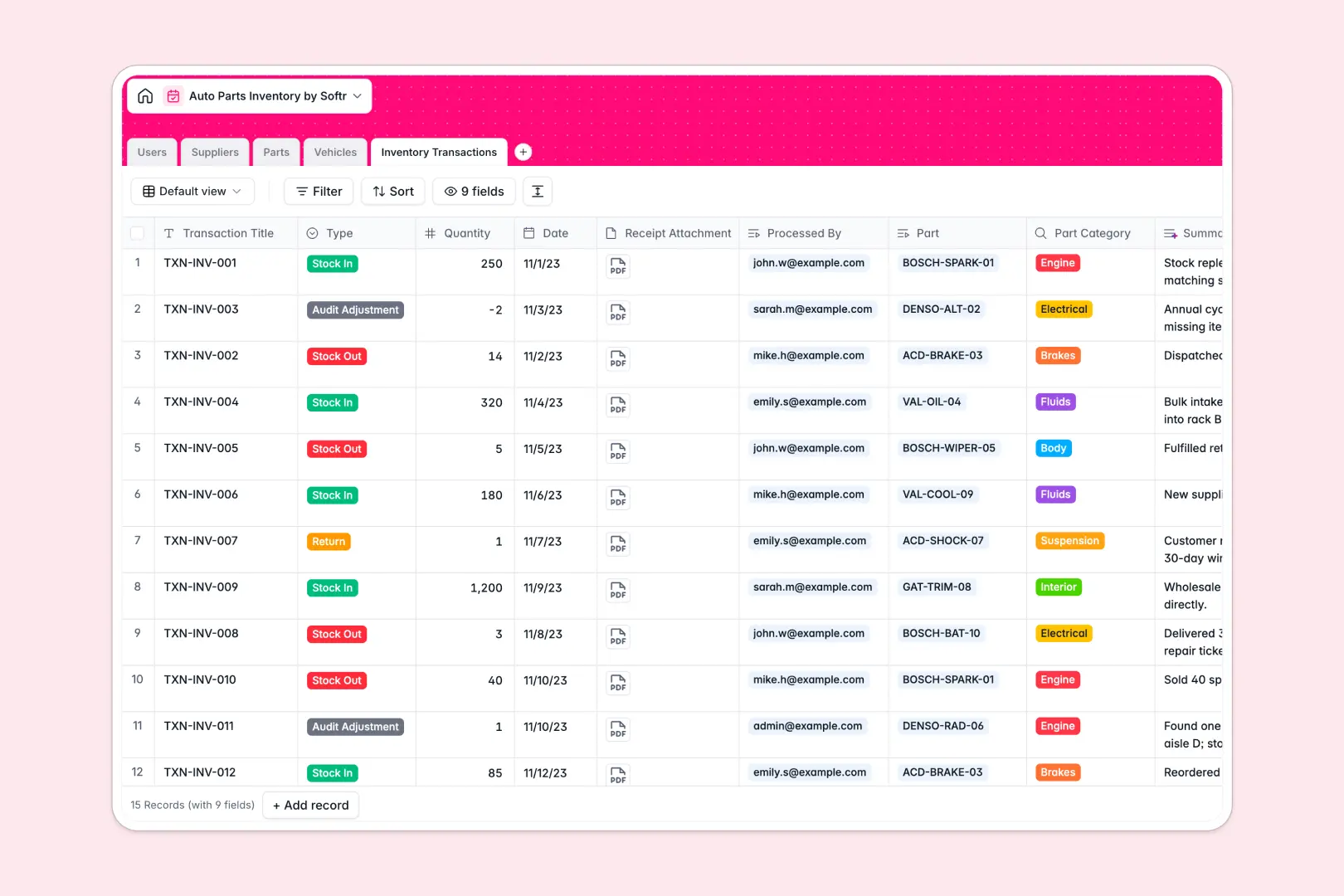
Your Auto Parts Inventory database at a glance
This template gives you an organized workspace to track parts, manage supplier details, and record warehouse stock movements in real time. It resolves logistics confusion by mapping specific parts directly to compatible vehicles and transaction logs.
Everything is connected in a single system. Users can view part listings, check stock thresholds, lookup manufacturer websites, and associate parts with incoming or outgoing transactions without managing disconnected lists.
Built-in intelligent fields automatically generate professional part descriptions and audit logs. This ensures your warehouse data remains clean, complete, and updated without manual effort.
What to check before building your auto parts inventory base in Airtable
While Airtable offers great relational systems, managing a busy warehouse there often brings unexpected limits and rising costs as your operations grow.
What changes with a database built for apps
Sharing your inventory with mechanics, warehouse staff, and suppliers in Airtable gets expensive fast because they charge per collaborator. With Softr Databases, you get unlimited collaborators, allowing your entire team to update stock levels without seat-pricing surprises.
Auto parts catalogs require high scalability for deep SKU lists. Our solution supports up to 200K records per database with higher API request ceilings, meaning your warehouse operations won't hit scale thresholds.
What you can do with this template
This template lets you align your team actions directly with your stock data. You can link each part to specific compatible vehicles, suppliers, and internal users to maintain an accurate digital audit trail.
Built-in Database AI agents streamline data entry by automatically generating vehicle specs and summarizing inventory transaction receipts directly inside your tables based on triggers.
-
Users
Track warehouse staff members with roles and linked transaction history
-
Suppliers
Manage auto parts vendors with contact details and AI-powered company insights
-
Parts
Monitor part stock and pricing details with professional AI descriptions
-
Vehicles
Map part compatibility with vehicle models and generate specs via AI
-
Inventory Transactions
Log stock movements and returns with AI-generated ledger summaries
Who is this Auto Parts Inventory database for
- Auto Repair Shops: Easily track parts on hand and quickly verify vehicle compatibility for incoming jobs.
- Warehouse Managers: Streamline stock logs, analyze transaction histories, and manage staff roles seamlessly.
- Parts Distributors: Maintain supplier portfolios, monitor minimum stock limits, and prevent bulk order shortages.
How to take it further
Customize the database
Tailor the tables to your specific operation by adjusting select categories or adding customized storage location fields. Since it's a native Softr database, editing fields and relations is simple.
Import your existing data
Migrate your legacy product listings or supplier directories quickly. You can easily upload a CSV file or set up an API sync to bring external information into your new workspace.
Build a full app around it
When you are ready, use our AI app generator to turn this relational database into a functional inventory portal or client dashboard. You can define custom users and permissions so warehouse staff can only log stock adjustments while managers see financial metrics.
-
1
-
2
-
3
-
4
Frequently asked questions
-
What is an auto parts inventory database?
-
Why use a no-code database to build an auto parts inventory system?
-
How can AI help managing data for auto parts inventory?
-
Can I build an app with this auto parts inventory database?
-
Is this Auto Parts Inventory template free?
-
How is this template different from an Airtable template?
Start building today. It's free!
Build and launch your first app in under 30 minutes.