


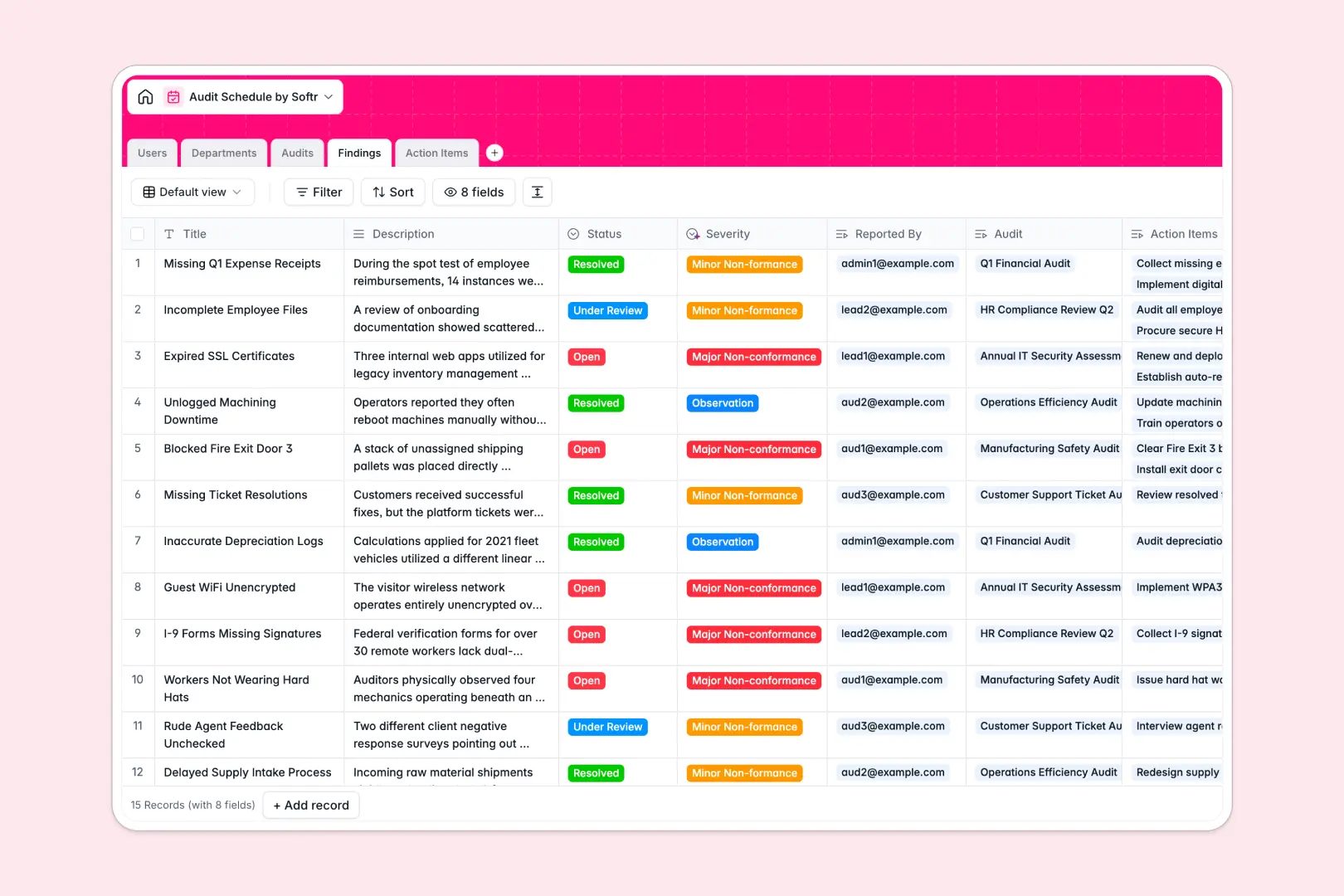
Your Audit Schedule database at a glance
This pre-built template lets you plan, coordinate, and execute compliance audits across multiple business units. Protect your organization's operational alignment by monitoring every scheduled review in one unified view.
The system connects auditors and roles directly to your Departments, Audits, and identified Findings. Track progress on remedial Action Items automatically as they are assigned and completed.
With built-in AI, your database automatically categorizes finding severity and generates audit summaries based on progress, keeping compliance reviews efficient.
What to check before building your Audit Schedule base in Airtable
Airtable is a great database engine, but managing internal audit schedules with external auditors, department heads, and operational teams often hits limits. When compliance workflows scale, collaborative tools need to scale with them without becoming cost-prohibitive.
What changes with a database built for apps
Sharing audit logs and compliance actions across an organization becomes expensive fast under Airtable's per-seat pricing. Because compliance requires involvement from various department heads and auditors, you need a setup that does not charge you for every person who logs a progress update.
This is exactly what Softr Databases are designed for. Softr includes unlimited collaborators on all plans so your entire team can participate without extra licensing costs. Plus, you get higher record and API limits to support continuous compliance monitoring.
What you can do with this template
This template transforms raw compliance logs into a collaborative environment. Use built-in Database AI agents to automatically evaluate non-conformances, flag high-severity issues, and generate written summaries of audit execution instantly.
Because data structure meets execution, you can coordinate audit workflows and trace action items directly to their root findings. When you are ready to expand, you can layer custom workflows and permissions directly over your existing tables.
-
Users
Manage auditor permissions, contact details, and assigned schedules
-
Departments
Track audited business units with AI-generated summary descriptions
-
Audits
Schedule audit events with automated AI-generated execution summaries
-
Findings
Log risks and non-conformances, using AI to evaluate severity levels
-
Action Items
Track remediation tasks, due dates, and assignee progress to completion
Who is this Audit Schedule database for
This pre-structured system is designed for teams that need to maintain compliance and clean audit trails.
- Internal Auditors: Seamlessly plan schedules, log critical findings, and assign remediations to team members.
- Compliance Officers: Manage regulatory schedules, coordinate department heads, and track non-conformances visually.
- Operations Managers: Monitor pending action items to resolve outstanding issues before the next review cycle.
How to take it further
Customize the database
Adapting the system is fast. Add custom fields, modify audit status choices, or add custom tables to support financial, safety, or IT audits without writing code.
Import your existing data
Bring your current audits and findings into the system instantly. Upload existing sheets via CSV import, or connect external systems with API access to sync historical data.
Build a full app around it
When your audit processes expand, you can easily generate an app with AI directly on top of this database. Softr's AI builder lets you produce a secure auditor portal or executive dashboard in seconds. This allows you to manage users and permissions granularly, ensuring internal teams see only their assigned actions while lead auditors maintain full operational oversight.
-
1
-
2
-
3
-
4
Frequently asked questions
-
What is an audit schedule database?
-
Why use a no-code database to build an audit schedule tool?
-
How can AI help managing data for your audit schedule?
-
Can I build an app with an audit schedule database?
-
Is this Audit Schedule template free?
-
How does this compare to an audit schedule in Airtable?
Start building today. It's free!
Build and launch your first app in under 30 minutes.