


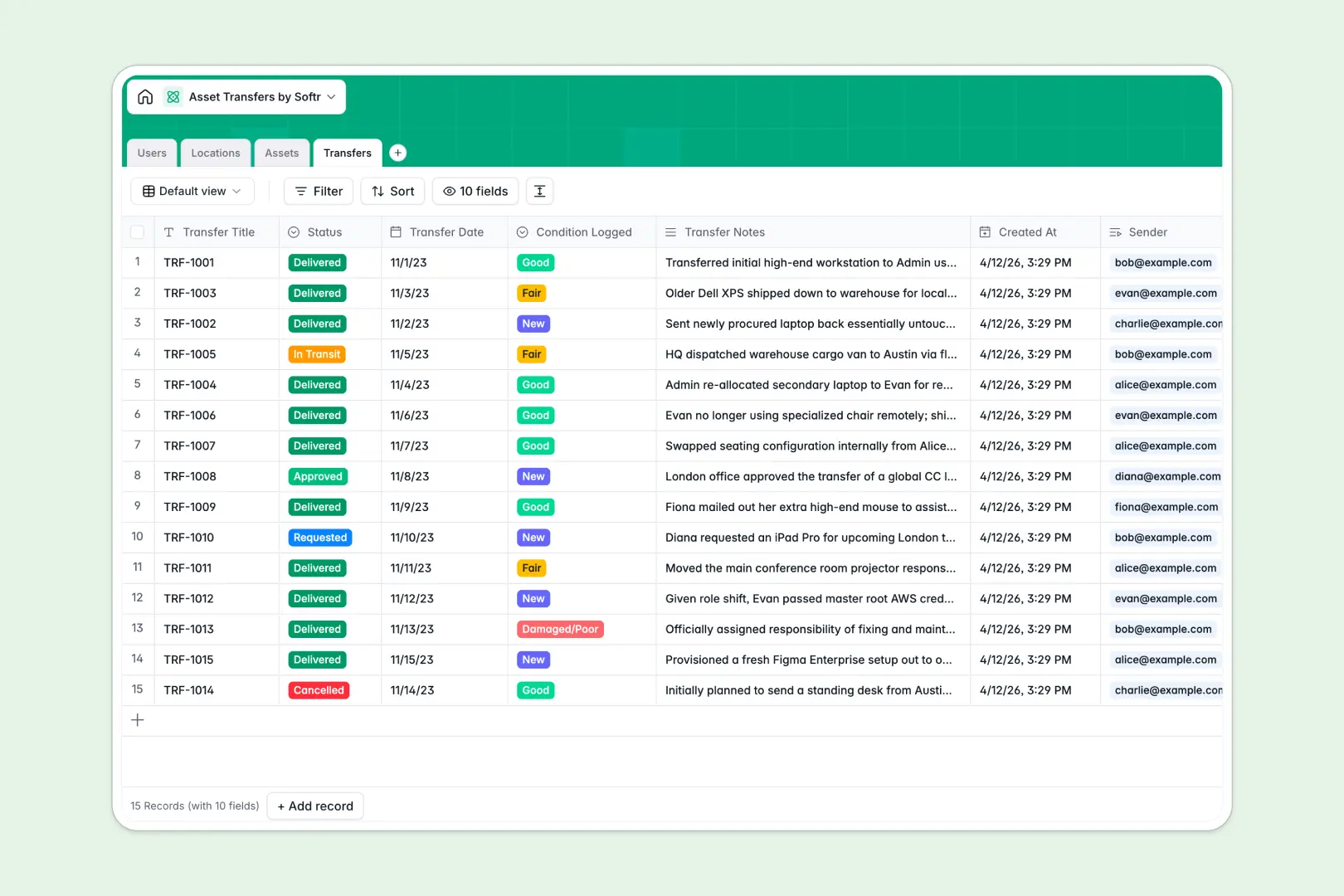
Your Asset Transfers database at a glance
This template keeps your company physical inventory running smoothly by tracking custody handoffs in real time. It monitors every transfer request, log status, and item condition so critical equipment never goes missing between offices or employees.
It connects four distinct tables: Assets, Users, Locations, and Transfers. Because these tables relate directly to one another, logging a transfer automatically updates the current user and location of the asset without manual copy-pasting.
This template also uses built-in smart fields to generate specifications automatically and summarize transfer logs, saving your team manual data entry time during transitions.
What to check before building your asset transfers base in Airtable
While Airtable is a solid option for organizing equipment transfer logs, teams often hit operational friction when they start running real handoff workflows. Navigating per-seat pricing and scale limitations can make it difficult for everyone to keep records up to date.
What changes with a database built for apps
Unlike platform models that charge you for every single employee who needs to approve a transfer or sign for a laptop, Softr Databases include unlimited collaborators on all plans. You can invite your entire logistics, IT, and operations team to log records without pricing penalties.
Managing bulk transactions is also effortless, with support for up to 200,000 records per database and a fast, 50 requests per second API. This ensures your ledger remains highly performant and accessible even during peak hardware lifecycle refreshes.
Furthermore, because the interface layer is native to the same platform, you do not have to purchase external portal Builders to allow field staff to request, update, or sign off on transfers.
What you can do with this template
This asset transfers template helps you automate handoff tracking while maintaining a precise audit trail. You can quickly view active transfer statuses, categorize assets by category and condition, and see exactly who held an item previously.
With Database AI agents running directly inside your tables, you can generate detailed technical specifications for hardware instantly. They can also analyze raw transfer notes to summarize transition events and spot any sudden drops in asset condition automatically.
-
Users
Track team members with contact info, locations, and asset assignments
-
Locations
Manage physical offices, departments, and warehouses holding assets
-
Assets
Track company hardware and software with AI specification profiling
-
Transfers
Log asset handovers with status and AI-generated event summaries
Who is this Asset Transfers database for
- IT & Operations Teams: Keep real-time tracking logs for employee laptops, screens, and peripherals moving between remote workers and local offices.
- Logistics Managers: Oversee physical company equipment moving across warehouses and branch locations with precise custody record checks.
- Facilities Specialists: Audit physical furniture, vehicles, and office assets during relocations or department-wide internal reassignments.
- Department Heads: Coordinate specific local tool or media equipment loans among team members while maintaining a clear condition audit trail.
How to take it further
Customize the database
Adjust fields to match your company's logistics flow perfectly. You are free to modify category choices—e.g., adding "Medical Devices" or "Heavy Machinery"—or add custom fields for serial numbers, barcodes, or department cost centers.
Import your existing data
Instead of starting from zero, import your hardware and employee directories in seconds. Populate your tables with a simple CSV upload, or use our developer-friendly API to keep your asset database synced with external IT service management systems.
Build a full app around it
When your team is ready, convert this database into a secure company application. You can use our AI app generator to generate a functional portal on top of this exact data in seconds.
With customized users and permissions, you can ensure that employees only see and request items assigned to them, while operations managers gain a dashboard to review and approve transfers in just one click.
-
1
-
2
-
3
-
4
Frequently asked questions
-
What is an asset transfers database?
-
Why use a no-code database to build an asset transfer system?
-
How can AI help managing data for asset transfers?
-
Can I build an app with this asset transfers database?
-
Is this Asset Transfers template free?
-
How is this template different from an Airtable template?
Start building today. It's free!
Build and launch your first app in under 30 minutes.